F1Rocket666
-
Posts
4 -
Joined
-
Last visited
-
 F1Rocket666 changed their profile photo
 -
my TRP Pedals have gone completely crazy
F1Rocket666 replied to F1Rocket666's topic in Installation Problems
Hello all kind people who tried to help me. It was me who missed a very important thing. I am Swedish and unfortunately my native language is not English, which probably contributed to the filter "All But Axis Commands" being selected when I was in "Control Options" which meant that I did NOT see the incorrect "bindings" that both Stick & Throttle had!! Clever.. So, now that I have removed these, everything works perfectly. Thank you very much for your attempts to help a "totally blind person" with this. I am a happy guy right now.. Time to start building a sim cockpit... /Mats
-
my TRP Pedals have gone completely crazy
F1Rocket666 replied to F1Rocket666's topic in Installation Problems
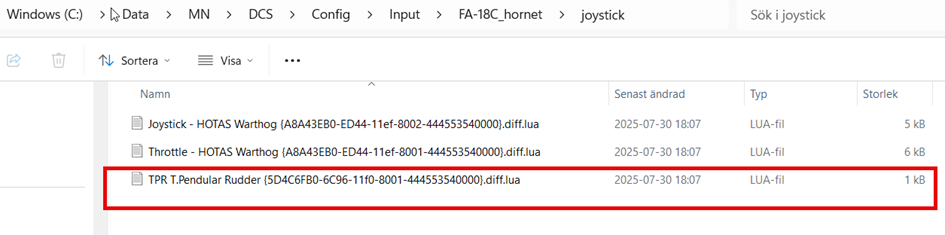
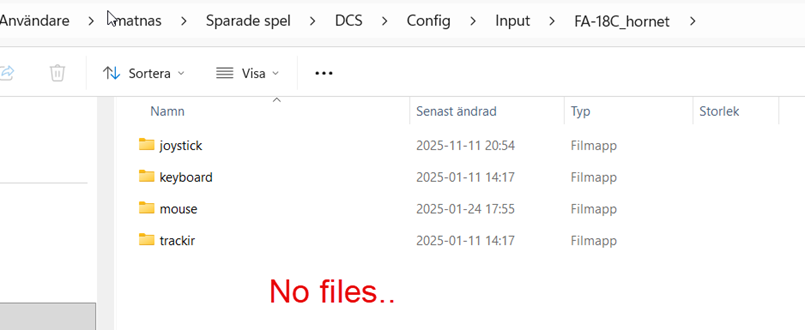
Hi again! It's not working for me. I tried assign a button to a controller but it doesn't create a modifiers.lua file in the aircraft folder. In my old computer where everything works, the hardware ID:s looks like below. In my new computer where my paddles have gone crazy, the ID:s looks like below. There are no "bindings" at all in the settings for the pedals. In the old computer there was a "TPR T.Pendular Rudder {5D4C6FB0-6C96-11f0-8001-444553540000}.diff.lua-file that is not found in the new computer. I tried copying it over but there was no change. I have also tried copying the entire DCS file structure (15.8GB) from the old computer to the new one but Without anything changing. Do I have to reinstall the entire DCS? Will there be any difference? What distinguishes both installations is that the pedals were not there at the time when DCS was installed on the old computer. The pedals were added much later.. When I did the new installation, all the accessories were already connected on the new computer. Help. /Mats
-
my TRP Pedals have gone completely crazy
F1Rocket666 replied to F1Rocket666's topic in Installation Problems
thanks buddies! I will try to solve the whole thing with your inputs! I'll get back to you if I have a problem. Thanks for the quick reply! hugs! -
Hi everyone! I have Thrustmaster’s Dual Throttle, F/A-18 stick, and TRP Pedals. Everything works perfectly on my old computer. But on my new computer, the pedals have gone completely crazy. When I press the left pedal, it triggers Throttle Forward. The right pedal controls Throttle Backwards. Left pedal brake moves the Yoke forward/backward. Right pedal brake moves the Yoke left/right. That makes it really hard to fly... I can’t find any strange bindings in the control settings. I’ve also tried resetting my bindings, reinstalling drivers, and recalibrating everything. I have no idea what to do. Help! /Mats