Galinette
-
Posts
838 -
Joined
-
Last visited
Content Type
Profiles
Forums
Events
Everything posted by Galinette
-
Hi, I have a WarBRD stick, with some customization in VPC Congurator. I will receive a throttle and panel soon. I have noticed that in VPC Configurator's profiles, you can select a base, a grip, and a panel. What is this for? Should I add the panel to the profile, or use a separate profile once I have my grip? If I want, for instance, having a "mode selector" dial on the panel, which will change the action of some buttons on the grip, should it be done through different logical buttons created in VPC configurator (is this possible?) or through modifiers in DCS? Thanks for advices, this may save me some time redoing the set-up several times in the future...
-
Hi! Any feedback on this? Or maybe I'm not asking the right forum? Thanks
-
Hi, I'm planning to build a M2000-C partial cockpit, with buttons only as I'm playing in VR (no output : gauges, MFDs...) At the beginning I was planning to add all missing control entries in controls default.lua and bind them to leo bodnar boards. But, I understand DCS BIOS is an alternative. However, the M2000 is not in the supported module list. What do you think is the most simple approach? Thanks!
-
Hi, I'm pretty new into the input controls customization trough LUA. On the M2000-C, there are no binds for switching radio channels, you can change them only by clicking the cockpit. Now since this is a PITA I found how to find clickable cockpit action ids, and add binds in the default.lua files of the mod. Now this modifies the base module files, so this will likely be reset at every update, or worse. I know there is the ovgme tool that allows you to enable/disable mods via a gui. But still, you have to manually do things, the only difference is it's with a GUI. Now is it possible to do this via a .diff.lua in user space? Thanks!
-
Another issue, I have tried detecting when axis are close to the limit. So I have set the 4 global axis to button settings to X and Y axis, 0-5% and 95-100% ranges, all on button 33. When testing, the button is only triggered when Y is 95-100%, it seems only the last setting is working.
-
Hi, I did some tests with axis zoom. As I understand it, you assign a physical button id, not a logical one. This means, you cannot toggle axis zoom by pressing a button, you need to keep it pressed for using precise axis. It's quite a limitation, is there any way to circumvent this? Thanks!
-
Hi, Are simple 3D models of VIRPIL products available somewhere? It would be awesome for quickly designing simpits, for instance as SketchUp objects. Thanks!
-
Hi, I have a brand new WarBRD + Constellation Alpha grip. I am trying to define buttons from analog axis on the ministick. For this, in the VPC configuration tool, I go to the Axis menu, I check my ministick axis, they are # 3 and 4, named rX and rY, and respond well to movements on the full 0-100% range, centering around 50%. I double click on either axis, and tick a "Axis to button" checkbox, for instance 41-60% (button pressed around center). Click save and do the same for the other axis. Then I go to Button menu. On the lower right window, I get the message: So far so good. Now I define two logic buttons. Logical buttons 33 and 34 are unused on the above window, so I map them to the physical buttons 33 and 34. I let other parameters to default. Now they show up in the button mapping list. I click "SAVE VPC DEVICE" and everything is sent to the stick. This does not work : I can't get any button signal when moving the ministick across the boundaries. Now, if I create an axis to button mapping with the "global" method (the one which lets you create a maximum of 4 buttons globally, with custom ranges) on any axis, the ones defined previously magically work. Is this a software bug? Thanks
-
In APP mode, the IAS is positioned properly at mid-height so that it stays visible even with raised seat, this is perfect. However, as soon as wheels touch the runway, the HUD goes to ground mode, and the speed is re positioned to the top of the HUD. If your seat is raised, you can't see it. Raising the seat is very useful for landing, as otherwise your target AoA goes at the lower limit, or even sometimes below the visible part of the HUD. But as soon as you touch you can't see your speed which is a big problem. Your thoughts?
-
Tacview, the ACMI for DCS World – Official Thread
Galinette replied to Vyrtuoz's topic in DCS Modding
Thanks! That did it. Is TacView slowing down things on busy servers? -
Hi, Recently I noticed that on a radar lock, there is no HUD square around target, until I switch to 530D. I have the feeling, without being 100% sure, that it wasn't the case before. Is it a new bug? Or is it the correct behavior, and a former bug that was fixed? Thanks!
-
+25
-
Tacview, the ACMI for DCS World – Official Thread
Galinette replied to Vyrtuoz's topic in DCS Modding
Hi, I have a single line, for SRS SimpleRadio, none for TacView. Which line should I add? Thanks! -
Tacview, the ACMI for DCS World – Official Thread
Galinette replied to Vyrtuoz's topic in DCS Modding
Hi, I have purchased TacView Standard. After installation, I have the TacView mod visible in DCS, recording is enabled, but after a flight session, I only get a 1kb file which contains some header but no actual data. I have looked in DCS logs, but there are no "Can't execute..." like error regarding lua scripts. How can I solve this? Another question, how is the "Premium Support" working? Is this forum only? -
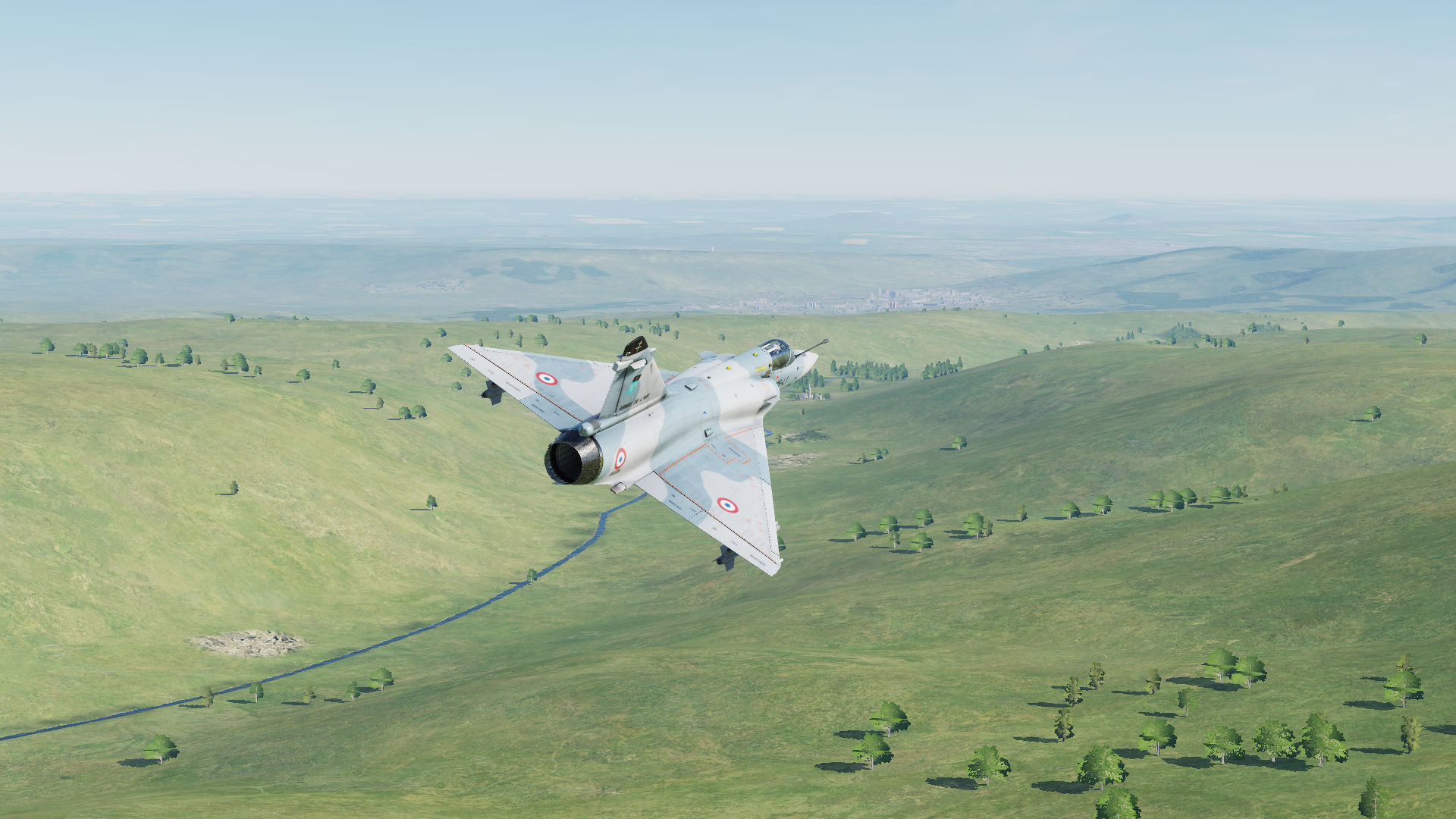
But does ED use mods or a customized engine for rendering its trailers? Trees are gorgeous on the official videos... See for instance the first shot in the video below:
-
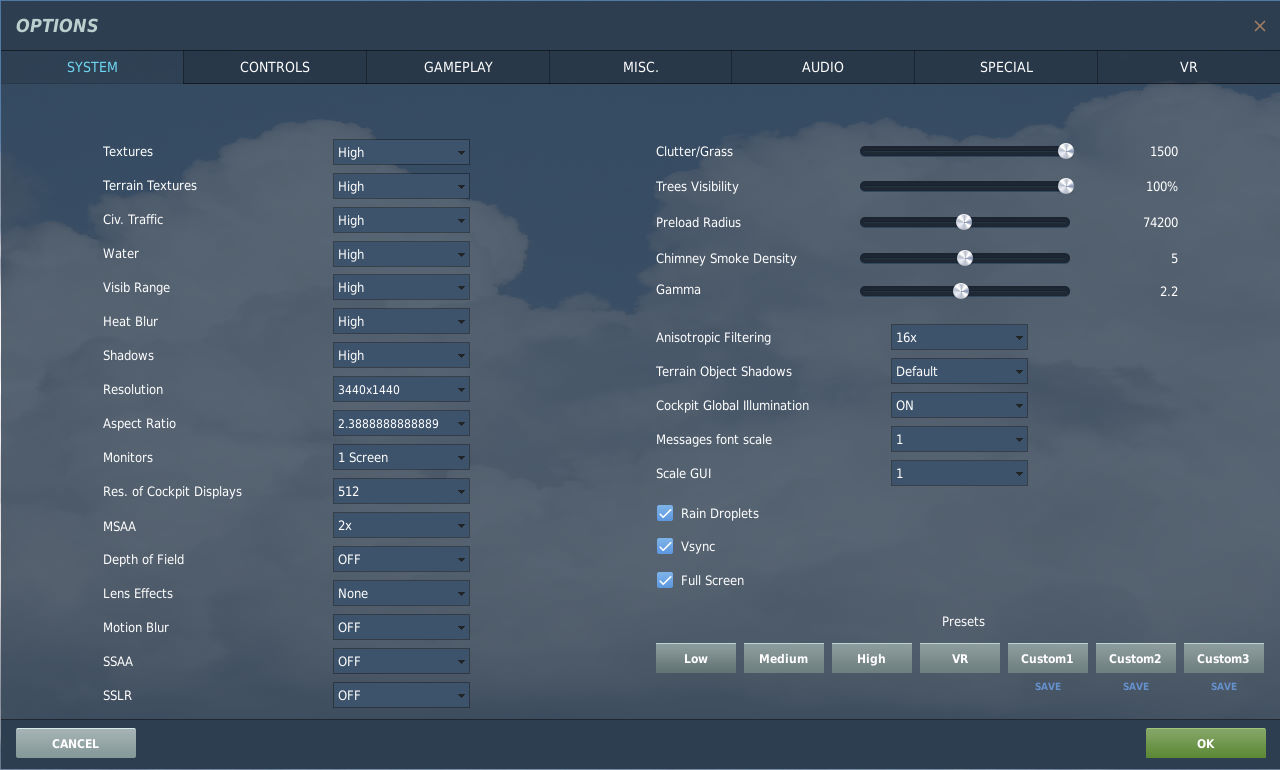
Hi, On every DCS video I can find on youtube, the trees look great. When I try playing with all details set to high, they look ugly, rendered as a 3-plane billboard, until I get very close, and they look slightly better but still poor. Do everyone use graphics mods on youtube videos? Screenshot and settings are attached!

-
Hi, What are the recommended uses of the M2K jammer in DCS? Especially: Can it make the aircraft more detectable in some cases? What about "home on jamming" missiles, are they implemented in DCS? Do you activate it, before being detected? When detected/locked? After missile launch? Do you keep it on in combat, or use it in short "shots"? Thanks for your tips!
-
Hi, I have a cheap USB numpad that I use in VR. I would like to associate a multi position selector from the Throttle (VIRPIL, not yet received), so that I can change what the numpad does on the fly (Such as M2KC INS numpad, views, frequency input, ...) Is there a simple way to do this? Thanks!
-
Also, it became much harder to read in VR with not top-end headsets such as Rift S. I can't distinguish an F-16 from an AWACS without zooming now :(
-
I was about to report a bug that my RWR codes had been f#$%ed up :) I will need to keep it on the open kneeboard for some time...
-
Well it seems this is not a rose garden... I have tested : "Nearest Airfield Select" and "Nearest Airfield Inbound" and it never works. Also, commands such as "Senakhi Select" kinda work, but when testing extensively with all airports VoiceAttack crashes after 20-30 tries. So it seems I can't rely on it for airport frequency selection... I have kinda wasted 15$...
-
Yes, SELECT does the job! Also, setting the "Instant select" checkbox does make my initial command work. If you say "Senakhi Inbound" it does switch the frequency to Senakhi, then issue the command.
-
I just figured out that VAICOM "training" feature trains me, not the recognition engine... Thanks for your answers!
-
Even non-FC3 aircraft have issues with this. I'm using mostly M2000C, the frequency selection is clickable-cockpit only, and have no available control binds. Ah, I will test this.
-
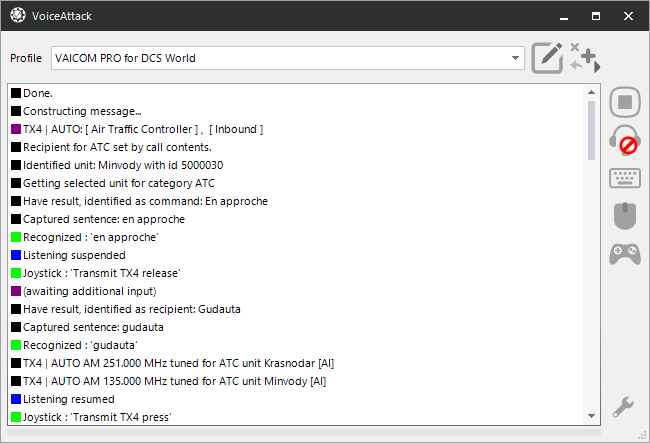
Hi, I have set-up VAICOM and changed the keywords in French, and did the speech recognition training, and now it detects individual keywords fine. Now, I flied on Caucasus in DCS and tried ATC "Inbound" commands with the airport name before. The "Inbound" keyword is translated by "en approche". But if I say, for instance, "Gudauta en approche" (Gudauta Inbound), it sends the message to the wrong airport, despite having all keywords fine. Attached is a VA screenshot of what happens. Any idea?