


ac5
-
Posts
1468 -
Joined
-
Last visited
-
Days Won
1
Content Type
Profiles
Forums
Events
Everything posted by ac5
-
Sorry Guys, but in my opinion you are all struggling for nothing... As I mentioned, we can do everything we want at our end, but ONLY Magnitude 3 LLC / ED can fix this, because they introduced this bug after the latest DCS update 2.9.2217790.
-
Hi, we can do everything we want at our end, but only Magnitude 3 LLC can fix this... As Art-J correctly stated, there is something seriously wrong with the elevator trim / flight model of ONLY the Corsair, introduced after the latest DCS update 2.9.2217790. Before then, Takeoff - Landings on land were perfectly possible, even Carrier landings with struggle. Now it is indeed possible to take-off but pretty much impossible to land........ !
-
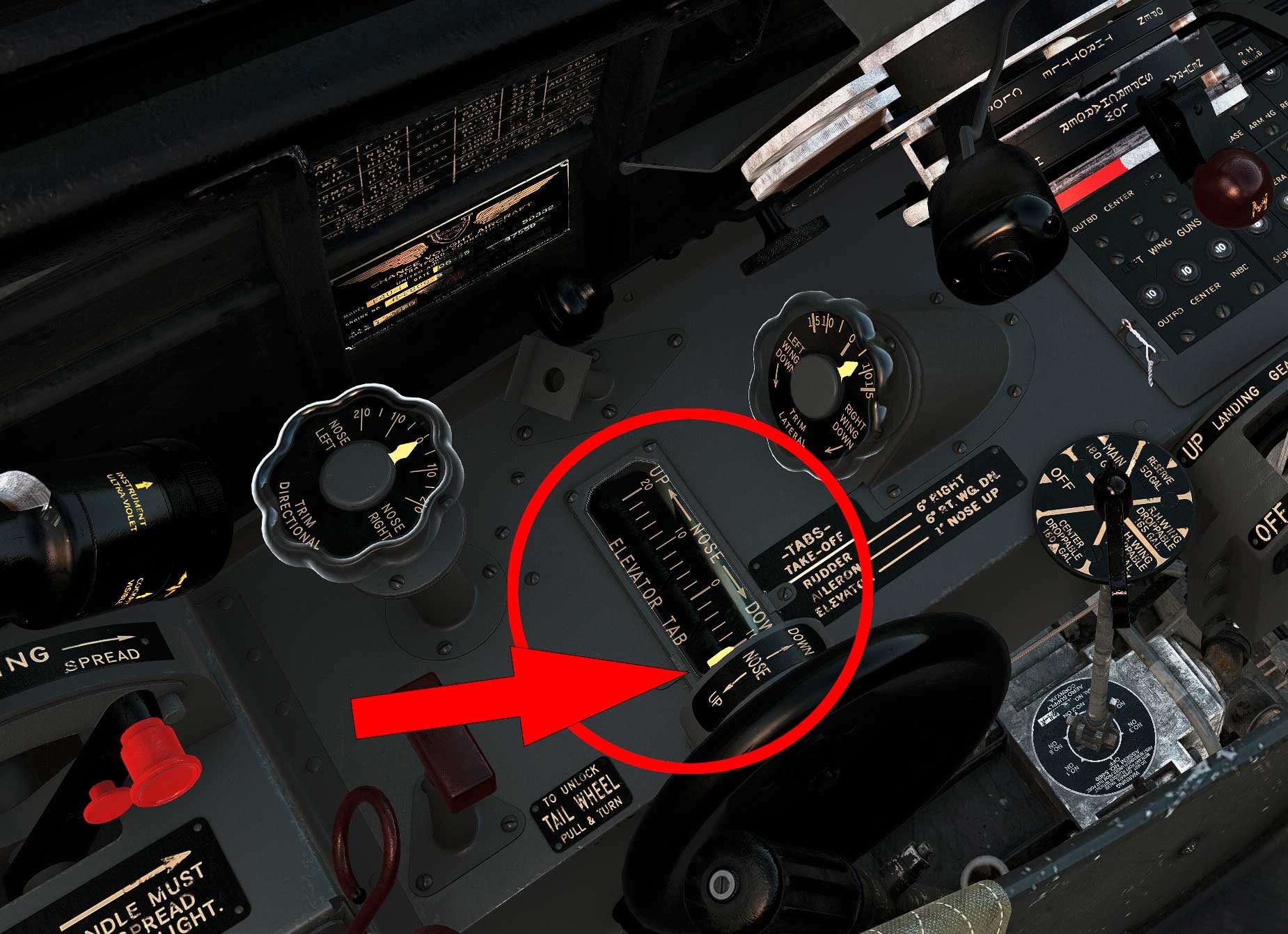
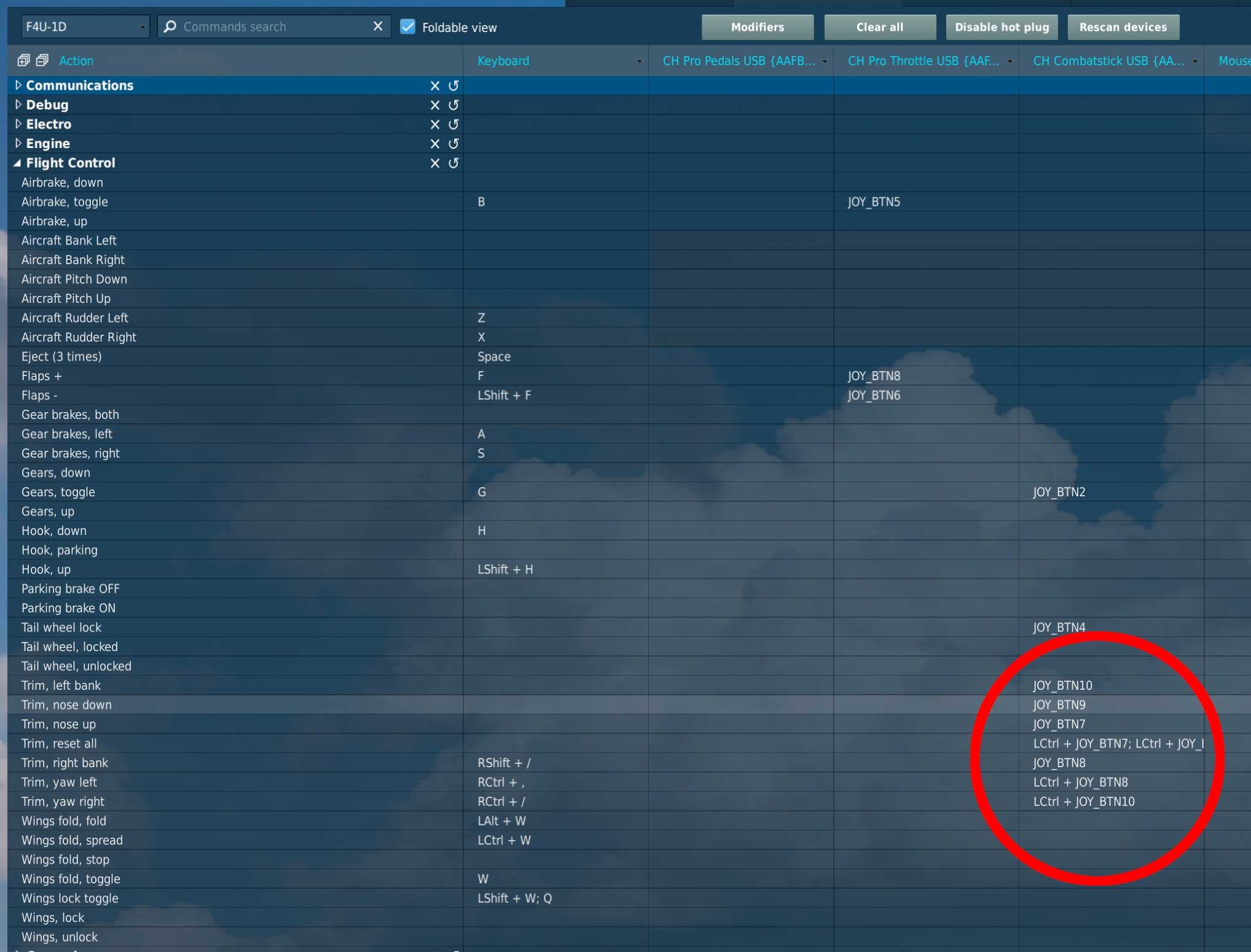
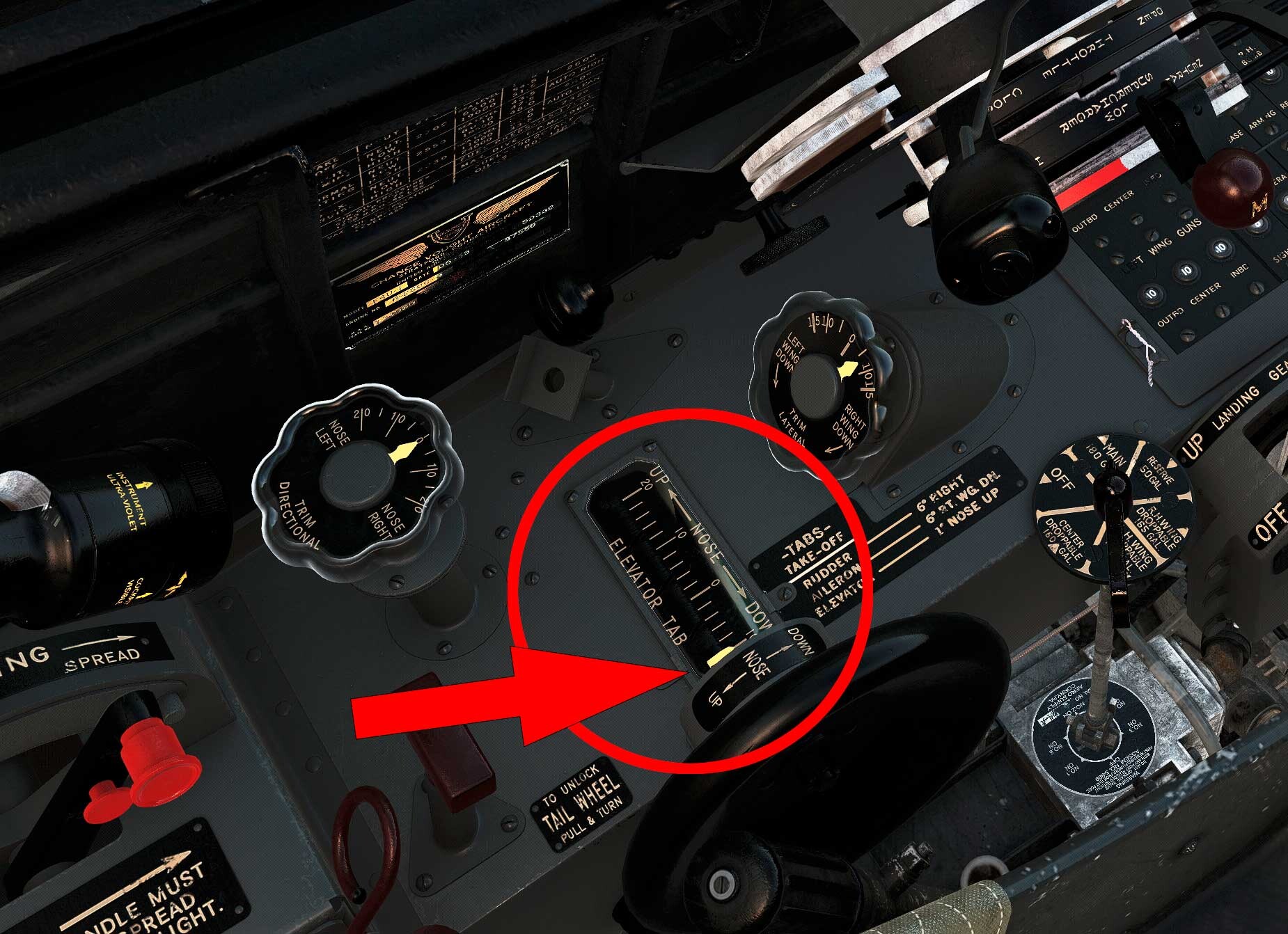
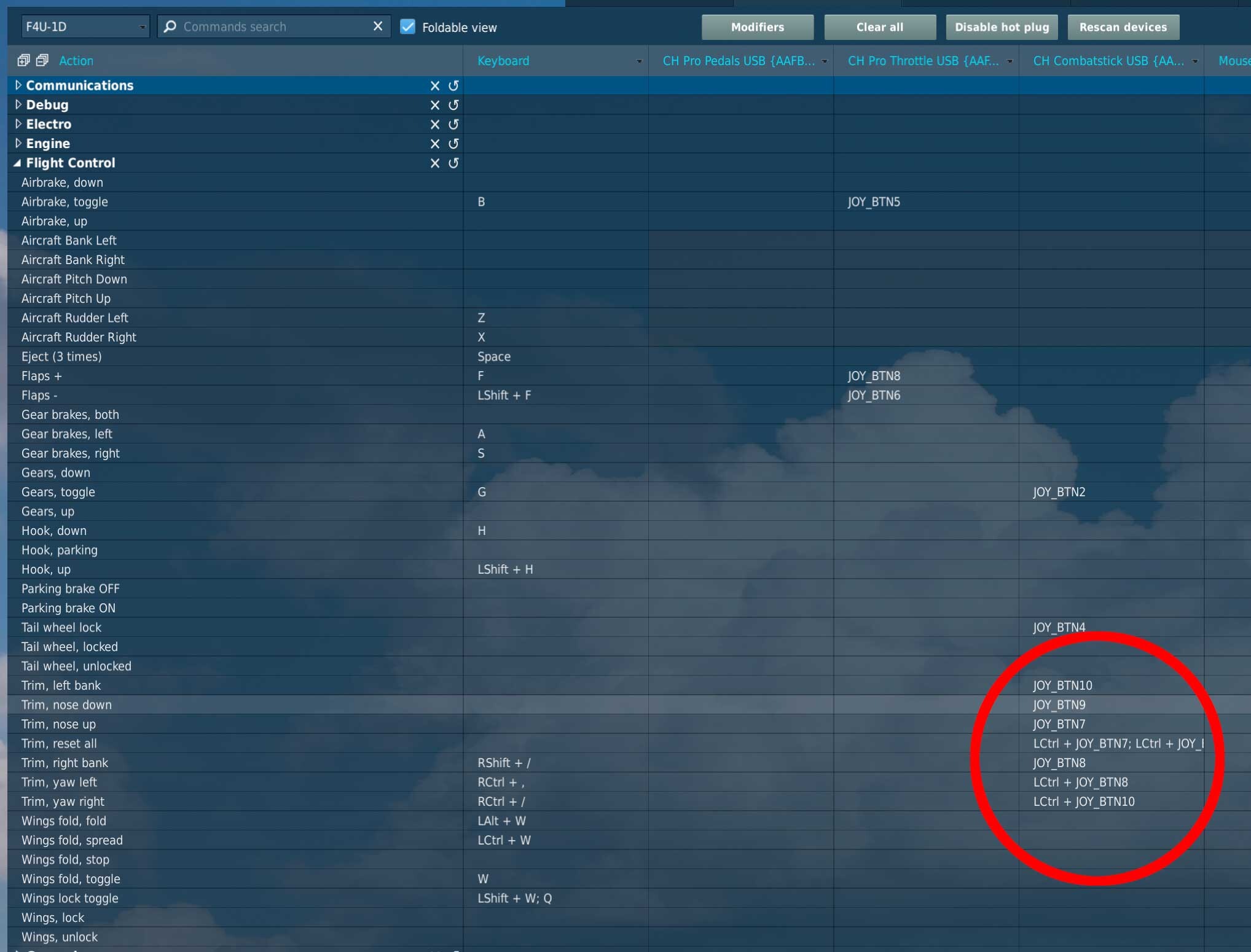
Here also my 5 cents…: only after the latest DCS update 2.9.2217790 I was also obliged to wrongly assign in the settings elevator trim up to down and elevator trim down to up. Taking off is not a problem with this workaround, but landing has turned out as quite impossible… Why? Because the trim has larger setting up (20) than down (10)! This being said, it is exclusively a bug that concerns the Corsair. All my other WWII birds, jets and helicopters (13) are NOT concerned by this newly introduced bug). Please advise, Magnitude 3 LLC, please be so kind and correct this asap...... Mainboard: ASUS Maximus X Hero Intel Z 370 CPU: Intel 12-Core i7-8086K @ 4.0 GHz Memory: 32GB Corsair DDR4-3000 MHz Graphics Card: ASUS NVIDIA GeForce RTX 4090 24 GB Monitor ASUS - Oled PG42UQ 41.5" @ 4K 1 SSD Samsung 860 PRO 256 GB 1 SSD Samsung 990 PRO NVMe M.2 4 TB 1 SSD Samsung 860 PRO 2 TB Windows 11 Home - 64 CH Products Combatstick, Throttle and Pedals

-
Thanks!
-
Right.. BUT.. I could not find another thread treating this problem. Please be so kind and point me to it with a link. Thanks.
-
Exactly that happened to me, not only attempting to land on the carrier, but even attempting to land on land. As I mentioned in my post, I was obliged to wrongly assign in the settings elevator trim up to down and elevator trim down to up. Though landing with this workaround has turned out as quite impossible… Why? Because the trim has larger setting up (20) than down (10)! Magnitude 3 LLC, please be so kind and correct this asap......
-
Very similar problem here, though only after the latest DCS update 2.9.2217790. I was obliged to wrongly assign in the settings elevator trim up to down and elevator trim down to up. Taking off is not a problem with this workaround, but landing has turned out as quite impossible… Why? Because the trim has larger setting up than down! (See screenshots) This being said, it is exclusively a bug that concerns the Corsair. All my other WWII birds, jets and helicopters (13) are NOT concerned by this newly introduced bug! Please advise. CH Products Combatstick, Throttle and Pedals
-
Fine, thank you very much! Your guides make all the difference when learning a new plane.
-
Hello Chuck, well... do you plan to make a guide for the Corsair?
-
Hi Chuck, Any chance we'll get one of your wonderful guides for the Corsair? Kind Regards, AC
-
Well, thanks, I am aware of that, but the texture that appears in the mirrors is beyond ugly... I'll just fold away the mirrors in the meantime. And as mentioned, it would be nice that the rotary switches, mirrors, etc in the wonderful corsair could be interacted on as pretty much all the other DCS planes....... ("one mouse click" -Mirrors- "ONLY mouse wheel turn" -rotary switches- E.G. light intensity.).
-
OK Rudel, thank you very much. I have a small suggestion, It would be nice if one could fold away the mirrors just with "one mouse click" over them, as most DCS planes do, instead of "click and drag mouse" or "click and mouse wheel turn" as it is the case now in the Corsair.
-
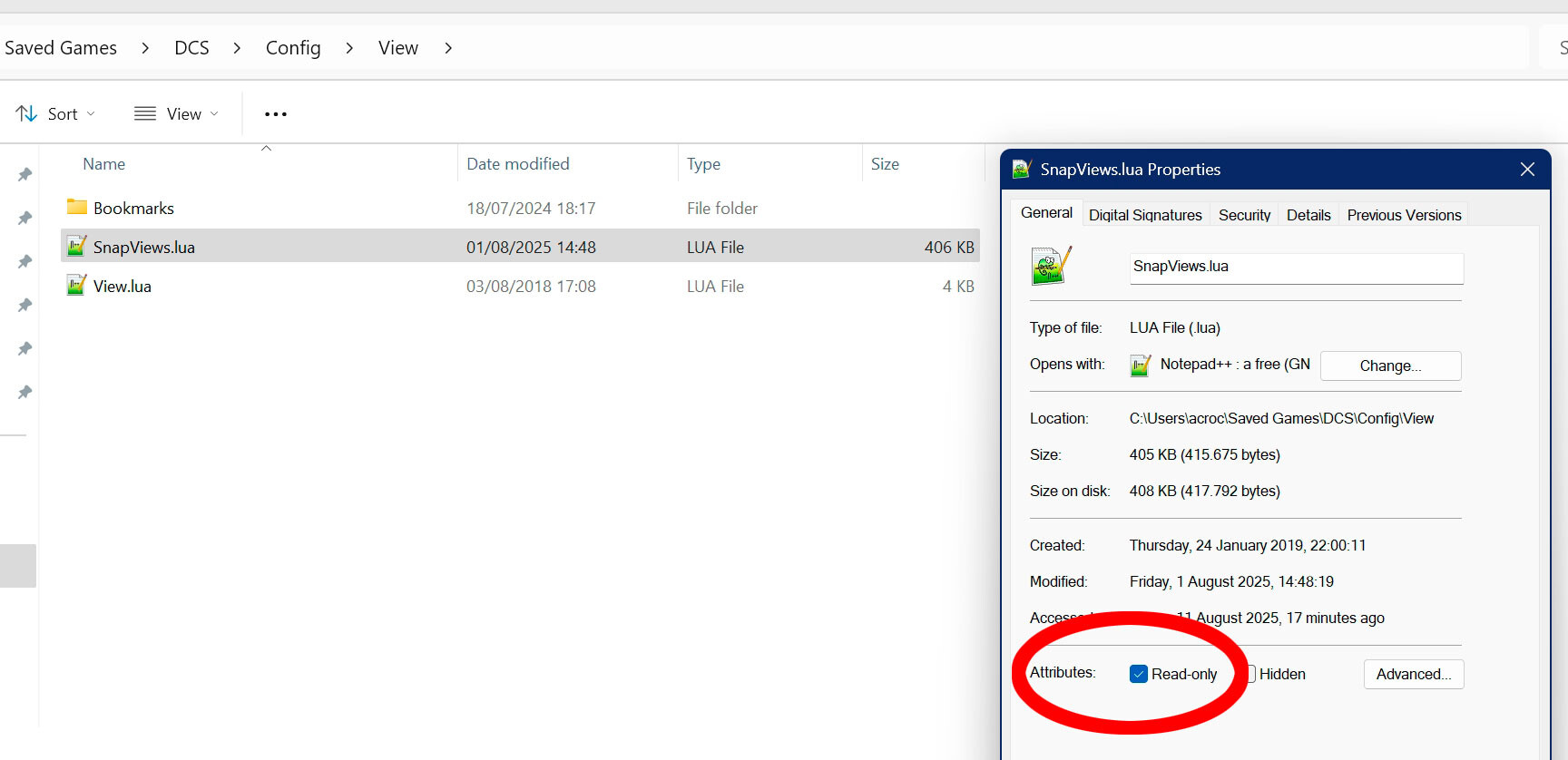
Well, whatever... Enough effort with his matter.. Anyway, I have found the solution. As mentioned, I have marked the file SnapViews.lua as "read only" and after several days of gameplay, I don't have this issue any more. If I want to change something in the SnapViews.lua I just remove temporarily the "read only" attribute and then apply it again. No biggie. Also, my file SnapViews.lua gets backed up daily in my Windows 11 file history. But remember, ED / DCS had a similar issue a couple of years ago, which eventually was resolved. Period.
-
O.K. right.. but what now?
-
Also one can not assign "center view" and "reset zoom" to the mouse. It would also be nice to simply use the mouse wheel to enact rotary switches, (as most DCS planes do) instead of having to keep pressed the right mouse button to do so. And, last but not least, It would be nice if one could fold away the mirrors just with "one mouse click" over them, (as most DCS planes do), instead of "click and drag mouse" or "click right mouse button and mouse wheel turn" as it is the case now in the Corsair.
-
Evidence is in the screenshots above, and in the fact that The Bigger Bass also has this issue, and with the F-16, most probably not in the Marianas map. Moreover, why would he and me invent something? To annoy you? These are not anecdotes but hard FACTS. Proof is since I have marked the file SnapViews.lua as "read only" I don't have this issue any more, As this bug tries to change the SnapViews.lua does not succeed because now is "read only"..... And BTW, the corsair and the huey missions I provided do not have baked in views.
-
So there you have it... I am glad I am not the only one.... As already mentioned, I think I have found a temporary workaround to this issue, at least until ED notices this thread and hopefully fix this issue....... I have marked the file SnapViews.lua as "read only", and it seems to work with all my missions, and even in the training missions. Ever so astonished by ED not showing signs of life concerning this matter.....
-
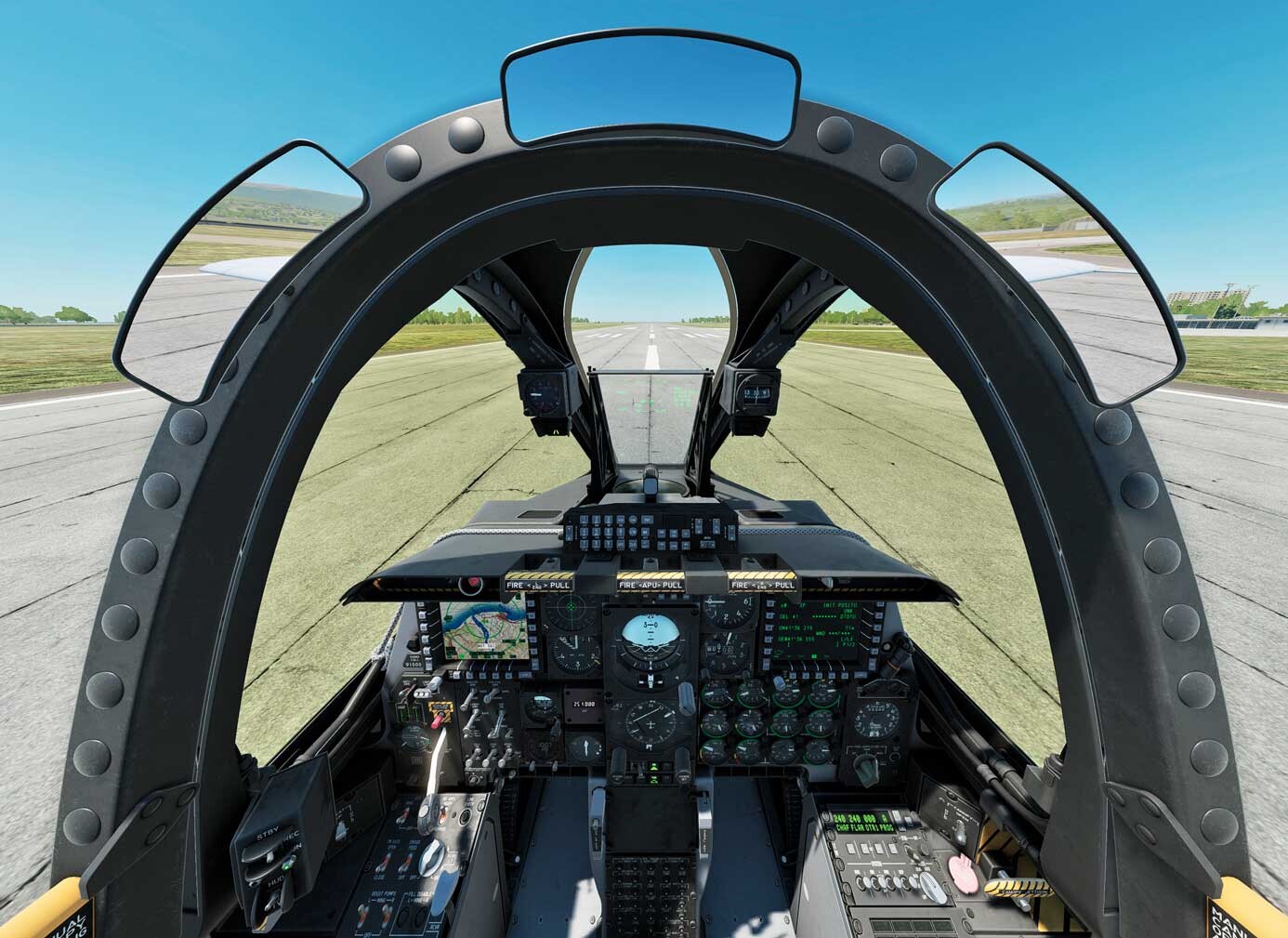
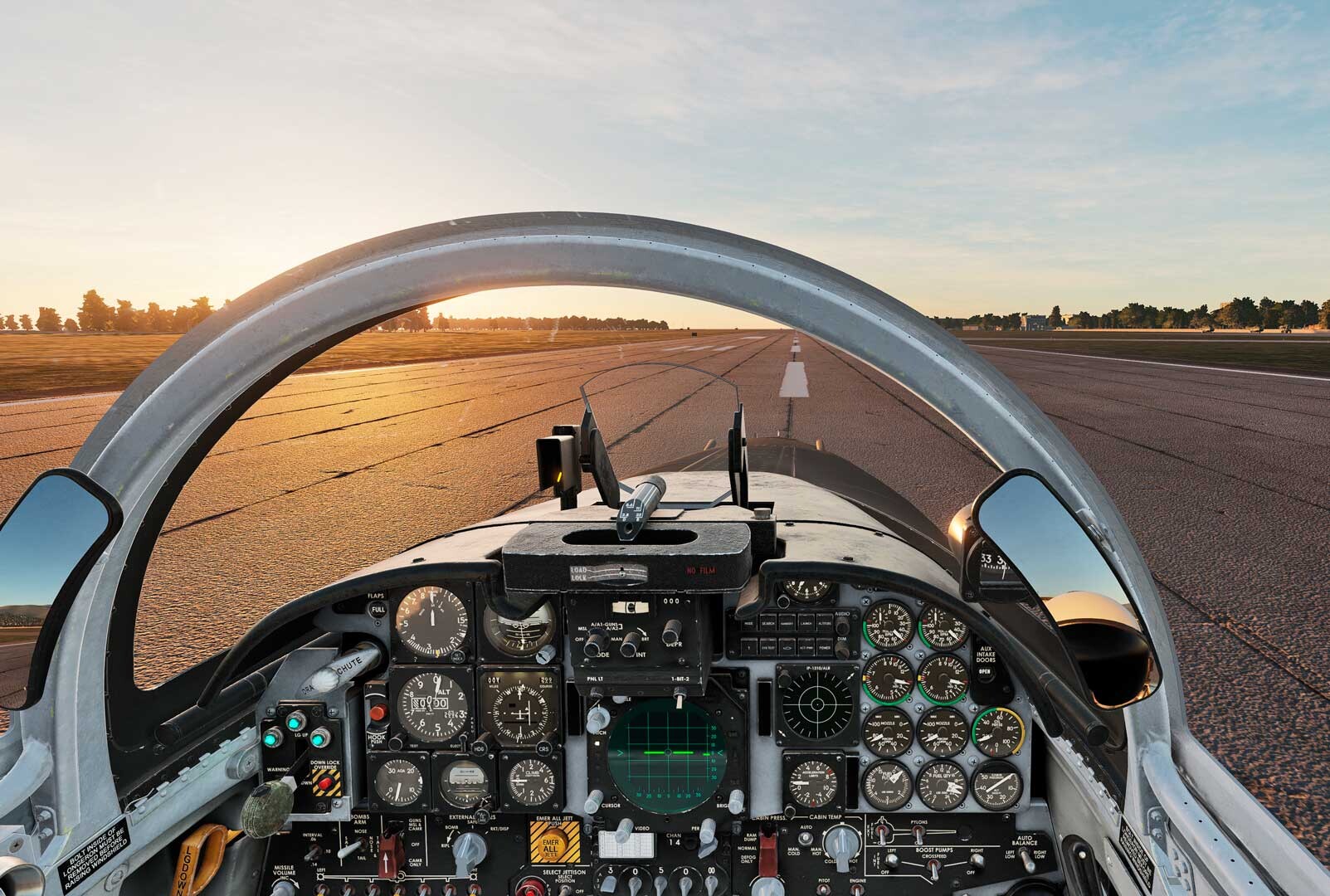
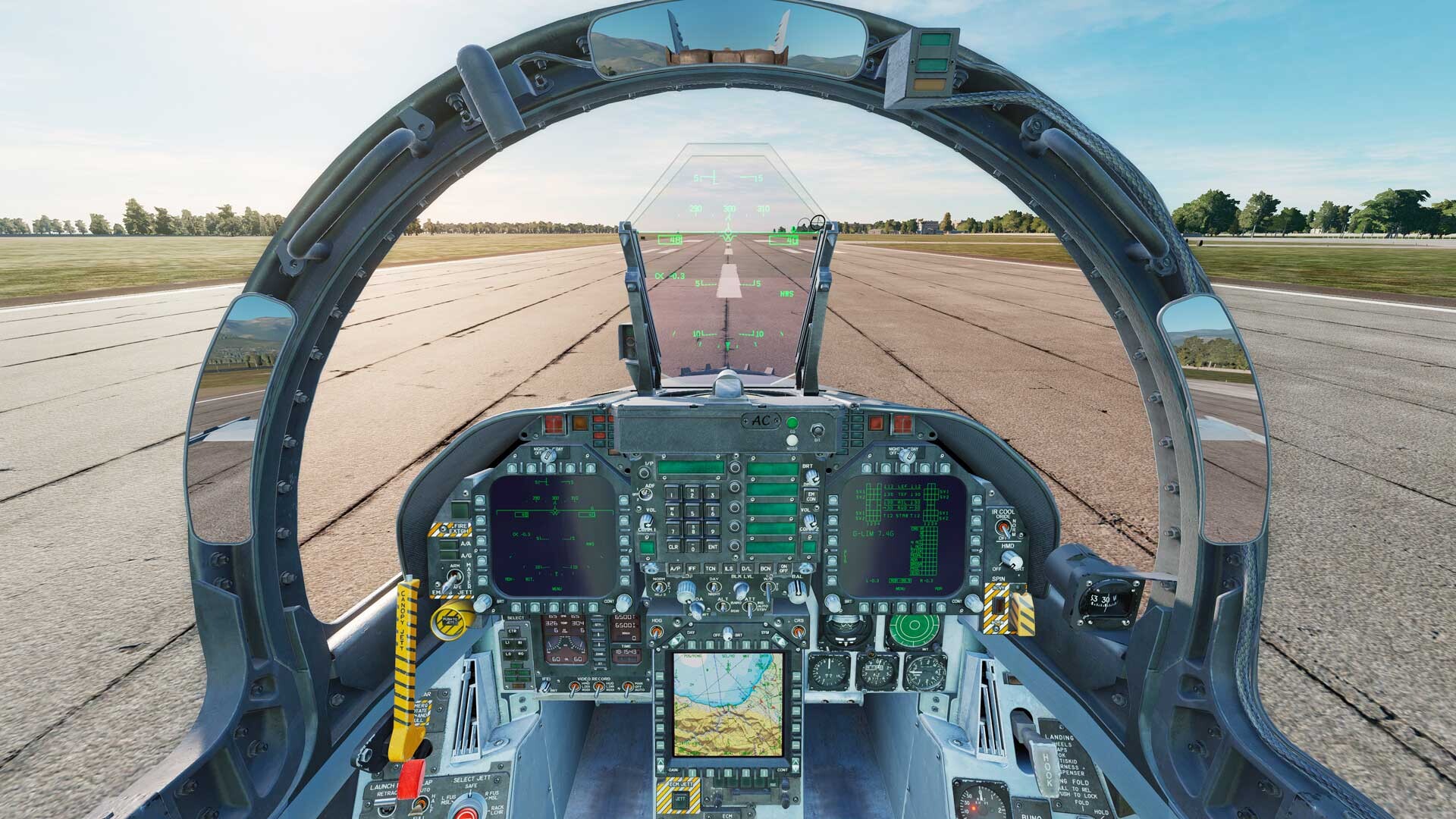
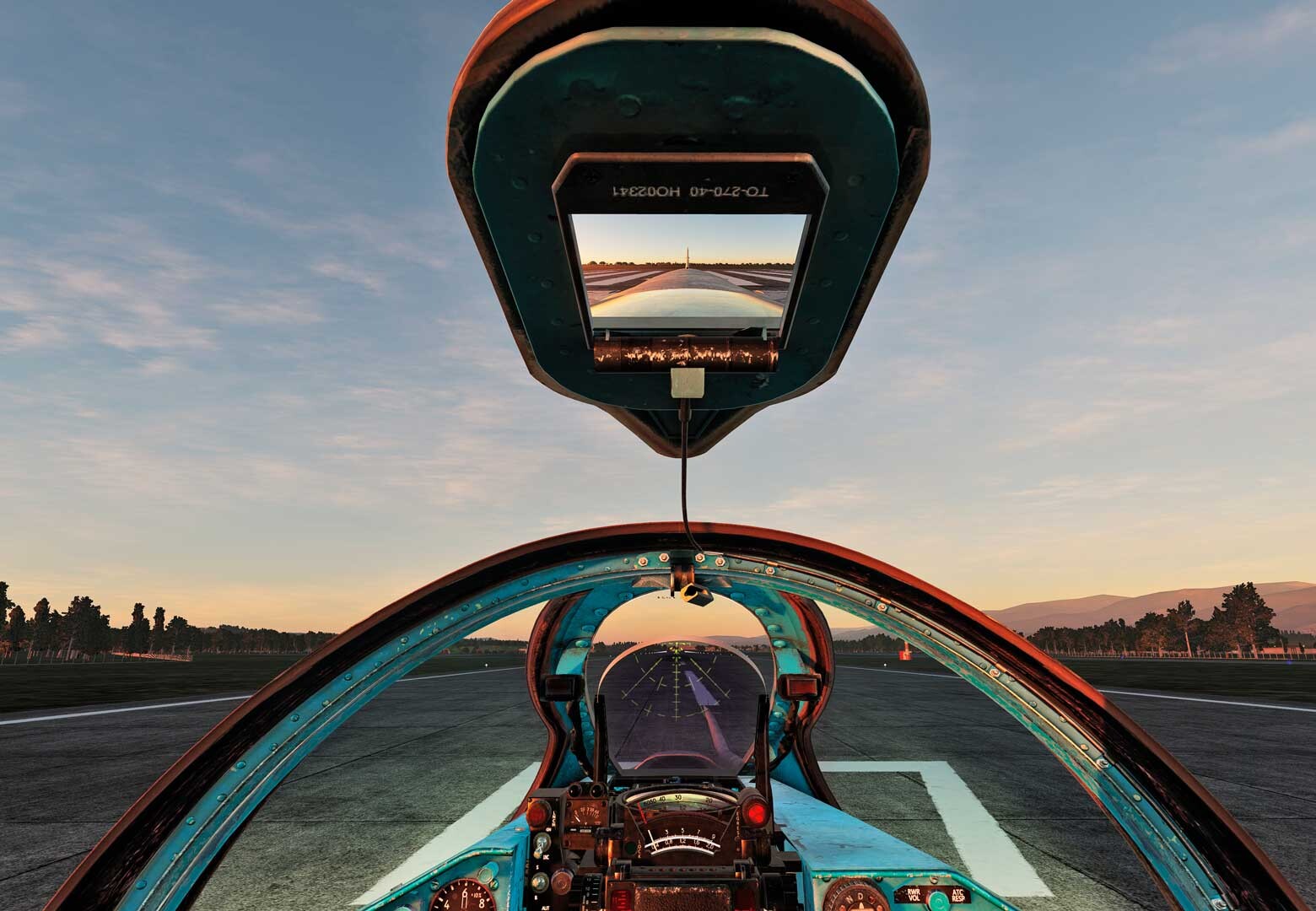
I completely agree that the Corsair is a great module that has great potential in DCS, even possibly also the best DCS WWII warbird... And I also very much appreciate the efforts of Mag3, although not the efforts to put a pilot's head in the mirrors. Though you forgot to mention in your observations that the head of the pilot do not appear at ALL in the F-18, no matter how extreme side or up viewpoint or zoom level is used.... I also use "only" a flatscreen.
-
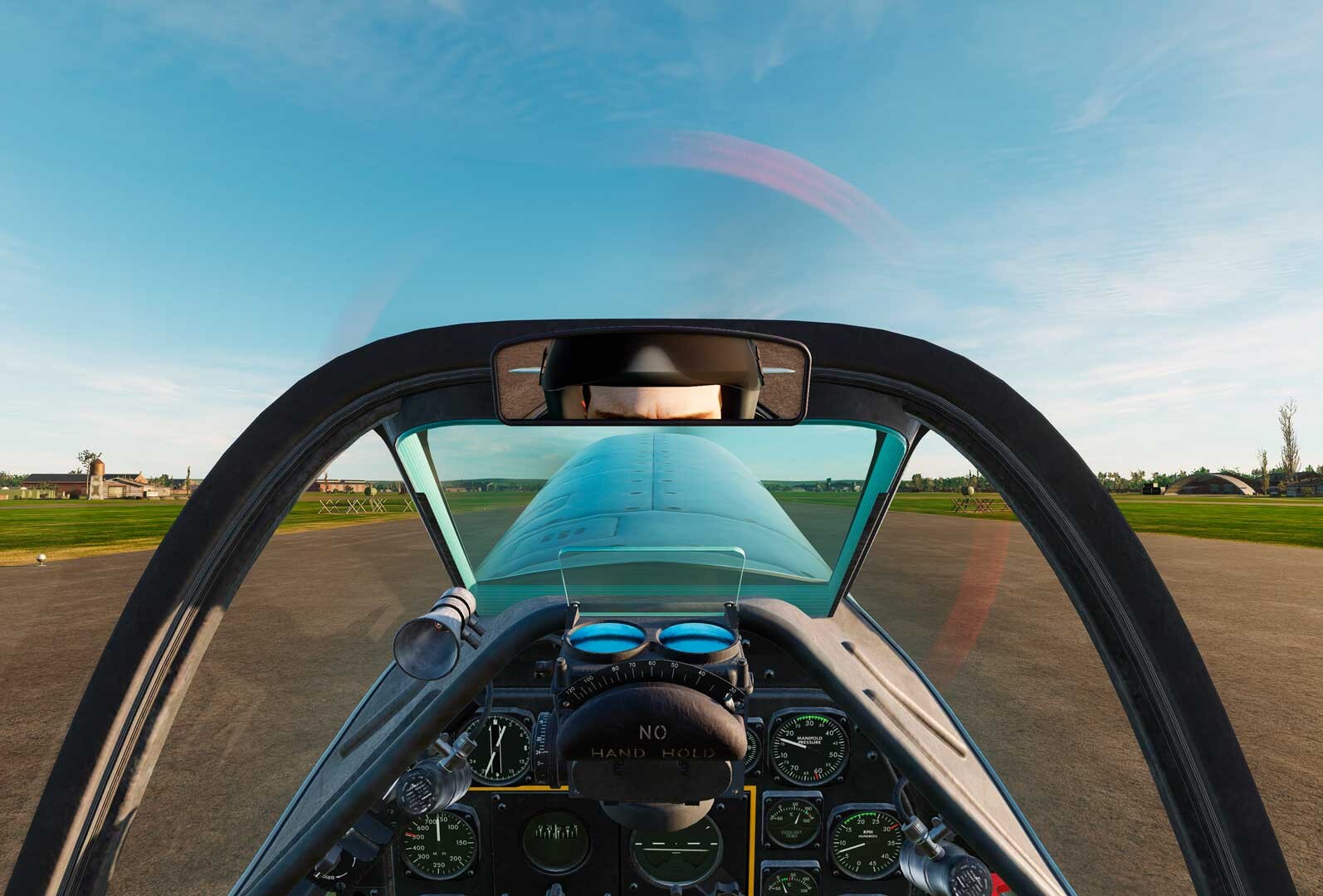
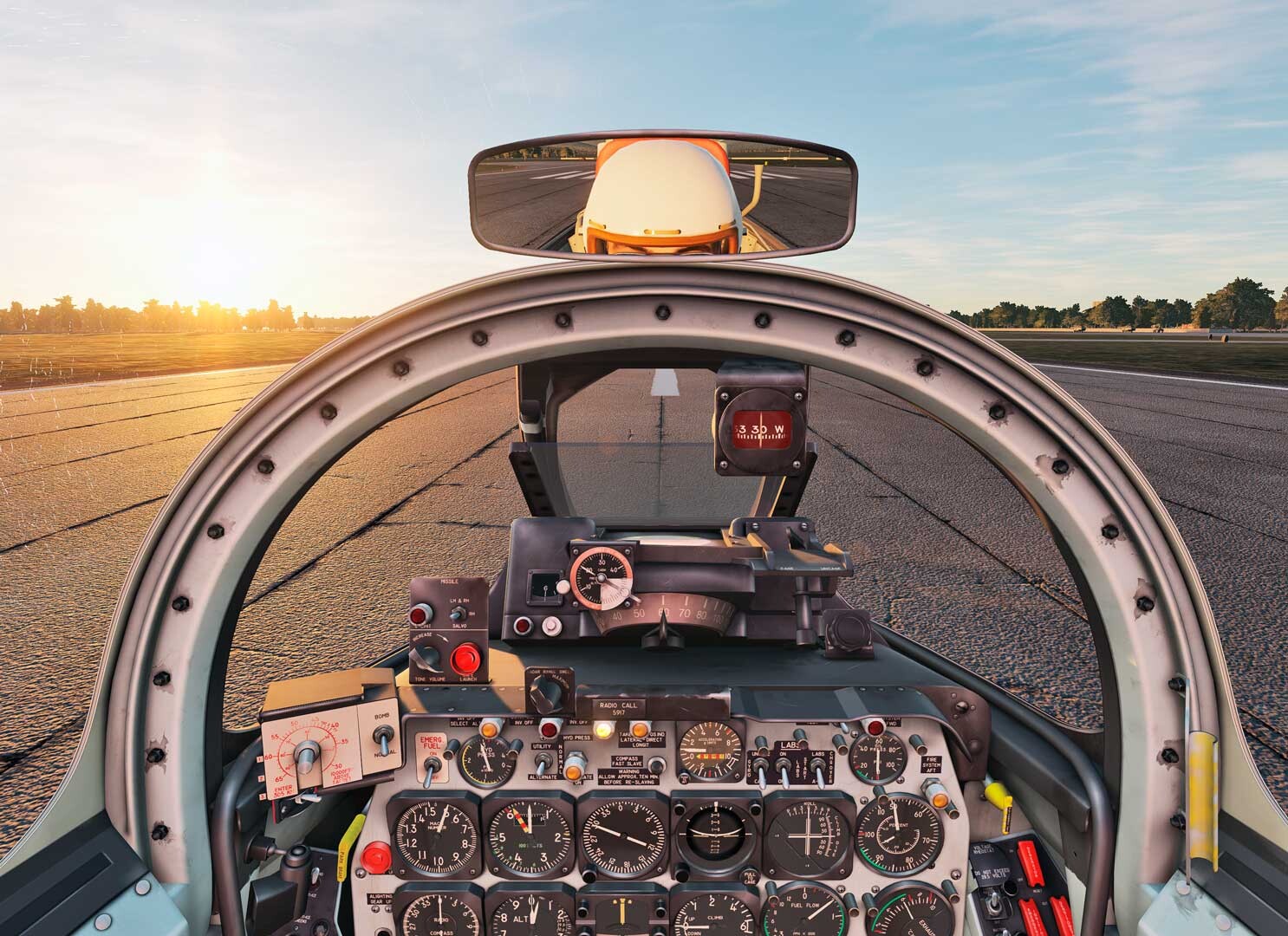
Hi Rudel, I don’t understand… If, as you say, that is out of your control, and what is seen in the reflection is the external model pilot and cockpit, how come that some planes do not show the pilot in the mirrors AT ALL, no matter how extreme side or up viewpoint, or zoom level, like the F-18 and the A-10 and MIG-21. Granted, some show the pilot in the mirror, but only with extreme absurd side or up viewpoints like in the P-51, F-5 and Sabre. On ALL this planes in the external view, the pilot is very much present, without exception. So this is plane related, don’t you think?
-
I could set and save the default front view FOV just fine for my taste.,as other snap views. If there is a way to get read of the pilot I 'd be more than happy.
-
I totally agree. And not only the reflection looks very cartoonish, but the constant movement of the "pilot"on the reflection is very distracting! Also in my opinion it was WAY BETTER BEFORE. please M3 revert it back! Or alternatively, just PLEASE tell us which files / settings .lua .DDS.. etc are responsible, so that we can ourselves revert it. I have tried to find them myself to no avail.... THANKS!
-
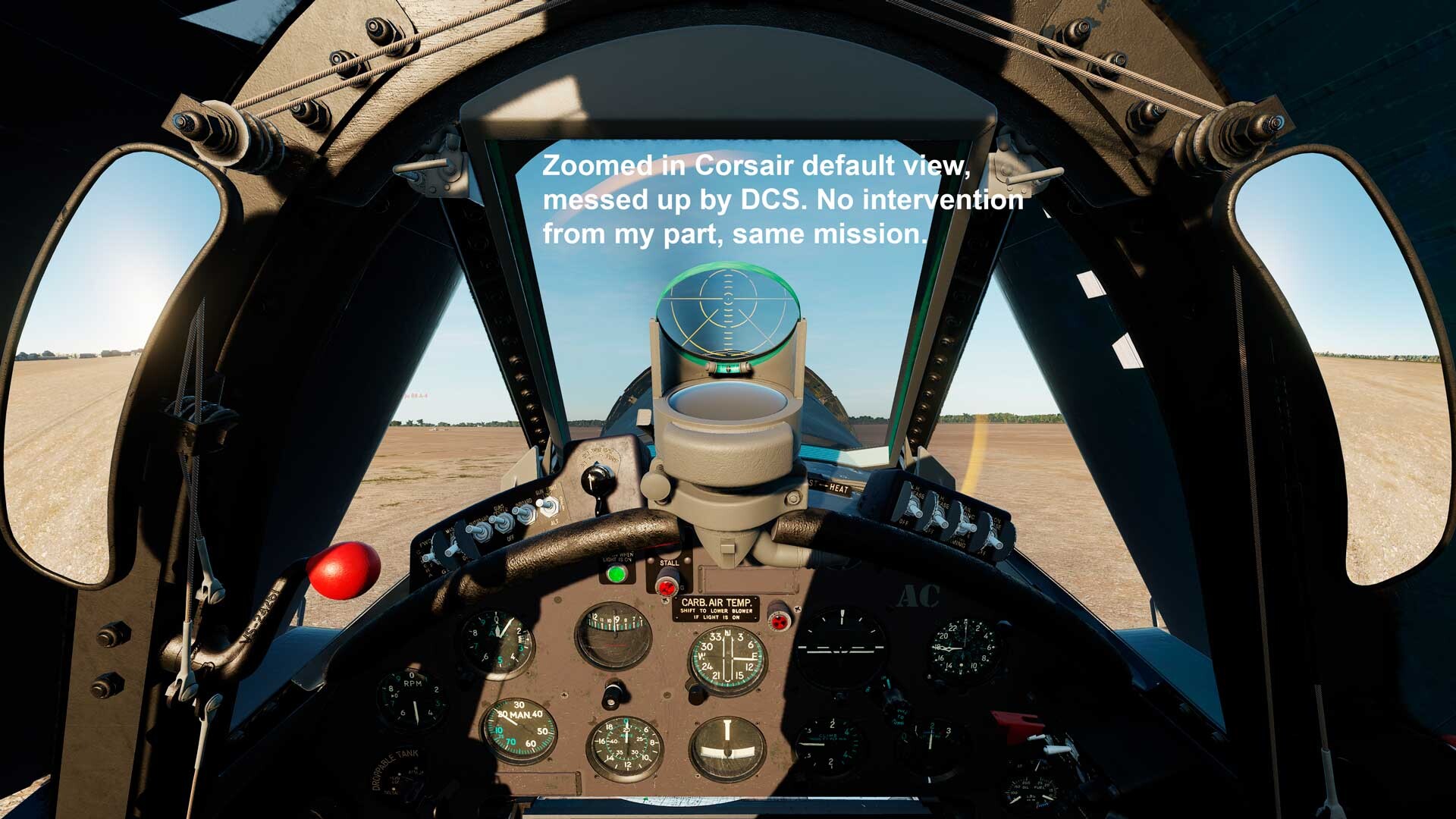
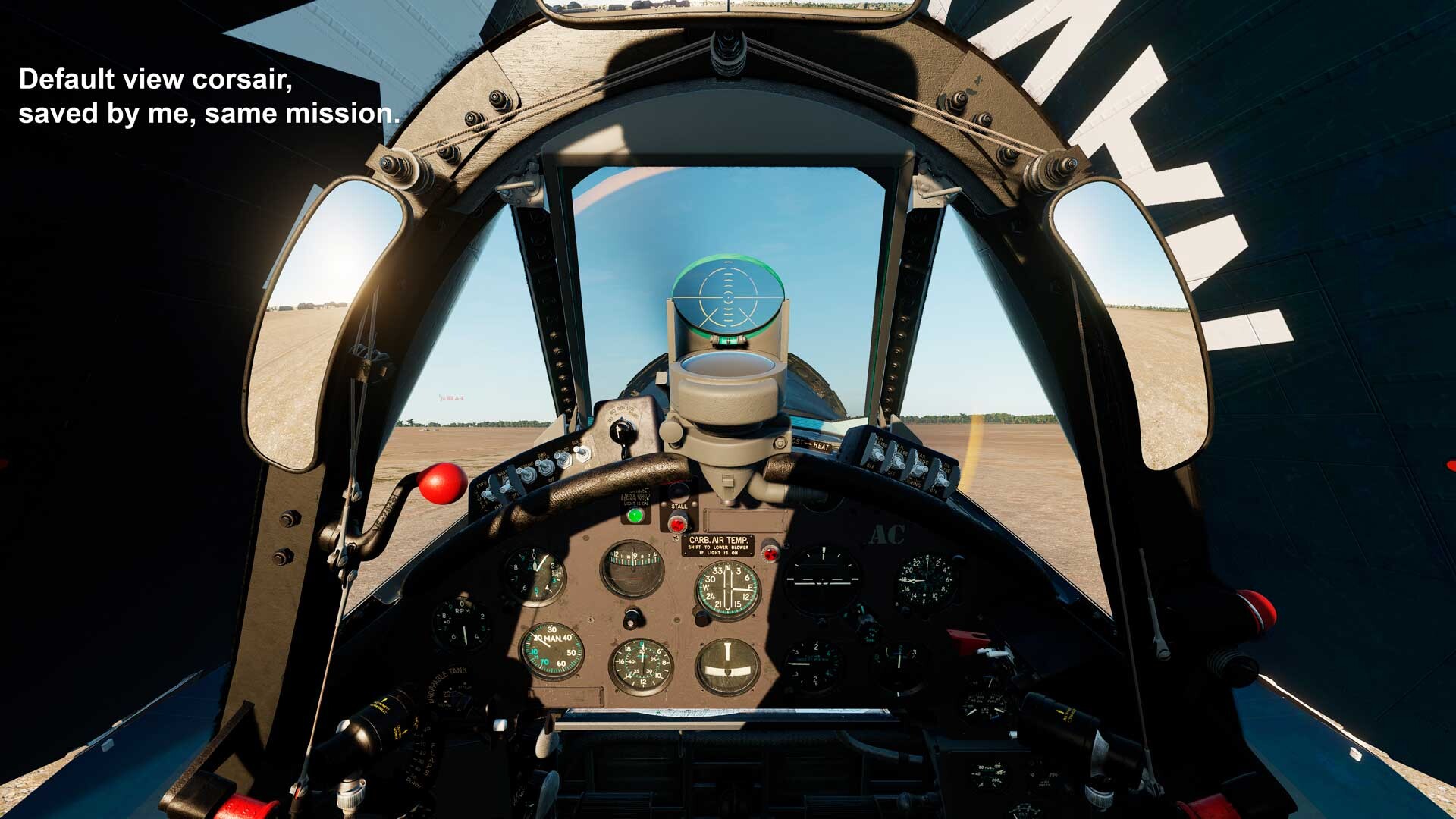
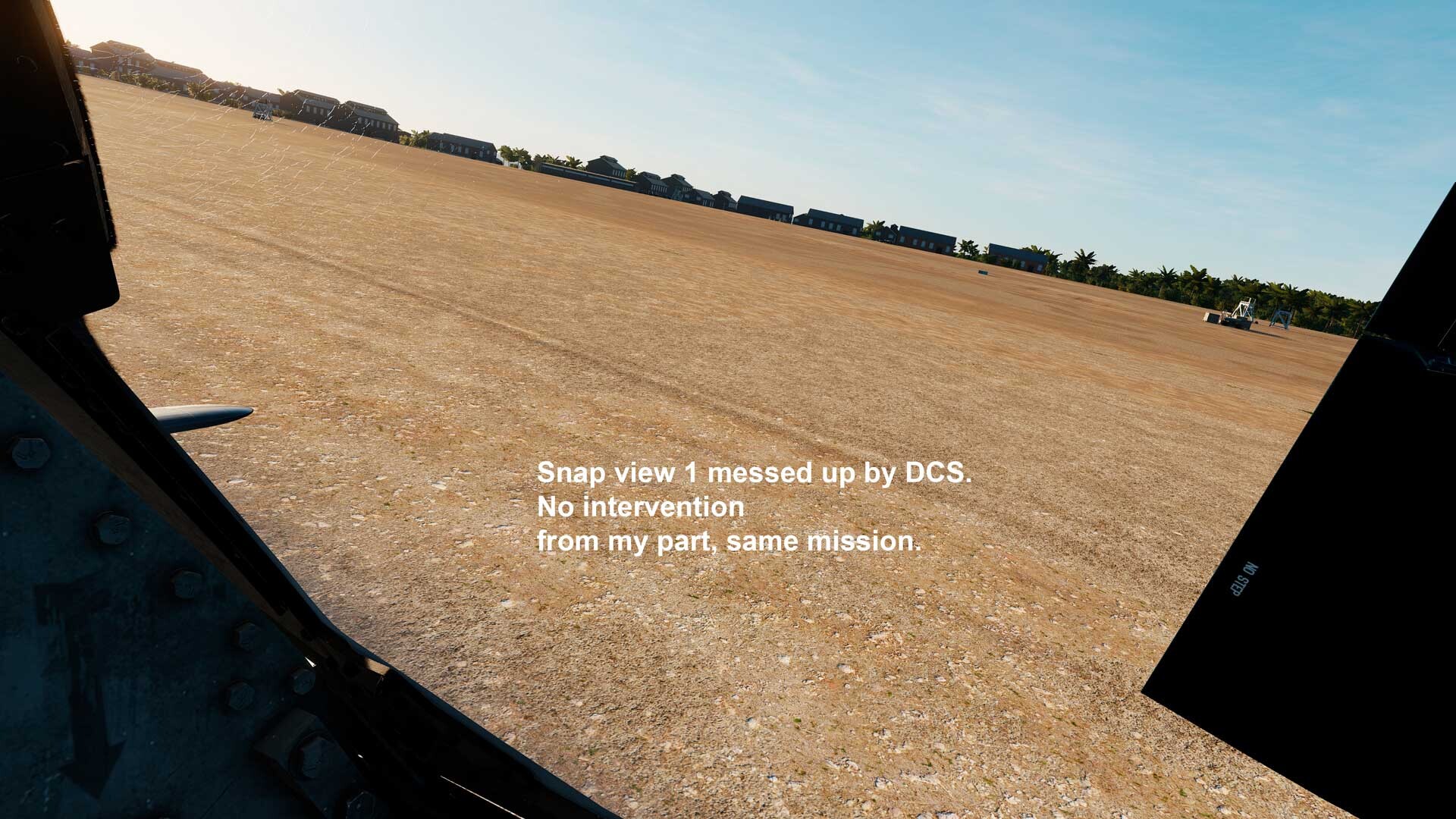
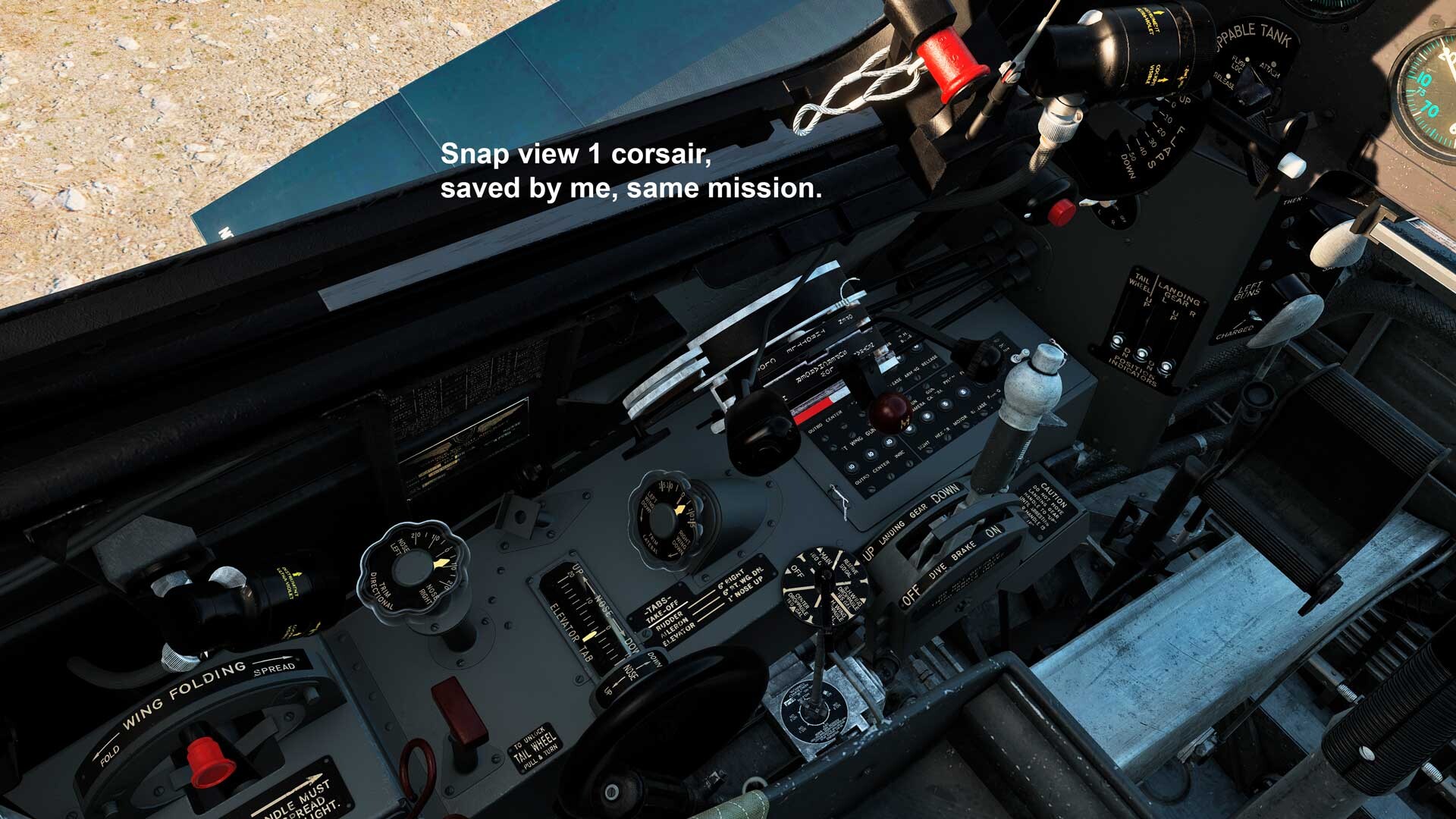
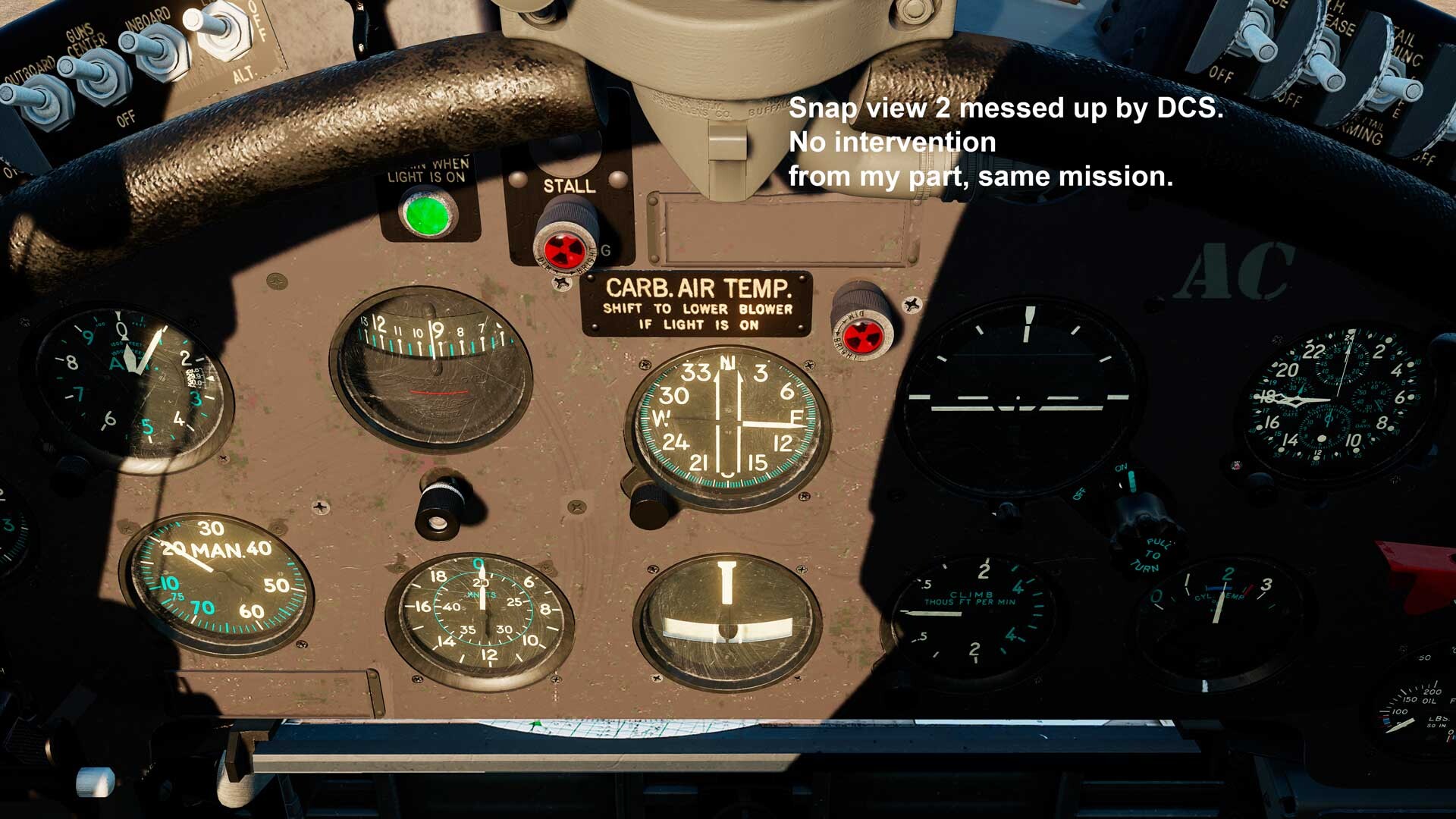
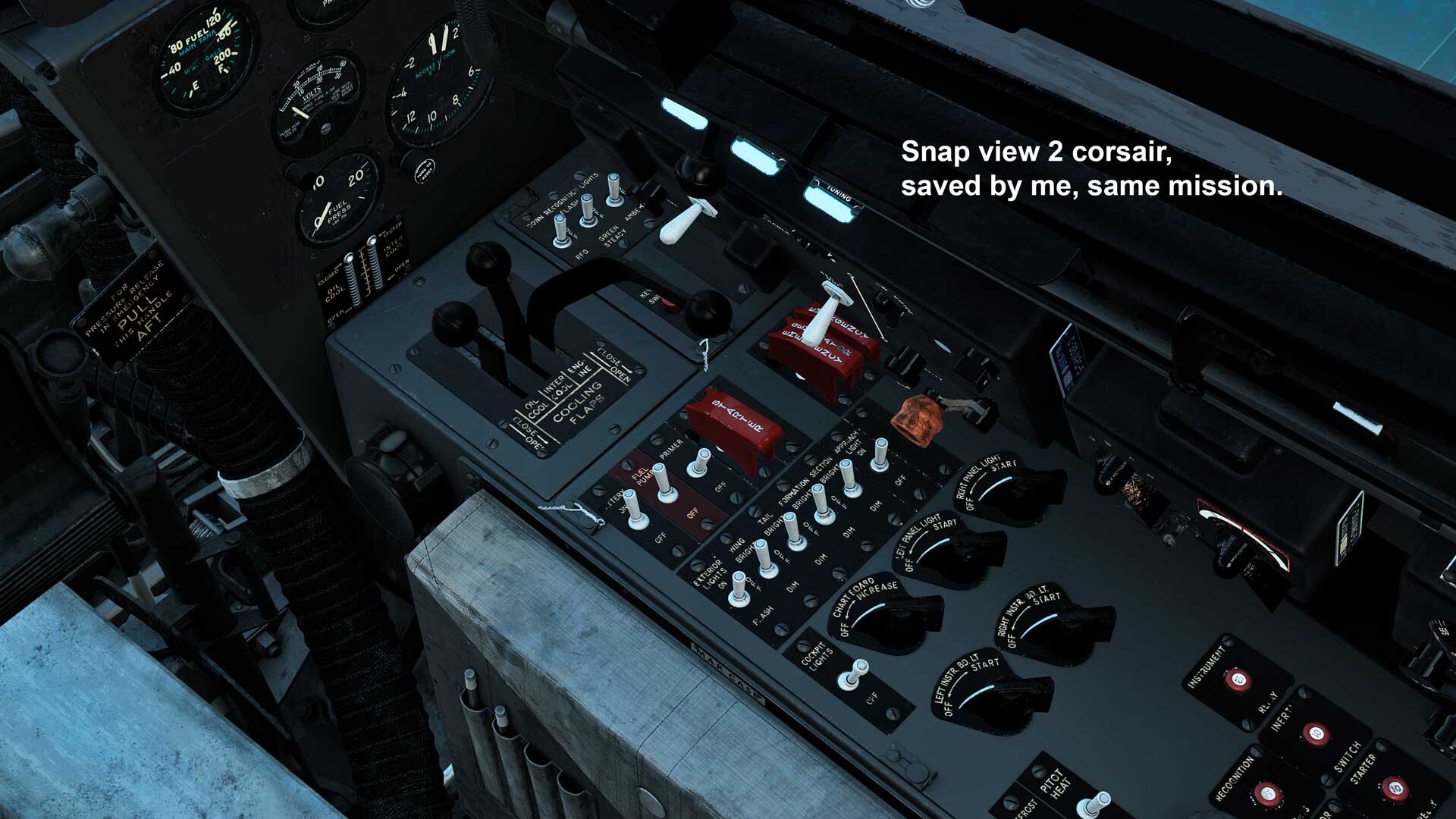
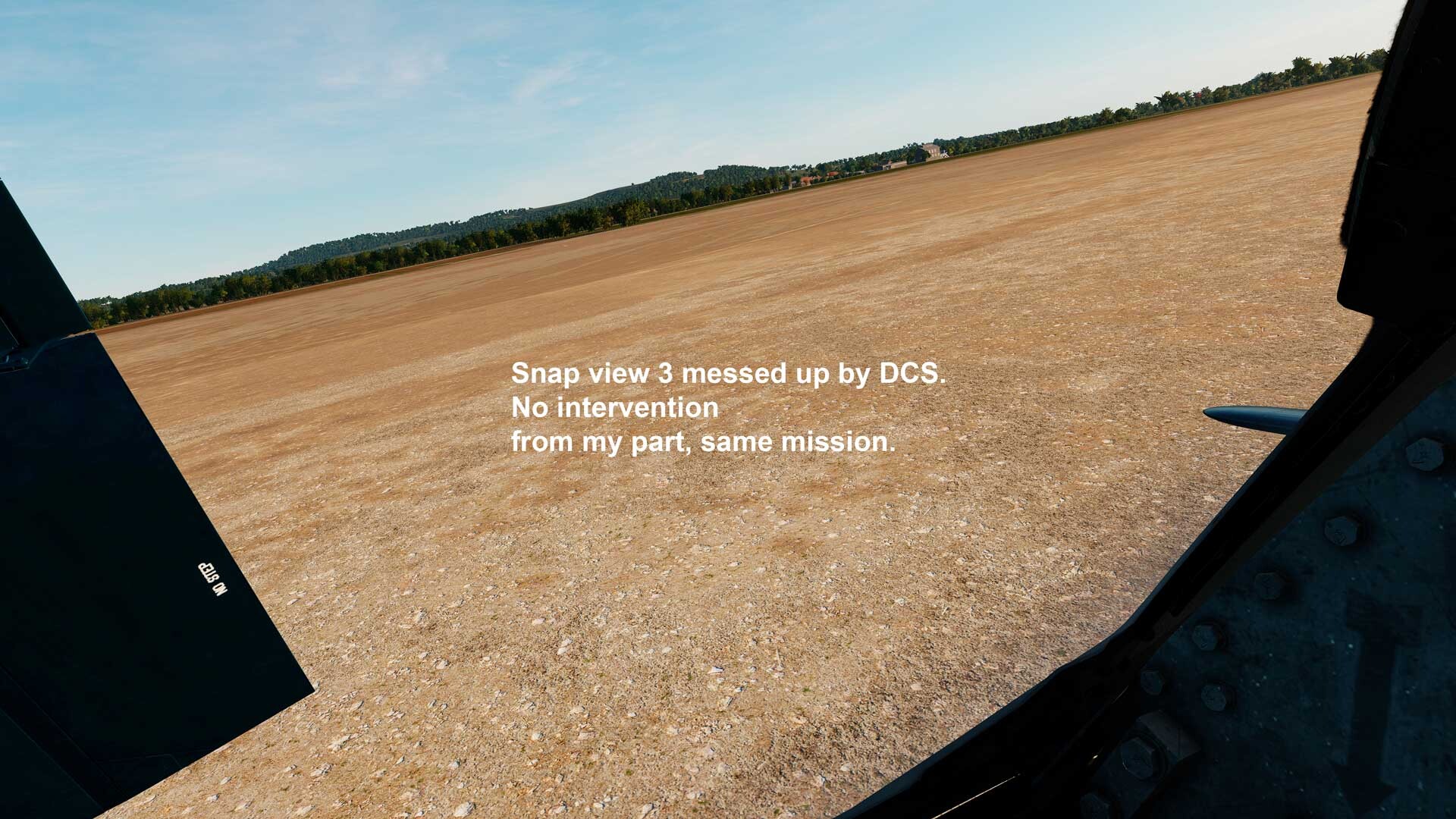
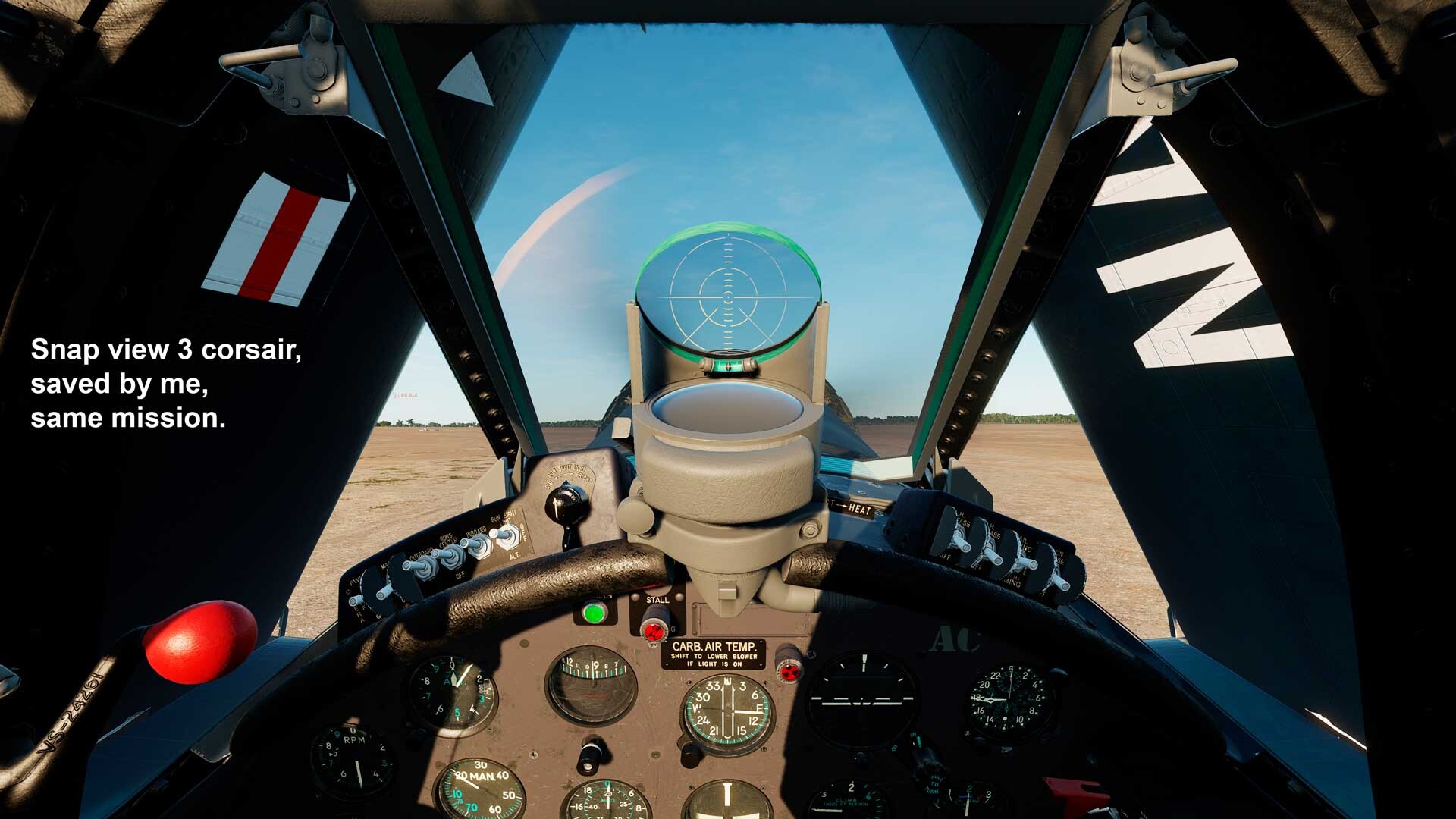
Fine, forget about those missions, not important anyway. But what about that Corsair one? No baked views in that one, as you said it yourself. As mentioned and clearly seen in the screenshots, on this mission "DCS" not "just" zooms out the default view, but it also messes up ALL the other saved snap views! Again as mentioned, I never use used Flight / Prepare Mission, I use always the green button “Fly mission”….. Still astonished by ED not showing signs of life concerning this matter.....
-
I think I have found a temporary workaround to this issue, at least until ED notices / reads this thread and hopefully fix this issue..... I have marked the file SnapViews.lua as "read only", and it seems to work with all my WWII Marianas Corsair missions, and even in the training missions. Oddly enough, the 3 miz in the included zip still present the wrong level the zoom level of the default front view, and in spite of the as "read only" status of the SnapViews-lua I can still after a few tries change in that default front view the zoom level, but then other views get busted. Well, less important, as long as the corsair missions work, those should be in the WWII Marianas map... Again, MIG-15, 19 and Sabre on maps other than the Marianas, no issues at all... Go figure.... REALLY? Nobody experience a similar issue? ED? signs of life? Still-Busted.zip
-
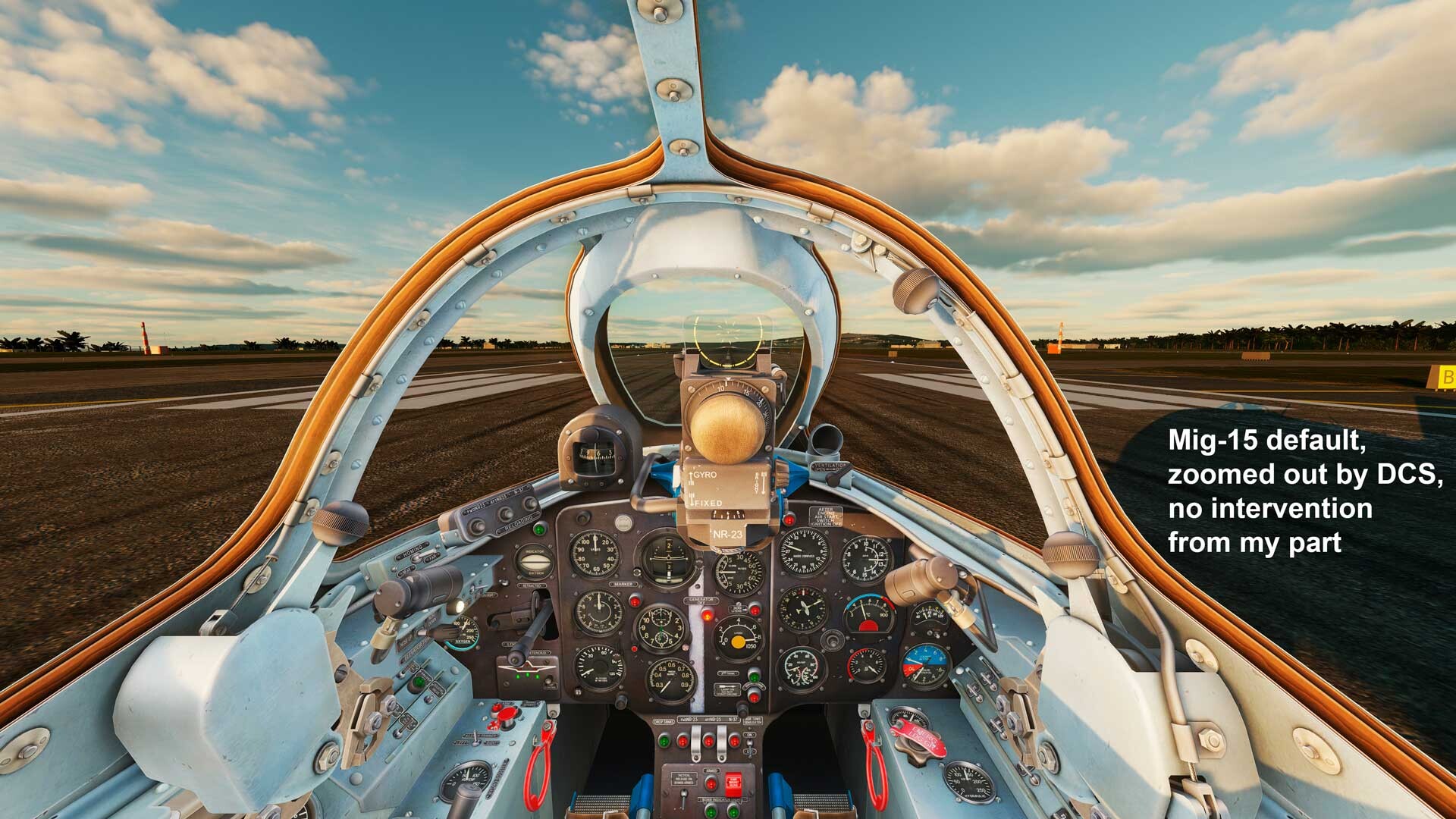
OK Guys, thank you for your patience... Though, as wrote before, all of my missions are made by me. So if they are made by me, those missions should keep MY Snap views, even if said missions are saved in a way that embeds snap-views... Then why is the default view on the Mig 15, 19 and others zoomed out? BTW, I have never used Flight / Prepare Mission, I use always the green button “Fly mission”….. And indeed, I agree MAXsenna, this topic should probably be moved to the view bugs forum but I could not find a way to do it. But then again, this issue happens, as I have just extensively tested, pretty much exclusively on both Marianas maps In the enclosed .zip a bunch of my missions, ALL of these, without exception, keep the saved Snap views AND default zoom levels! As soon as the Marianas maps are involved, then this problems starts. That’s why I never experienced this before installing the WWII Marianas map. Don’t any of you REALLY experience this issue? And of course, latest DCS version....... Missions-OK.zip
-
Hi all, that's the rub... And yes, virgo 47, it happen with also with any other planes. Although in the case of other planes "DCS" just zooms out the default view but does not touch the other saved snap views. Much worse with the Corsair, there "DCS" not "just" zooms out the default view, but it also messes up ALL the other saved snap views! And yes, it happens also on other maps with the same planes, but far less than in the Marianas maps, both modern and WWII. See screenshots with written on explanations. I also include the Missions. Corsair-Complete-02.miz MIG-19-Complete-Marianas.miz


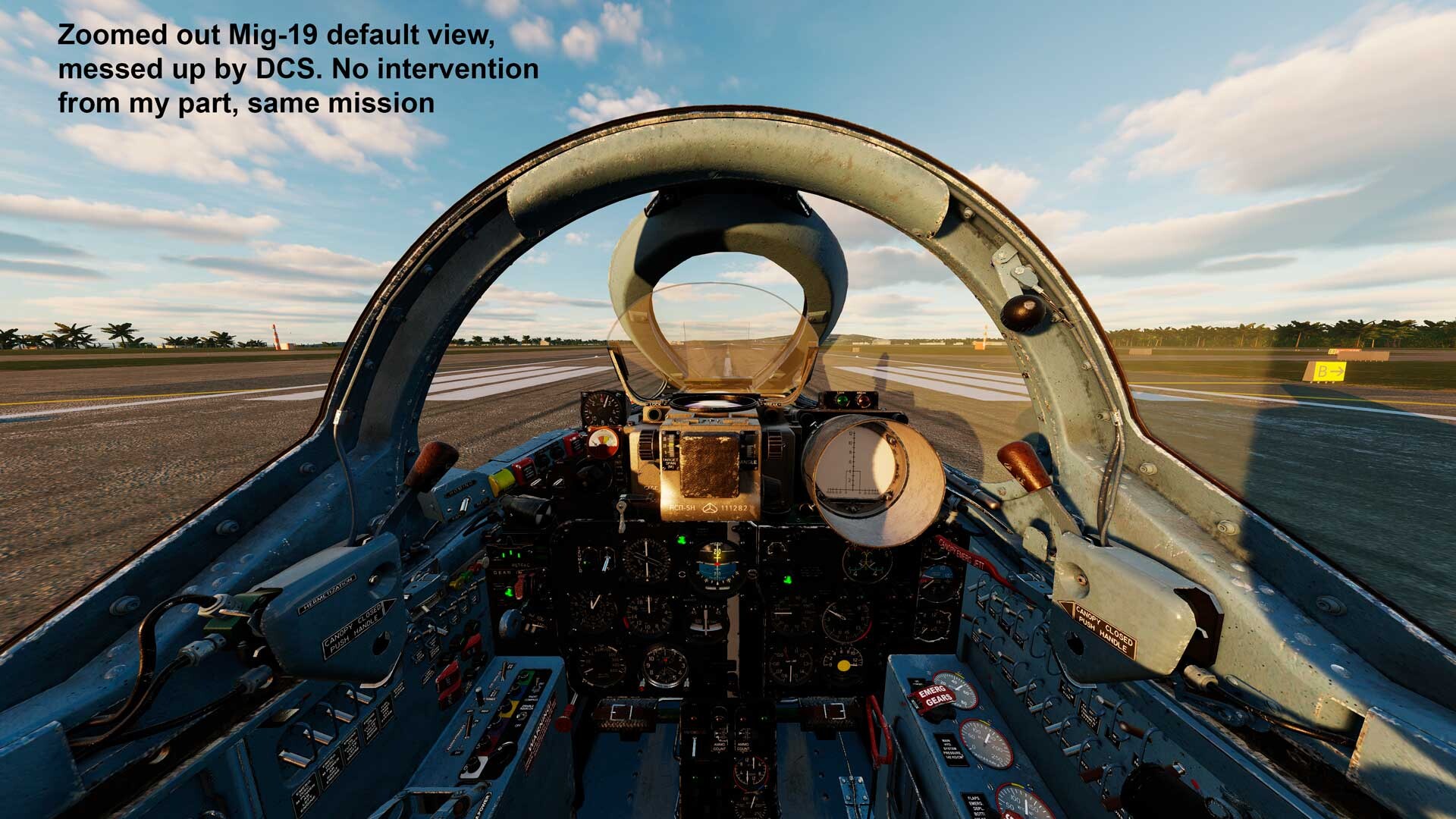
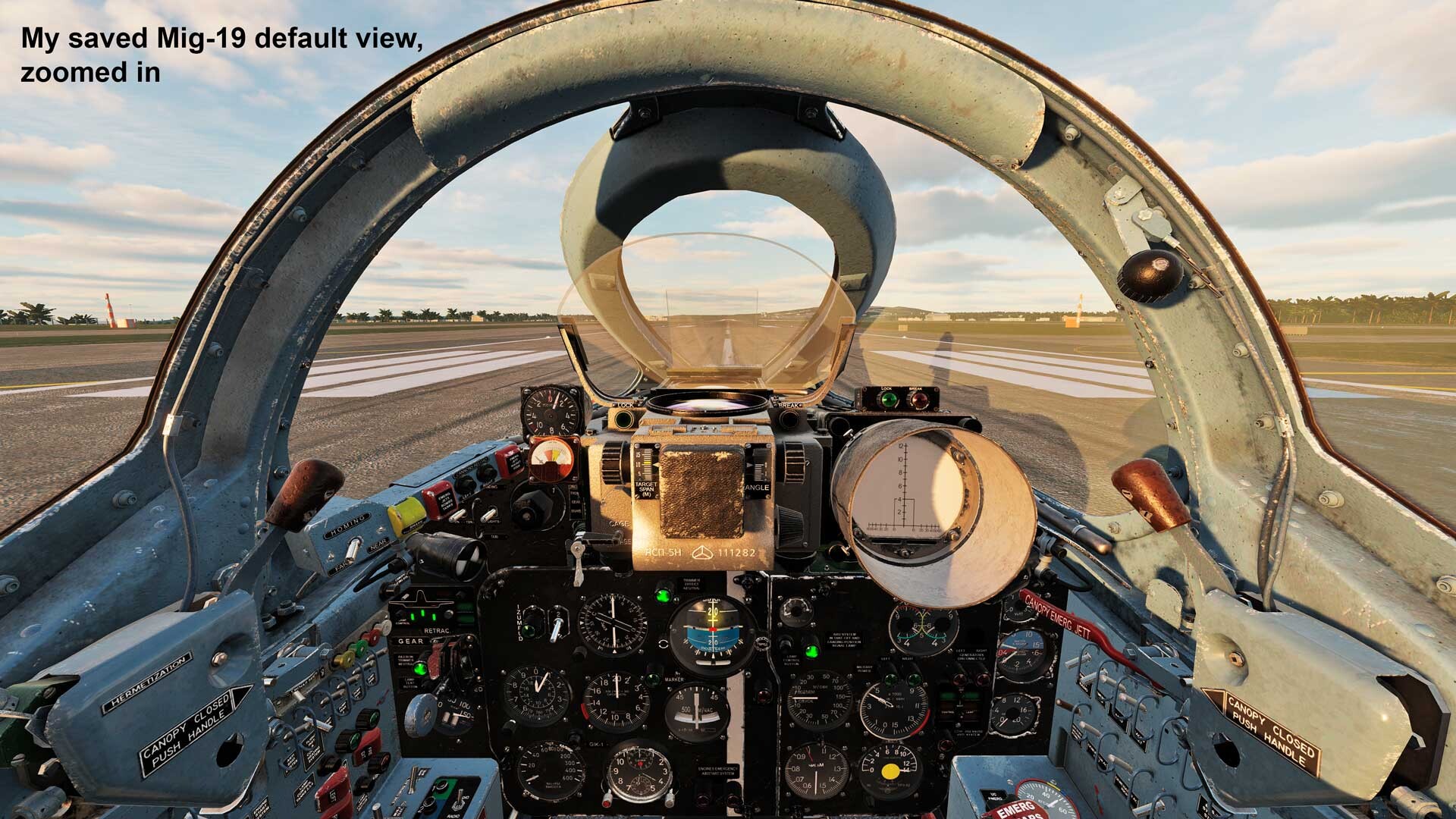
.jpg.eb9f94b3905cc69fbfdbee0d20d57c54.jpg)
.jpg.5b75c827ef552c36e1268aab3333f888.jpg)
.jpg.86a891977a81aecce03c0e2014d2df23.jpg)