Sacarino111
-
Posts
819 -
Joined
-
Last visited
Content Type
Profiles
Forums
Events
Everything posted by Sacarino111
-
Hi. indeed, I saw a former RIO tutorial explaining that he used to select the tanks just after take off or when taxiing, so they where ready to jettison in case of need. I guess it could be the same for A/G muntion. Saludos. Saca111
-

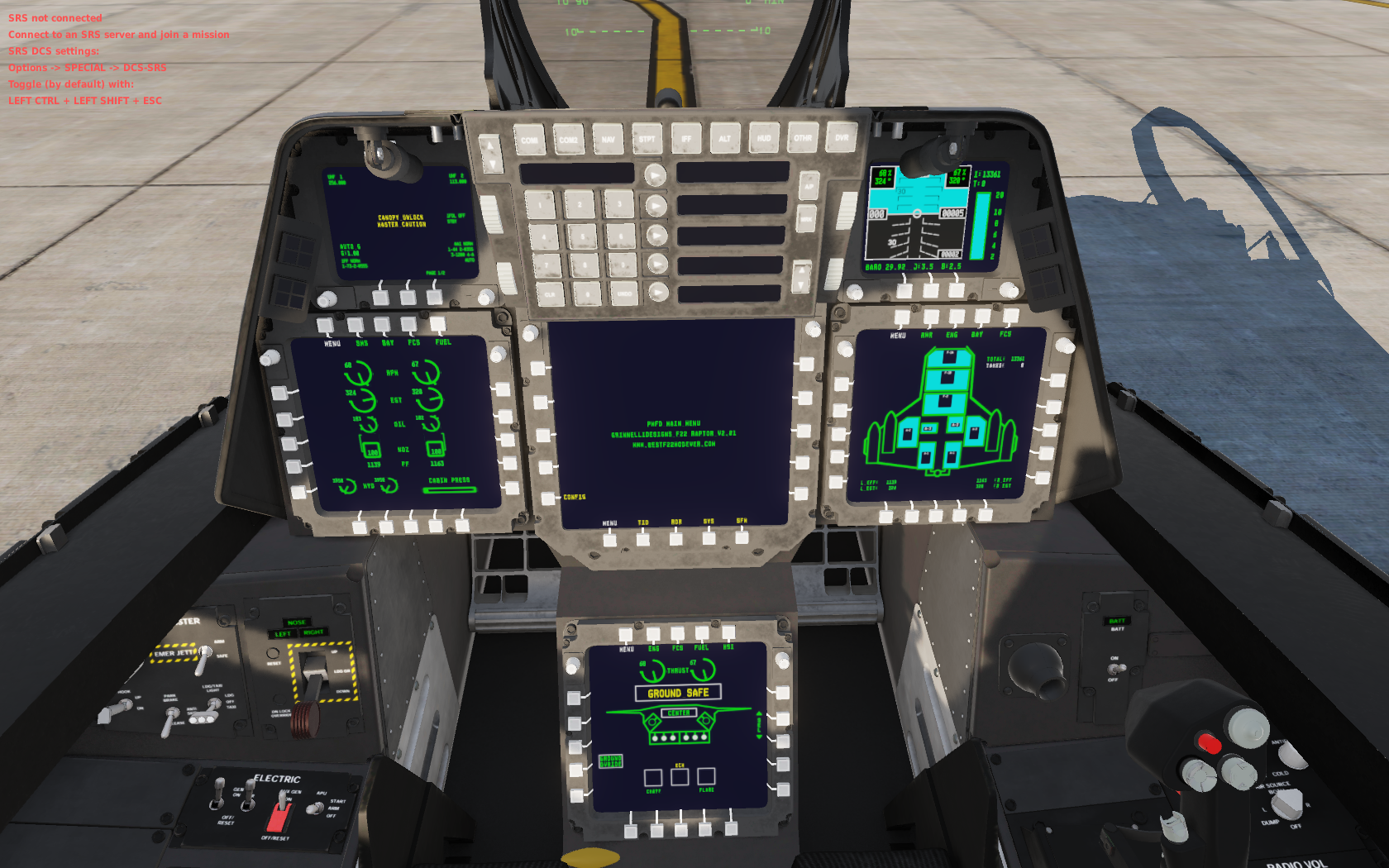
Grinelli Designs F-22A - Is it still working?
Sacarino111 replied to minimi66's topic in Utility/Program Mods for DCS World

-
HI. I was going to say that maybe you need a Powered USB, but Heling said it s not, so no idea. Mine is working ok, although I only have LED attached to it. Sorry. Saca111
-
Grinelli Designs F-22A - Is it still working?
Sacarino111 replied to minimi66's topic in Utility/Program Mods for DCS World
HI. I did install it a few weeks ago and worked normally, on Open Beta. Be sure you have the graphic options for the cockpit on max detail. Other than that, no clue for you. Saludos. Saca111 -
Thrustmaster Cougar MFD left not working same as right
Sacarino111 replied to bones1014's topic in Bugs and Problems
Hi. Make sure you don't have those buttons linked to the NS430 or other General UI functions. I had a similar issue as I assigned some MFD buttons to the NS430 and those buttons stoped working on other modules (F-5, C-101 etc.) took me some time to realize what the error was! Other than that, no clue. Saludos Saca111 -
HI RTX 3090 Costs A lot! Saludos. Saca111
-
Hi. You can bind full action to another button, or the same plus a modifier (that's what I did). Saludos. Saca111
-
If you are at a point where you find yourself lost, restart everythink from the begining: 1 Start DCS 2 Start a F-14 mission in the ramp. Pause and 3 go to controls, delette all keybinds and load default. 4 Clear the joystick keybinds but not the imputs. 5a Now, the long way: find the function you wish implement in the profiler, let's say "look right slow". memorise the keybind (NUMPAD 5, easy one), go to profiler, select the button you wish to config (let say POV1 RGT), click on the blank space and press NUMPAD 5. Name it and save Repeat for all 4 directions. 6 In the profiler, save the profile, click in the little aiming icon (blue one) and back to DCS. Unpause. Try the POV 1, you should be able to look around (no TrackIr runing) Repeat for all the functions. As you can see, it takes time. Here is where the Mode selector is great, as it helps you do three or six (if pinky is used) different actions per button/switch. 5b Short way: find the function you wish to config, In DCS controls tab, right click on the X52 column and press the button you wish to bind. Repeat for all the controls you need/want to program. The ones you can't do this way, do the previouse one. Faster one... 6 back to 6 Here you can't use the mode selector directly, you should use it like the previouse one (5a) for all other modes than mode 1. Hope I could help, still here in case you may need more guidance. Saludos. Saca111
-
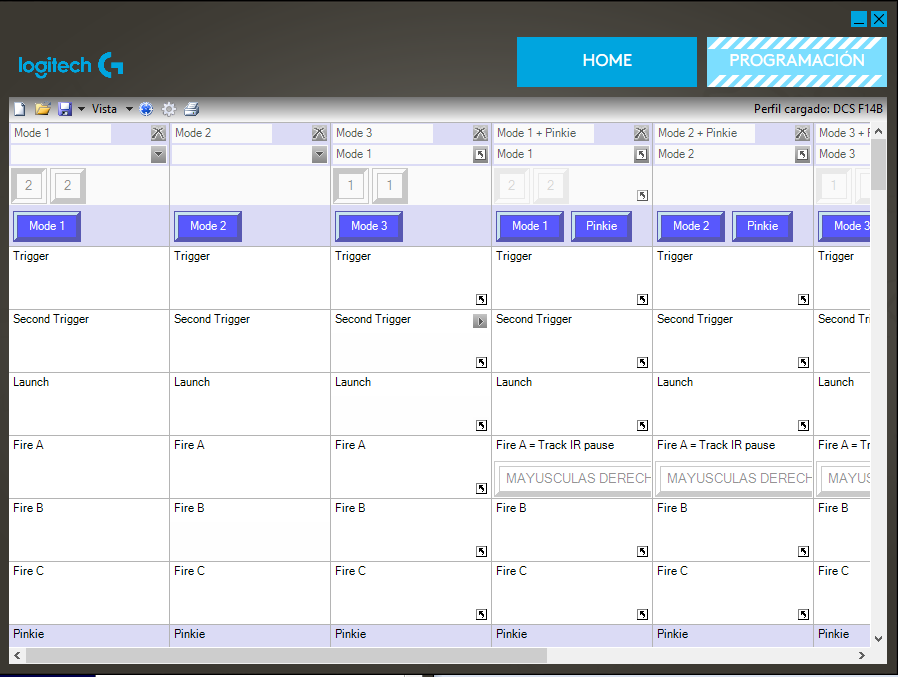
The main thing you have to understand is that the profile is a "keypress" simulator. The action you program makes the PC think that you pressed a key, or key combo. So when you go to the DCS setup tab and look for the actual key for a function, you should replicate it in the profiler, so every time you press the button on the joy you sen a key press to the PC. It is ok but it a lot of work, so it is better (IMO) to bind directly the DCS function to a key press (no software involved) and only use the profiler for those actions that can't be bound directly to DCS. In the profile I sent, I use the Selector to switch between Pilot and RIO (key 1 and 2 in the keypad), the mouse as RADIO select, and Pinky as a modifier (inside Logitech sofwtare), so a button does deferent things depending on if the pinky is pressed or not (e.g. Pinky+ buton 3 pauses TrackIr).
-
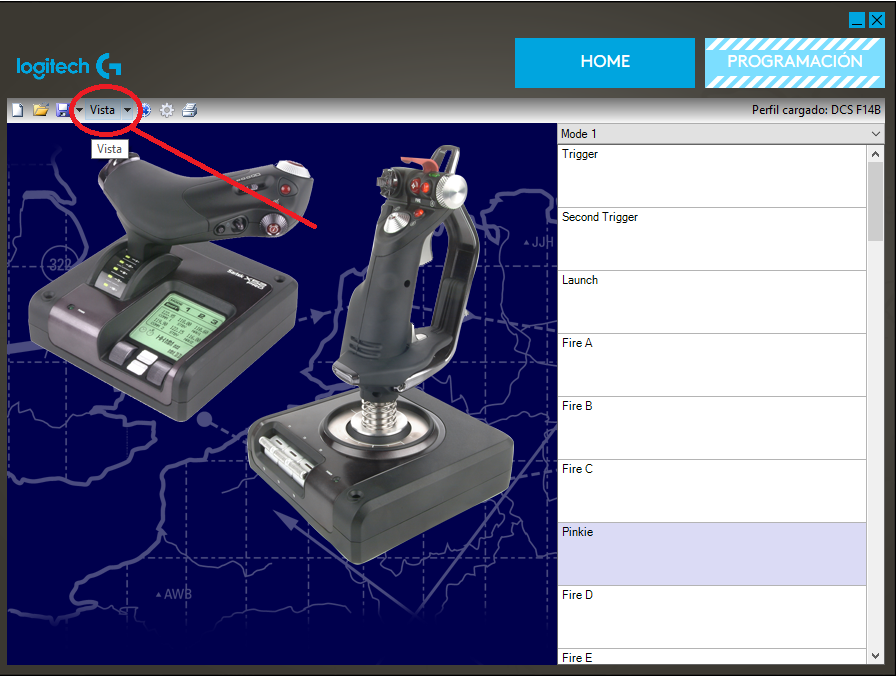
Hi. For the Logitech software; open the Software Click on view so you change the view So you can right click on the "Mode 1" and select "new advance command" and name it and do the key combination you want this selector to perform, click accept and do it for all 3 modes. With that you can use the selector as a key press for the objective you want.
-
HI. Redo the bindings, but be sure you do it for both "slow", not one "slow" and the other "not "slow". For coms, IIRC it is "slash", I an on a spanish PC and it is the "ç"; the one left of teh ENTER key, middel row. Be sure you have the cockpit door opened so they can hear you, or switch to "intercom" in the radio selector, down (aft) of the APU and ENGINE selector. Saludos Saca111
-
Simple "extra buttons" solution for DCS?
Sacarino111 replied to hobbes57's topic in PC Hardware and Related Software
Yep, forgot about that one, and a good one! Saludos SACA111 -
HI. I have the X52 PRO and the F-14. I only use the profiler software for two primary things: 1 The pinky button: I use it as a modifier oustside DCS, so some buton presses do thinks outside DCS, as TrackIr Pause/Resume, recenter or so. It can also modify actions INSIDE the software, for centering the view, or adding actions for buttons that are not present in the X52, like the coolie hat, TMS, DMS etc. 2 The "mouse" stick in the throttle; I bound it to the mic key presses in the A10C module (LShift/Lalt + or - for different radios) and applied it for most of the modules, changing the keybind INSIDE DCS to match the X52 setup, so all my radios (almost) are triggered from the "mouse" stick. The mode selector is great, multiply by three all of the possibilities for a single input (gooooooddd!), but I found that I consistently forgot what functions was in what buton/mode, so I declined to use it this way and I use the mode selector for switching between pilot and RIO (same in the Mi24, C101 etc.) I added the profile I use for the F-14. Be aware that: Mode 3 is set tu jump to pilot seat and mode 1 is for RIO seat. The mouse stick in the throttle is used for radio selection/use for pilot and for LANTIRN selections when RIO. To set it up correctly, go into options, look for radios and change the assignement inside DCS to match the stick assignements, and do it both for pilot and RIO controls! Hope this helps. Saludos Saca111 DCS F14B.pr0
-
Hi. True, saddly... but the Apache is the Apache... let's hope George will be better than Petrovic at the begining! Saludos Saca111
-
Simple "extra buttons" solution for DCS?
Sacarino111 replied to hobbes57's topic in PC Hardware and Related Software
HI. Thrustmaster's MFDs should be the n1 choice. And don't forget you can add many other Joysticks/Throttles/Pads for extra buttons... place them wisely and the family may not notice them! Saludos. Saca111 -
Hi. For AAR, wing sweep in manual or bombing, Little nose down trim, so you have to pull on the stick ever so slightly to stay level and if you want to descend, just release pressure on the stick ( i found that pushing to descend makes a very exagerated nose down motion). If the speed is a problem, as the throttle position is at the detent, open a bit the speedbrake. Saludos Saca111
-
Hi. Worth to ask: INS in IFA, right? Otherwise, the problem is alignement, not HMD. Saludos. Saca111
-
Hi. "Radio trigger- ICS" or "Radio trigger -RADIO"?, Maybe? I have spanish PC so I can't tell for sure on your system... but it should be on the stick trigger. Saludos Saca111
-
If you have a profile INSIDE DCS, Save it and then erase it from the Options menu. Then activate the Logitech profile in the PC (via the task bar or other) Start any mission and go to options, controls, and check all buttons to get the idea of the lay out. As @iantronsaid, I do most of the bindings inside DCS, only a few are done via Logitech Software (throttle mouse is for Mic etc.) If after all this you have no clue or you are not happy with the result, just erase the new bindings in DCS and load back the one you saved before. I will be this morning on the PC, so I could help. Saludos. Saca111
-
Yep! I thought it would be easyer for hime as he was showing the Software to explain that way. Saludos. Saca111
-
Hi Short on time but... Open the Logitech software Select the Profile On top left, there is a small blue circle like a aiming sight. Press it. Close Logitech software Open DCS, Select F-14, start any mission, open controls menu and start presssing buttons to see the assignements. Select RIO in the controls tab and mode position 1 for RIO and repeat pressing buttons to get the assignements Once in cockpit again, remember the mode selector in position 1 is for RIO1 and position 3 is for pilot, so switch between those position to jump from pìlot to RIO. Have to go! Saludos. Saca111
-
Hi. In t he Landing Gear panel, where the CAT I and III, Horn Silencer etc. It needs the electric power to be completely on (2 steps fwd) to be able to work. Also you can adjust the zero zone on the controls config for the throttle to test if that takes the movement away. Saludos, Saca111
-
Hi. My gear is a Saitek X52 PRO. I can refuel almost 100% of the time with no big trouble. My tricks: 1 Keep the muscles relaxed; every 30 seconds or so I check the state of my muscles and relax them (breathing helps) 2 Keep the sight on the nacelle, not on the basket, specially when geting closer to /or in contact 3 Relax the muscles 4 The speed is where I sufer the most, as the throttle detent usually is in the position where the throttle must be for that speed, so maybe some speedbrake helps 5 When nervous, wiggle the toes! 6 Muscle relaxation again 7 The more dificult it is the less grip you have to apply; literally, grab the stick with the tip of the fingers, really, it is not a metaphore, use the more sensitive area of your skin (fingertips) to control the plane. 8 Did I mention to relax the muscles? Hope I gave some help Saludos. Saca111 and, relaxyour muscles!
-
Hi all. I do use parking brake and no problem, as battery is on. On the "other game", the plane moves at idle, so I thought it was necessary indeed in DCS. apparently I was wrong! Saludos. Saca111
-
Please help!! I did everything
Sacarino111 replied to Mtrki's topic in Controller Questions and Bugs
Hi. My advice. 1 Be sure no profile are on. Use the HOTAS as it is for the testing. You will be able to load a profile later on. 2 Check the HOTAS is working as intended in Windows 3 Start DCS 4 In the UI screen select "options" 5 Select "controls" and the plane you wish to config 6 This I don't know but if (4) C-Stick JOY_BTN 4’’ ‘’JOY_RX’’ ‘’JOY_RY is: a) an analog stick, go to "axis config" and select "vertical/horizontal absolute view" and double click on it and move the desired axis until it is detected. Try in game and adjust as needed. b) a digital input (pushbutton): do the same but under "view" tab. Besides that, I wouldn't sugest using an analog stick for the view as it usually is not precise enough to stay in position (it will be shaking awfully), and it will return to center as soon as you release it, wich can be a pain in the back side... better go for one of the hats (POV, HAT) and bind it inside DCS, not trough the Saitek/Logitech software. I hope I could help somehow. If in doubt, feel free to ask more. Saludos. Saca111