Sacarino111
-
Posts
819 -
Joined
-
Last visited
Content Type
Profiles
Forums
Events
Everything posted by Sacarino111
-
HI. Nope, but will do as soon as I can. Thanks and happy new year!
-
Ufffff! That's a relief! I the other hand, I was decided to change the CPU and the motherboard and RAM (in deed, renewing my stuff), but after your journey, I am less prone to do it. I will wait a bit to see if there is some real solution to it. Nice to now you are back in gear and hve luck. Saludos. Saca111 Well, I do use mt and for me it works (kind off); in heavy missions, in the Siria map, the play is not that smooth. Some times I have to switch to 3 cores a few times before it will go fluent. I also noticed that it work better if I wait until the mission/map is fully loaded before doing the switching. My two cents... Saludos Saca111
-
Hi man. Sad thing you are telling us. We all will be praying for you to have it back again and working with old CPU! Keep us informed... Saludos. Saca111 And yes: if it is not broken, don't fix it!
-
No, I mean changing from A 10 to F16, for example, or exiting the mission and entering in again or in a new one. At least for me Saludos. Saca111
-
Hi. One thing I noticed is that you bettter do the switching AFTER all the textures have been loaded, when, some how, the game is "stabilized". I also found oput that sometimes I have to do it twice, as one apparently is not "waiking up" Windows ( or DCS) so it uses all the cores set. Saludos. Saca111
-
To me, it looks like the bug. Try the affinity trick and check, Don't quit the game to do it, just ALT+TAB to the Task manager, right click on DCS.exe, right click again to "details" and then right click again to switch affinity; disable one core, enter, renable all cores, enter and bak to DCS. If it works, it should be almost perfect. Don't close the task manager, because every time you change plane, even without exiting the mission, you will need to switch affinity. In my experience, the game will be "learning" somehow and the stuttering will be less important, but even though do the switching, it is worth the 5 seconds time loss. Hope it helps. Saludos. Saca111 Hi. I m sorry it does not work, and being a complete ignorant on those matters, I can give any more help. I've seen you have up to 16 cores, and I have only 4, so try reducing the number of cores (start with 4, as in my case it works ok with "only"4 cores). Also try a number of cores multiple of 2 (2, 4, 8, 16). Also check the motherboard BIOS, in case there is a limitation on number of cores or similar. Saludos Saca111
-
Hi. Yes. I suggest you to download the @SkateZilla app to easilly downgrade it to the 28.X.XXXX you wish. I did it and went ok, but I couldn't make some modules to work ok so I gave a try at 2.9 and with that trick of switching affinity I made i run ok. Saludos Saca111
-
Hi. Yes, but the autopilot is not a thing, it was just t avoid pausing the game, just to be on the safe side. And yes, I go to Task manager, select DCS.exe, right mouse button and more details on DCS (or something similar) and then I switch from 4 cores to just three (I tested with different number of cores and I saw that switching Off just one core and back to 4 do the trick). This way, I don¡t have DCS to slow down or even stop working. After that, the game goes almost perfect (some little drops on FPS here and there, and smaller than before the switching). And I am on the last 2.9 version (OpenBeta), and flying MT. Can' tell if the mt.lua is on or not, and can't find it! so I figure that it is not present. My pc is a low end i5 just 16 Gb of ram plus 16 GB of pagefile, so not a very powerfull one! 4 cores, and I first did switch off cores 1 and 3 and then "all On", and after some trys, I just switch Off one of them, n. 3 (last one) and does the trick. Now I have to leave, some work to do, cant replay till tomorrow. Best luck for you. Saludos. Saca111
-
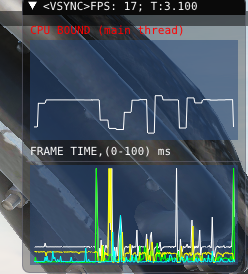
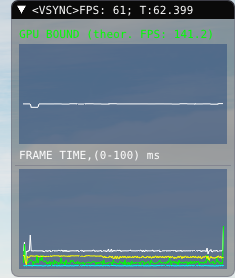
My FPS, before switching and after. This time I only switched Off one single core ( the las one) and back to "all cores". Night and day! Hapyyyyyyy. Saludos Saca111

-
Yes. Totally agree! I am just doing the testing right now, and I can tell: switching to every other core and back to all of them is almost perfect (still missiong some frames from time to time). It is like Windows is not doing it's job and you need to tell him to "stay focussed, my brother, say focussed" by switchng the cores affinity. I can tell that you have to do it every time you star a mission and you get into the cockpit; I tested it in the A10C II, then I changet to "free flight" instant mssion in the F16 and did it again (two cores off, back to 4 cores) and BINGO! Still testing. Bye Saca111
-
YES YES YES! I did what @SteelSlav suggesteed, but no luck; the game crashes when switching from 4 cores to 1, and when restarting, the affinity was back to 4 cores, and really bad dtutter. Then I tried what @Aroe said: with DCS running, and the plane in autopilot, I switched affinity from 4 to 2 cores, unchecking every other core (one On, 2 Off, 3 On, 4 Off), really bad sruttering, and then bck to all 4 cores and BANG, smooth and steady (60 FPS). Just one try, but I am extatic!. More test to come. Saludos. Saca111
-
Hi there. Same thing here, and to me the problem started with the 2.9 update,so bad I had to revert to 2.8 and smooth again it goes! I found this thread yesterday ( ) and I updated to the last one and will try it right now. Can' tell if it works, but some people said it was the solution for them, so there I go. If you don't know what the affinity is and how to change it (my case, I did a fast google and found variouse explanations) check this link ( https://winbuzzer.com/2020/07/03/how-to-set-cpu-affinity-in-windows-10-with-task-manager-or-system-properties-xcxwbt/). Hope it works! Saludos. Saca111
-
Same here. I used @SkateZilla app to downgrade to 2.8.43704 and it is smooth as usual. My case was really painfull, as I just bought a 3060 with 12 GB of RAM one week before the 2.9 upgrade... From now on, I stick to 2.8 until the stutter is fixed. Saludos Saca111
-
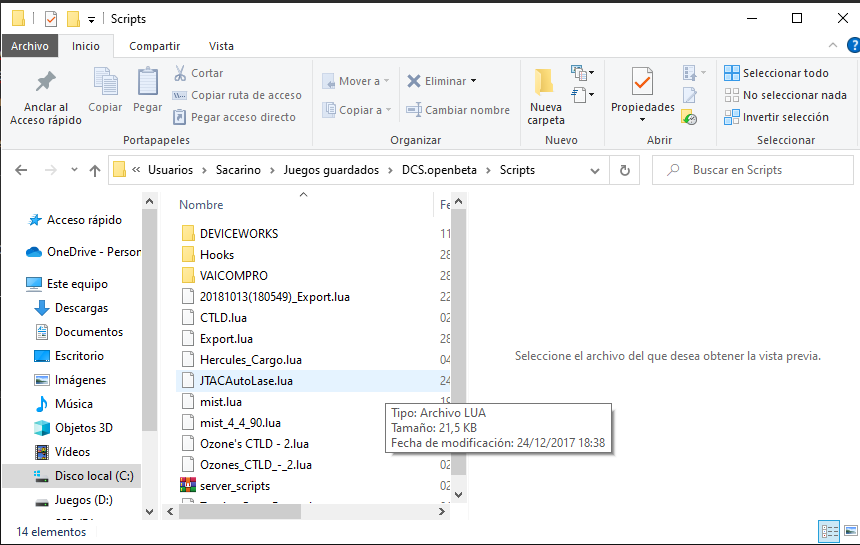
Hi. I don't know what iUFC is, but the export.lua file should be copyed itself into scripts folder. The content of the .lua file is what I can't tell , but I guess it should have the lines for the mod to work. Saludos. Saca111
-

A/A & A/G Key Bindings For The F-16
Sacarino111 replied to 1BRAVO9's topic in Controller Questions and Bugs
-
A/A & A/G Key Bindings For The F-16
Sacarino111 replied to 1BRAVO9's topic in Controller Questions and Bugs
Hi. There shouldn't be a NAV button. You select AA or AG to enter those modes. and press them back to go back to "NAV". in my PC (spanish version) AA is 1 and AG is 2, and they are called ICP- Main mode button for AA or Main mode button to AG. Saludos Saca111 -
This... And that is assuming the earth is not flat, I guess... () Saludos. Saca111
-
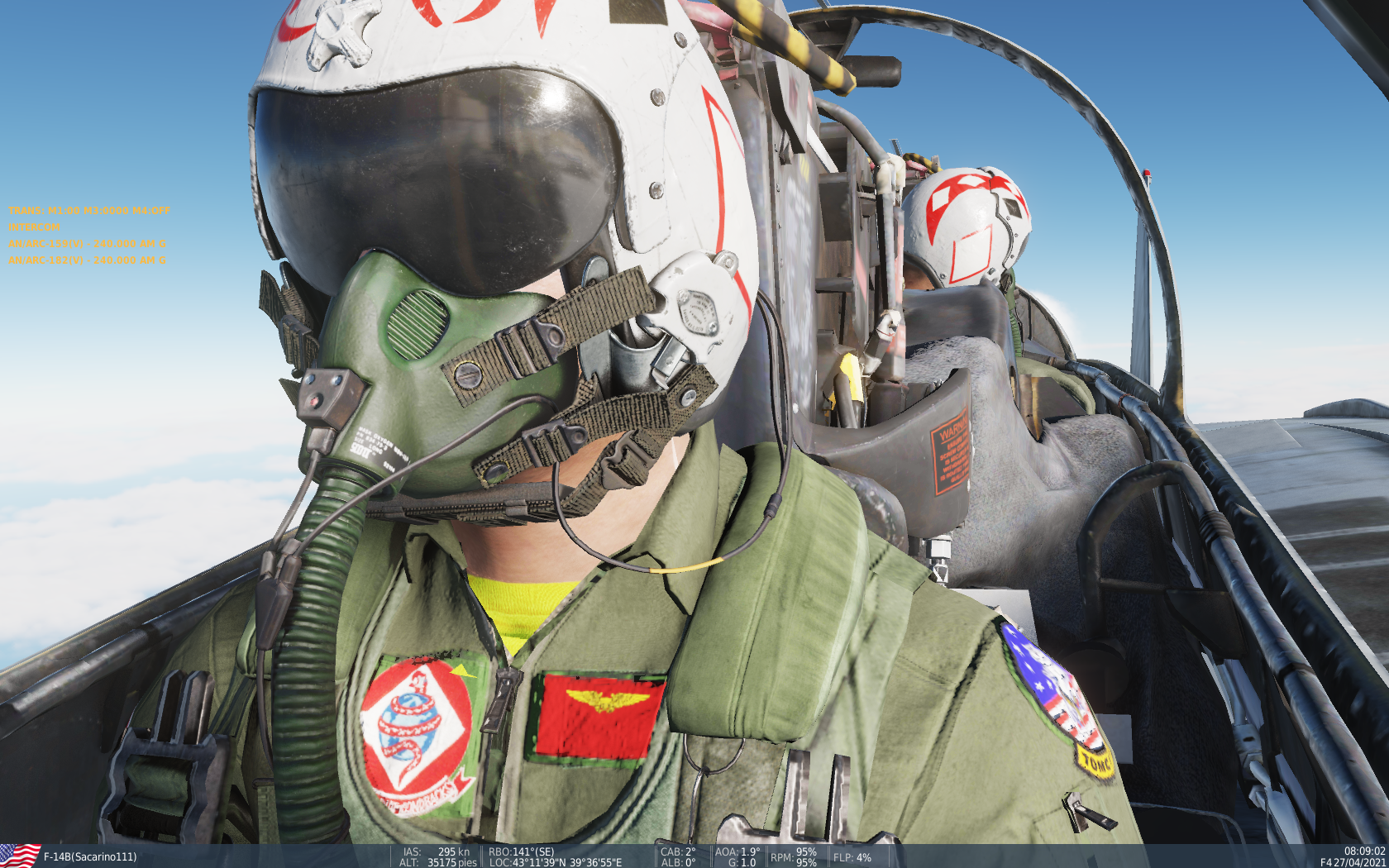
HI. Here is my PC desktop image: My self flying the Cat... Saludos. Saca111
-
Hi. Long since I did that in the Viper. As far as I can remember, you have to first make the HUD SOI (DMS up once or twice, can't recall exactly), and in the SMS page make the mode VISUAL or DTOS, one of them. Then TMS up to make the pointer a SP and then MARk and so on. Wagss ha a video (old one) in the Marianas map explaining it. Saludos. Saca111
-
Good aproach! Try and inform u, please. Saludos. Saca111
-
Hi. I remember seeing a video of someone boring a hole trought the shaft of the rotary and placing a cilinder inside with a pushbutton in the other side. I don't consider myself able to such a thing, but maybe you are skilled enough to do it. in the other hand, consider that a rotary switch will be sending constantly a "ON" signal to your board that may conflict with other pushes of buttons. I have done it to use it as a "modifier" in the setup, but as soon as I end up with the business, I place it to the neutral (no "ON") position. If the plane permit the CW/CCW or UP/DWN action, I then prefered the Rotary encoder with pushbutton. Nice to have this chat, reach me if needed. Saludos. Saca111 Indeed,I have a rotary encoder for the F/A-18's folding wing control, with the pushbutton used for the IN/OUT action. Work ok, and I can re use it for other functions in other planes/modules. Saludos. Saca111
-
uuups, my bad! No,with push buttons I don¡t think I know of. But still, rotary switches with button are a good option...
-
+1 Saludos Saca111
-
Sure thing. Giveme 1 sec... Here: https://www.electronicaembajadores.com/es/Productos/Detalle/IT31ENB/interruptores-conmutadores-pulsadores/encoders-interruptores-digitales/encoder-con-pulsador/ the price is ok. I guess the shipment will make the price raise, but if you buy many or other stuff (good stuff, for an amateur more than enough), it will be better deal. Saludos. Saca111 It has two sets of connections 1 a three pins for rotary otself, with chan A and B on the extremes and the middle one is ground. 2 a 2 pins one for the pushbutton. No one dedicated to ground. Saludos. Saca111
-
F/A-18 ThrustMaster Warthog throttle
Sacarino111 replied to JT Animal's topic in Controller Questions and Bugs
Hi. I thionk of two tips: 1 Reduce the phiysical friction in your throttle. I guess there is a friction adjustment knob somewhere in the base, so the mouvements are smooth but controlled. 2 This one comes from a reallity show (jetstream, youtube it), where the instructior says to the student to "walk the throttles", meaning to move them by first one and then the second one, ever so slightly, but move them like walking, left right, left right etc. I can'ttell if it is a good practice as I don't have that HOTAS, but looks logical. Saludos. Saca111