Harley
-
Posts
169 -
Joined
-
Last visited
Content Type
Profiles
Forums
Events
Everything posted by Harley
-

Why should exporting RWR and other viewports break integrity check?
Harley replied to LaFleur's topic in Multi-Display Bugs
I've completed the basic structure of the simpit, and can fly in it now. It does make a world of difference, but modifications will be made. The building has only just started, really. I'm flying exclusively the F/A-18C and love it. The method you've mentioned earlier is really unnecessary if someone simply turns on the IFF. Sad that someone wouldn't want to experience it, and instead make it into a shooter game. But, I'm enjoying it. I hope one day that we can figure out how to beam the HUD onto something, and perhaps integrate the HMD with trackIR and fly with all the systems behaving as they should. That will be the day that it will be indistinguishable from real combat, spare the G-forces and actual death. -
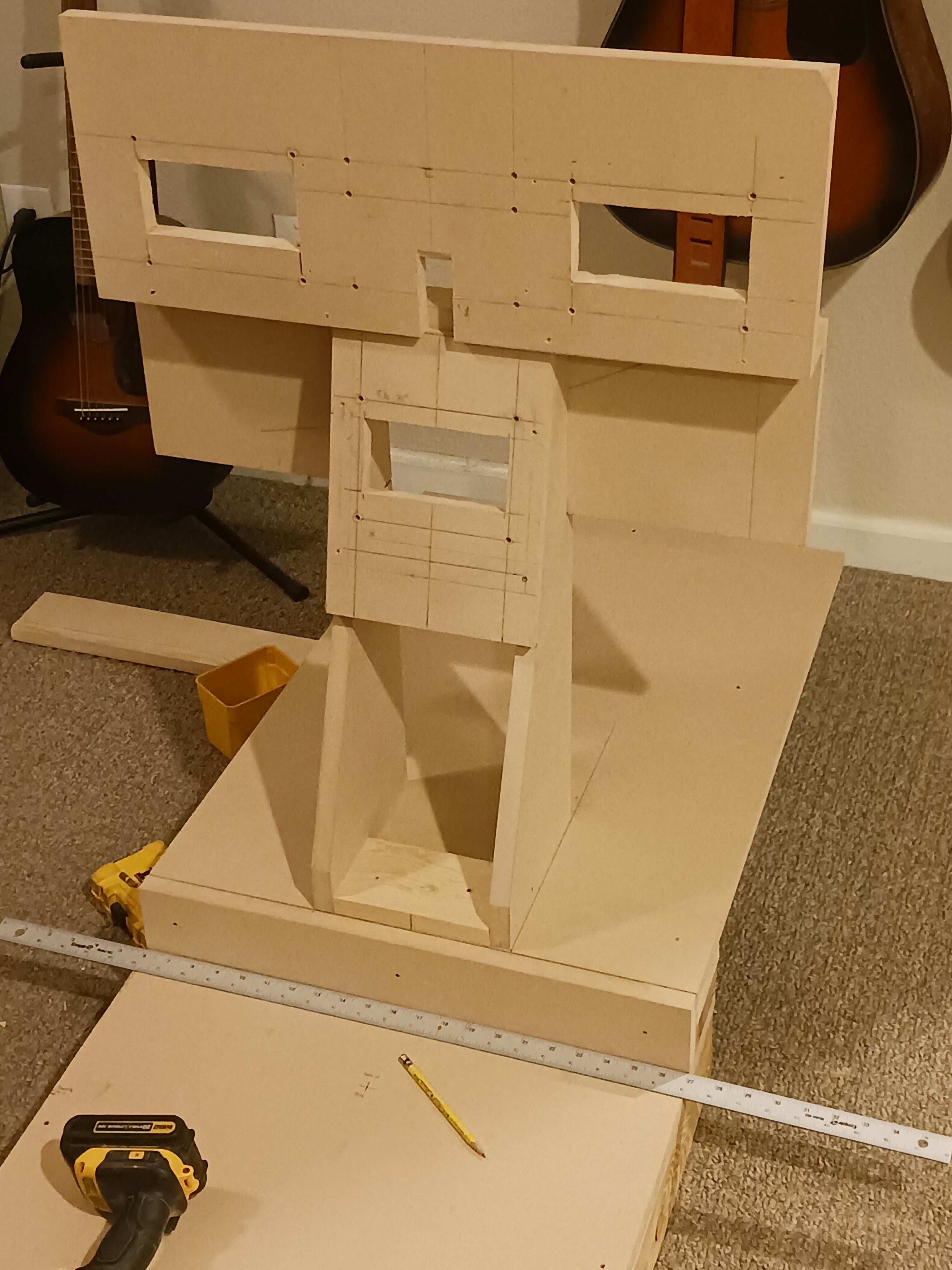
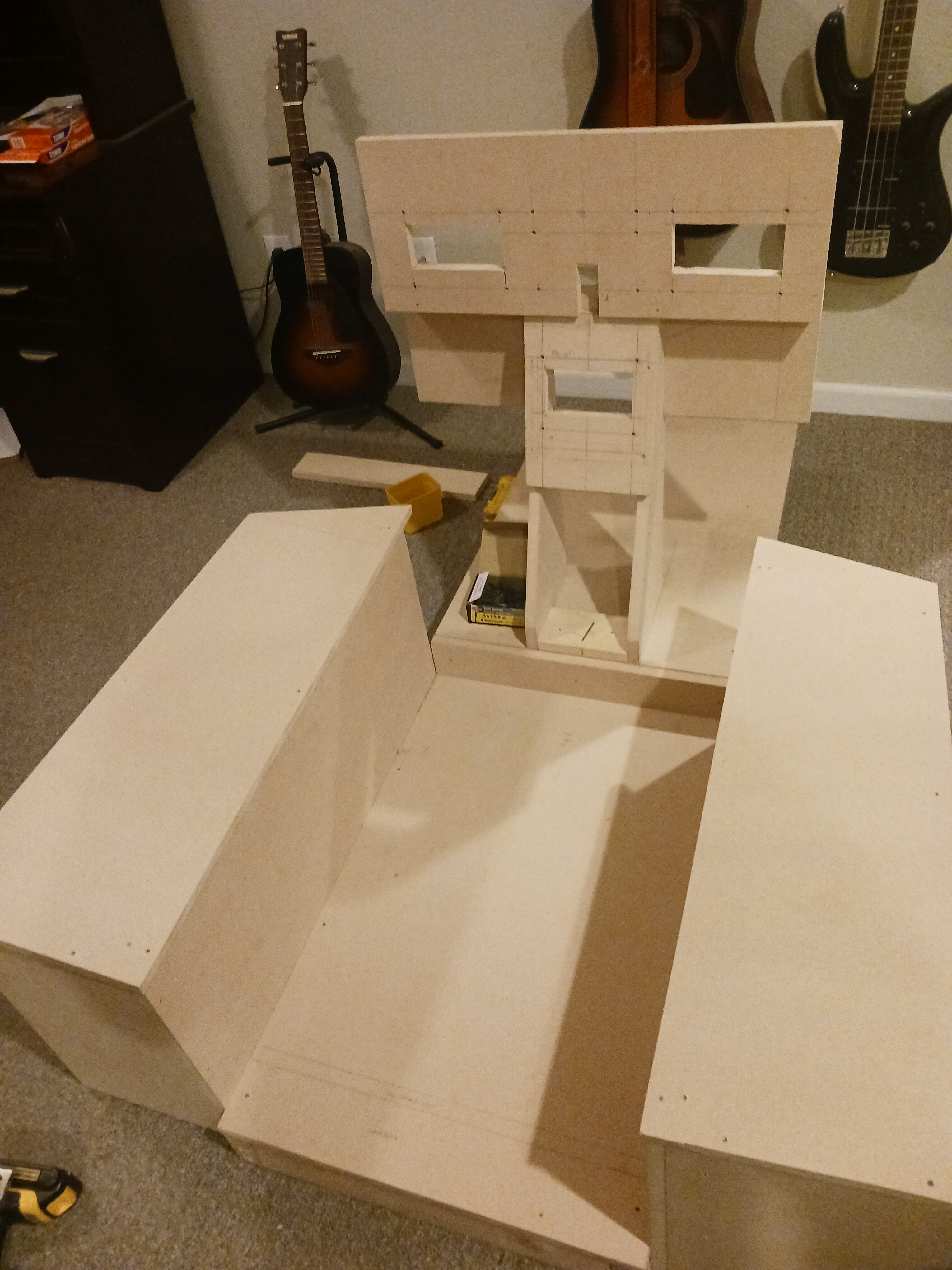
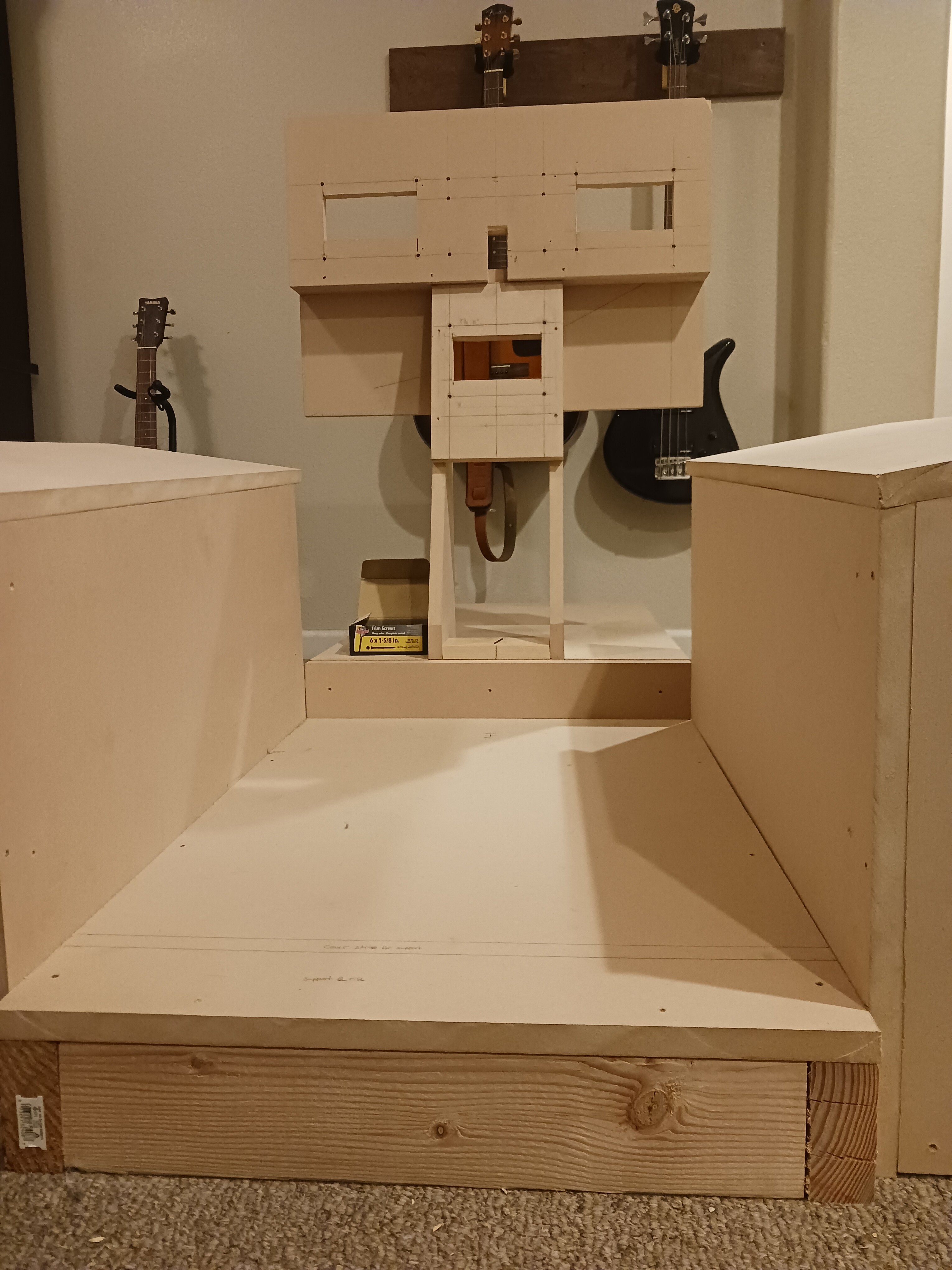
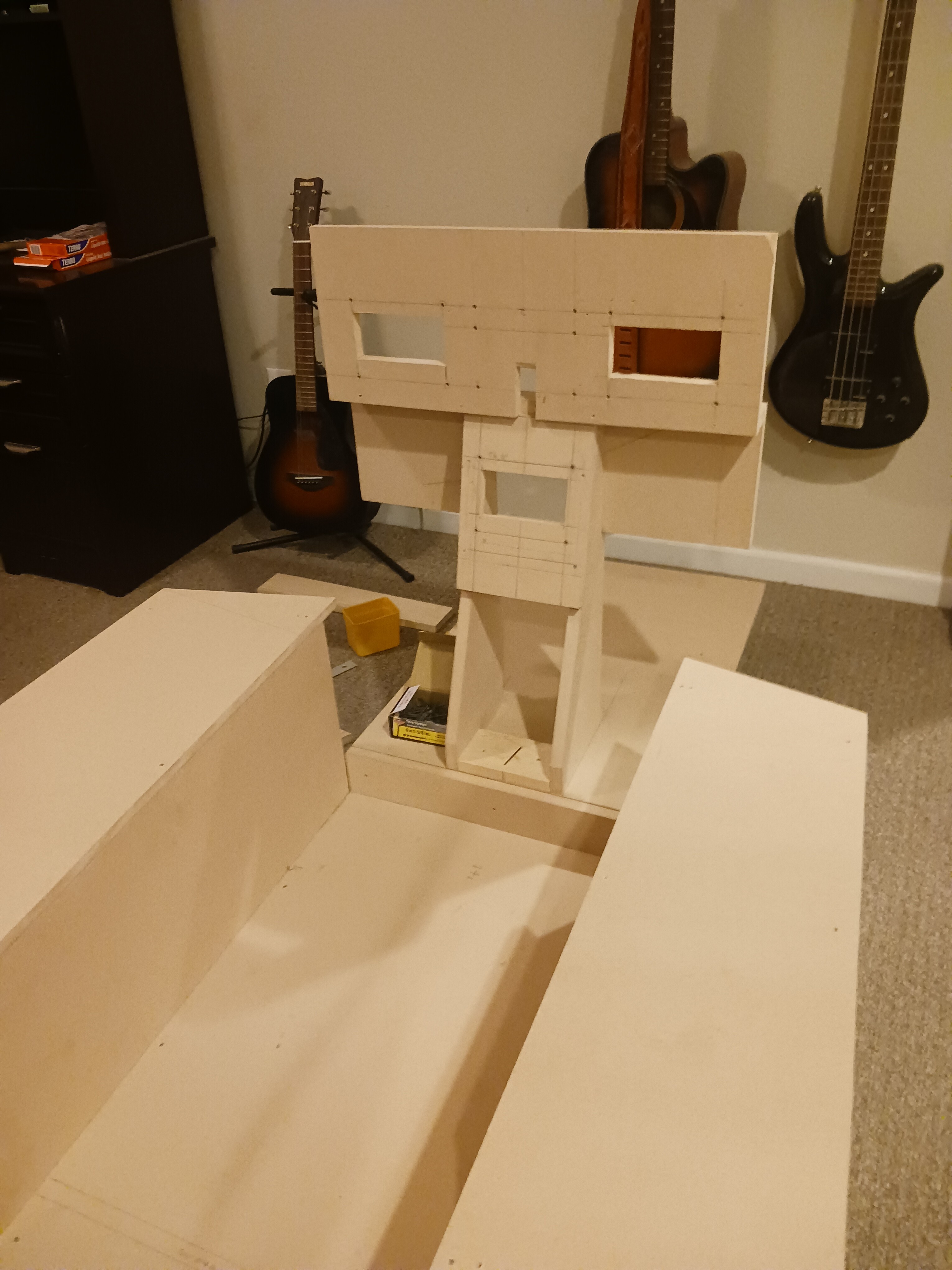
The basic structure is now complete. There will be modifications, but I can at least fly now!

-
It's not finished yet. I had that in mind, I'm just not sure if I'll need to. It's not really tall, and I'll be able to step into it rather easily. I left that option available with the way I built it, but I also need it to be secure as I'm likely to secure the seat to the consoles. I don't know yet.
-
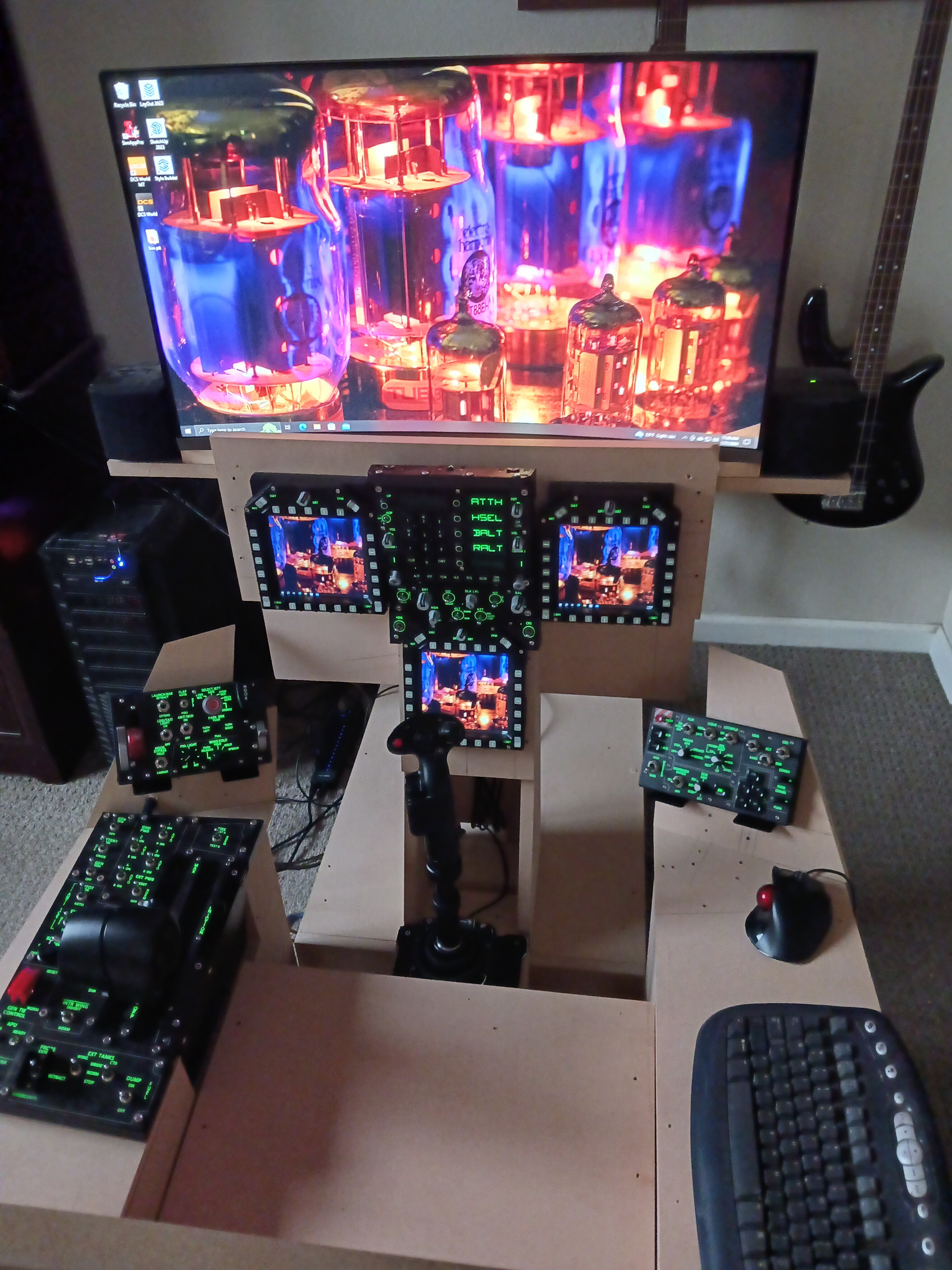
Well, there it is with all the panels I have mounted where they will live until some of them are replaced with more authentic assemblies from Tek. Now to setup the monitor I'll use for the time being, and then paint at some point. I've got to fly soon. It's bugging me.
-
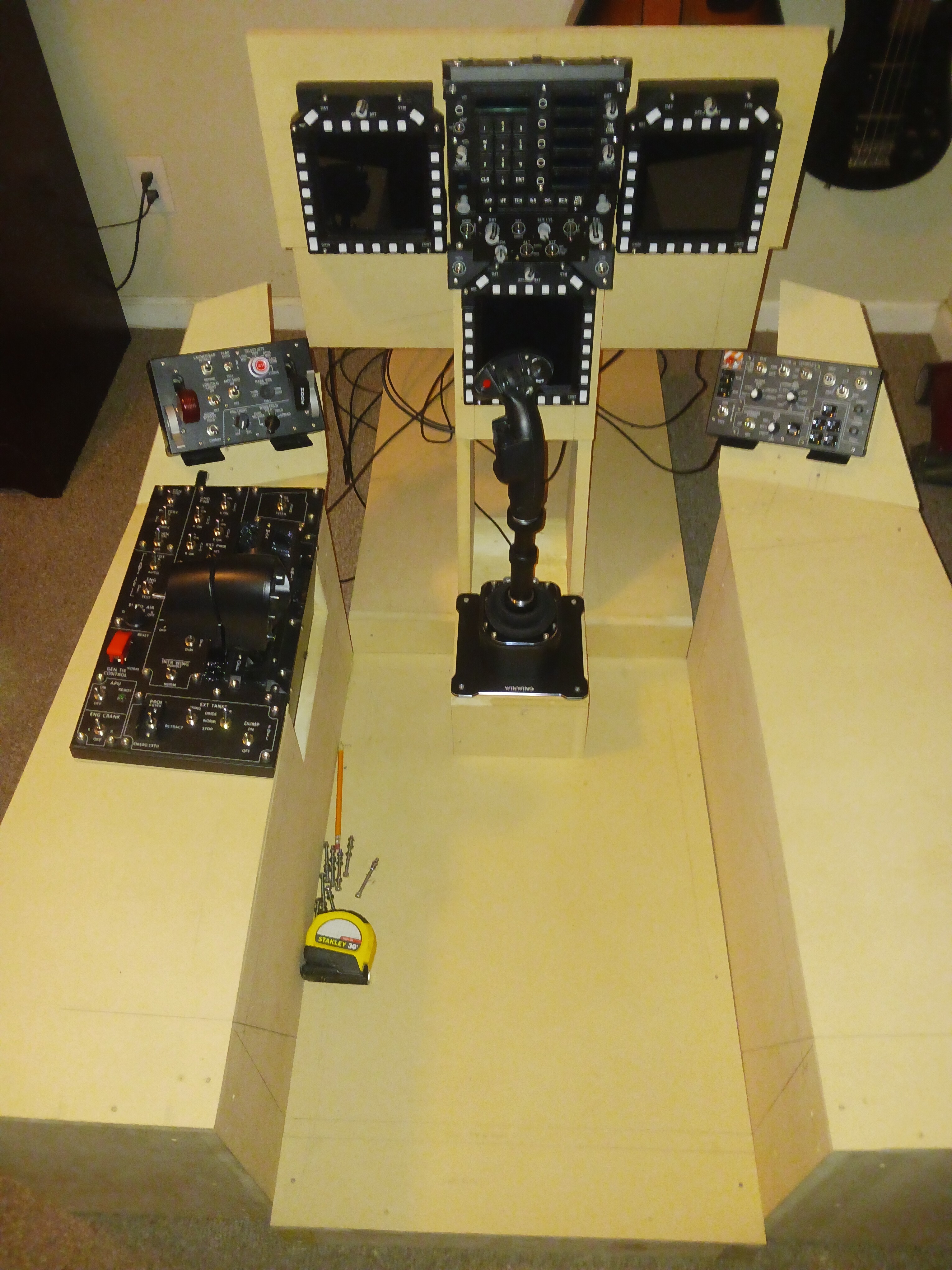
I still need to mount the winwing takeoff panel and the combat ready panels, but it's almost cleared for test flight. Eventually, I'll source all the TekCreations panels for all the right reasons. I want to have every control that the DCS F/A-18C has in its cockpit. There's only one way to have a sim pit, and it's to have all the controls you need to stop using the VC. I don't plan to build the cockpit bow, but I've left room to add the other exterior bows and structure for the "DISP" countermeasures button on the left sill, but a windshield? Probably not necessary. It's inside. But, I would like to go far enough to make the fwd vents between the MIP and the side consoles, and perhaps install a fan and duct it to there, just for accuracy. That may take some effort, but a great addition for accuracy. Who knows.
-
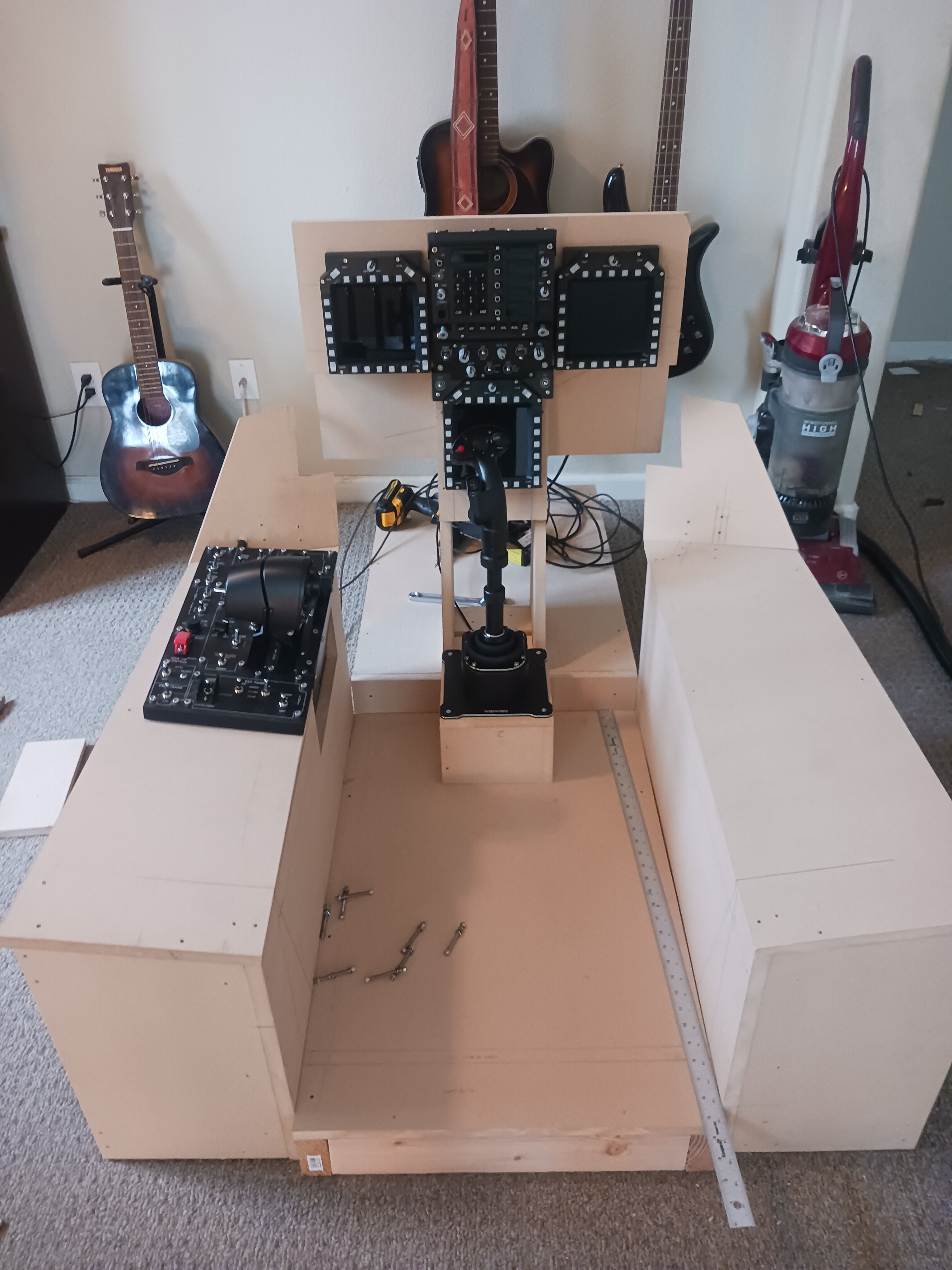
I wanted to be totally pure, and even considered the openhornet plans, but the more I got into it, it seemed like I could build for months, and still not be finished. So, although it is close enough for me, it may not be for some, and that's fine, also. It's not for everyone else! I am still building, and suffering while missing DCS at this stage, it's nearly as done as I need to begin flying in it. I am getting impatient, and will likely fab a seat from the remaining wood until I can do or find something more authentic. I've made sure to leave room in critical areas for the addition of other things, such as a HUD from Coutronics (because it seems the most likely candidate to make into an operational unit) and the right side is pretty bare without all those TekCreations panels I will inevitably install, but this is how it's progressing so far. I'll also paint the structure because I can't bear the raw look of all this MDF, which will require another disassembly of all this work, but it will always be something to tinker with, I suppose.
-
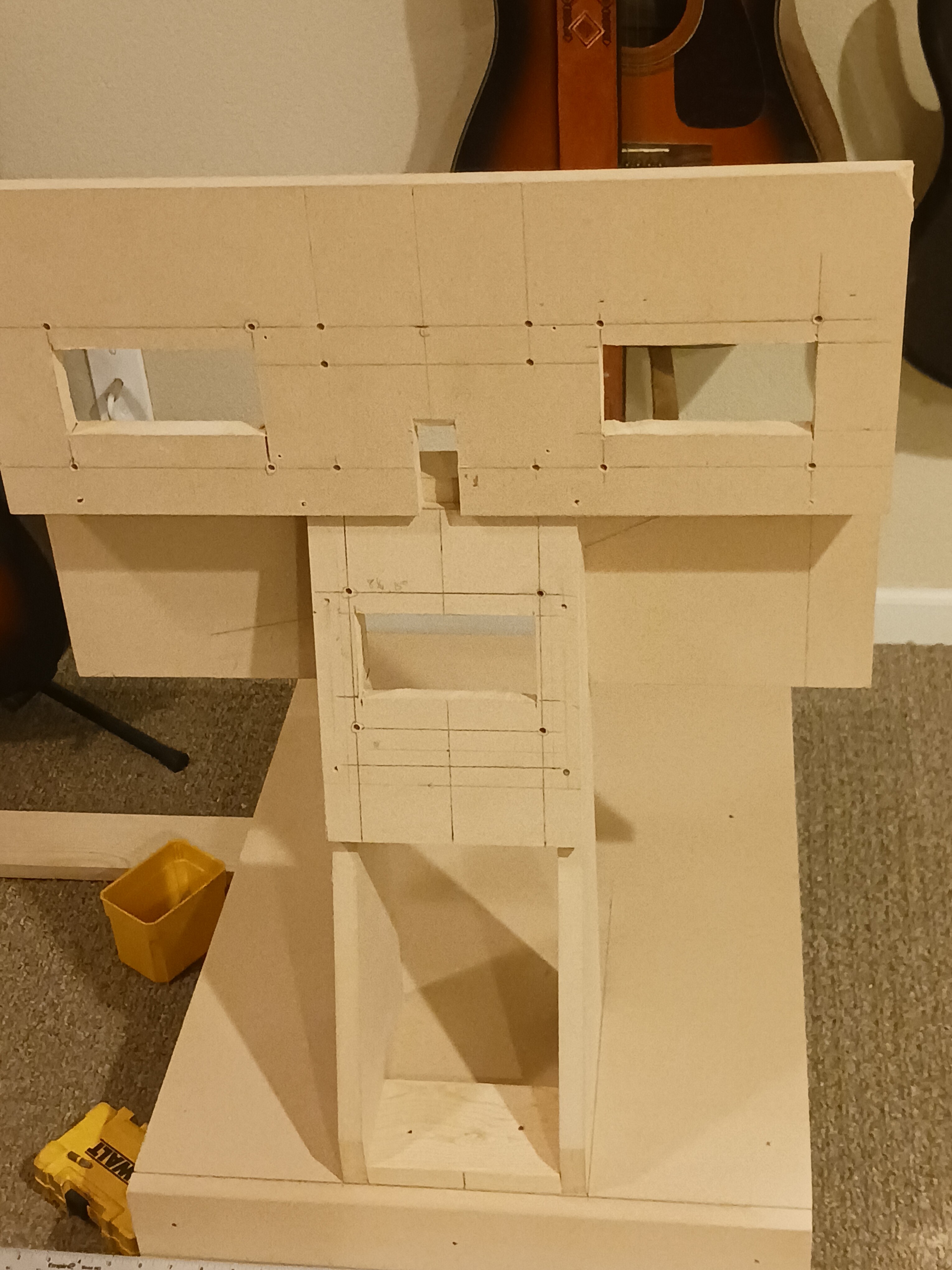
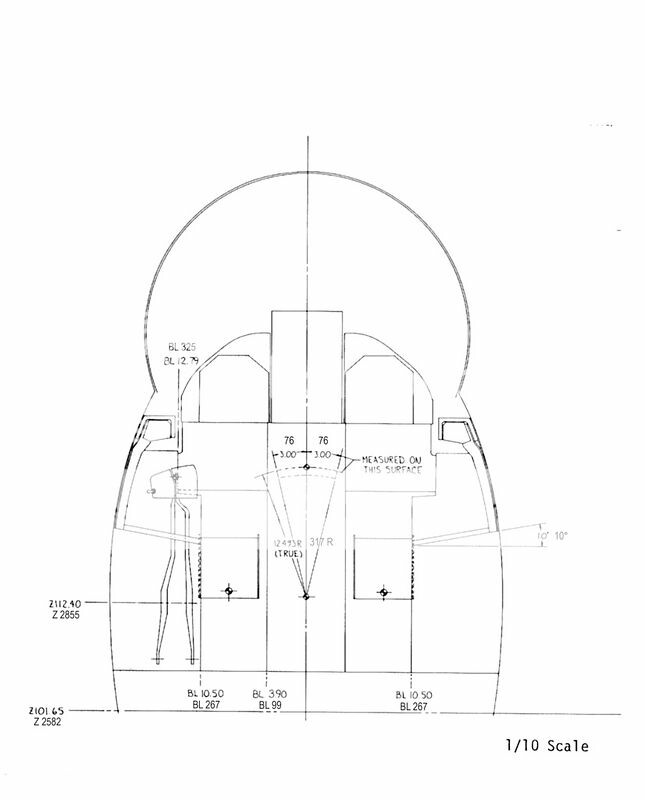
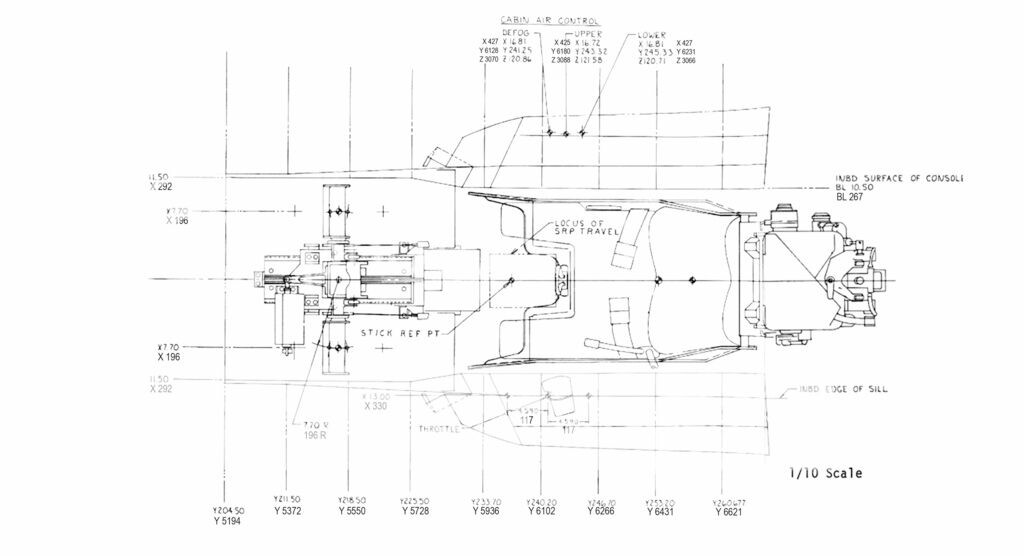
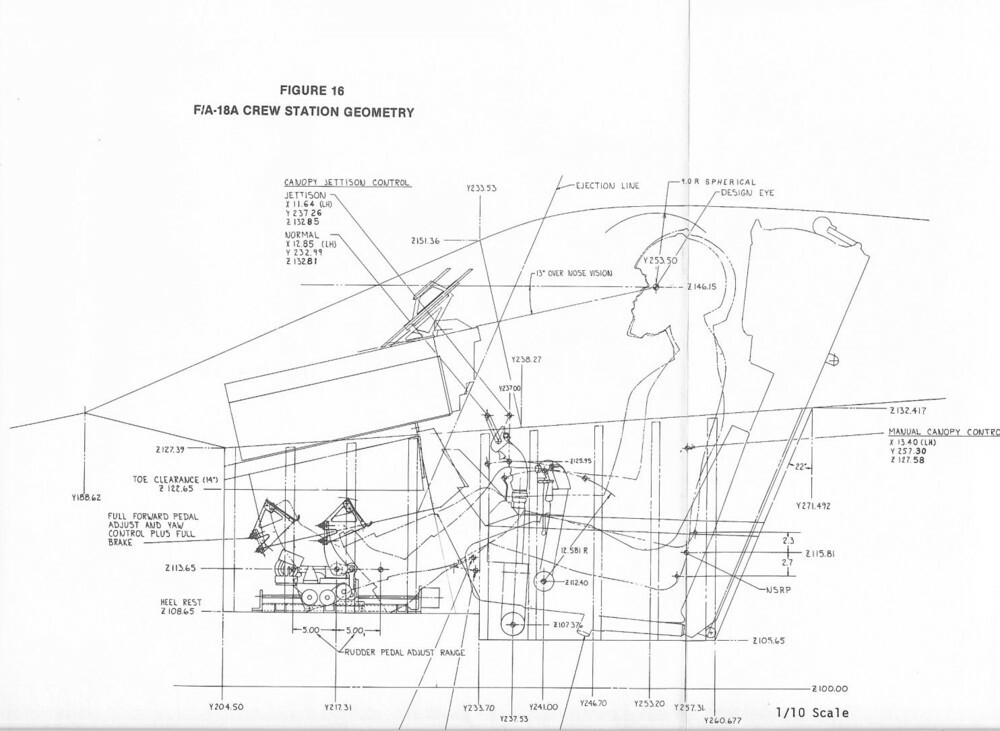
This is how far I've come over the past 3 weeks or so. The biggest parts of the structure are close to completion. Now I'm trying to find ways to keep it pure. I don't want a keyboard shelf because I'm hoping to have all the essential controls (and eventually all of the accurate panels) on board, so I won't need to break the immersion using one. I'll likely build a seat for it from similar materials, but with decent padding, because of simplicity. So far, quite a challenge. There are very few square angles on this thing. Almost every flat surface has an odd angle, including a downhill slope on the side consoles front to back at (best I could measure) of about 1 1/4" over their length of nearly 30". I've obsessed over drawings and many other diagrams that came from these forums and other sources. It turns out that the diagrams in the back of the NATOPS manual is actually very close when blown up 400%, but not exact. I used the drawings as a template laid out on the sheets of 3/4" MDF that I would cut up to build the structure, measuring angles instead of just trusting the drawings and assuming their scale would be 100% accurate. So far, off to the races! I'll post some pictures of the reference material I used, and then what it's turned into so far.
-
Does anybody have any ideas at all? Has this been asked before? I can surely get into the code and try some things, I just want to see if I'm asking something that has already been solved. Is this a known issue?
-
If anyone in here has figured it out, I'd like to know how it worked. To get support for this, I want to also include @WINWING and @WinwingTech I'm using the winwing Top Gun MIP, and there is no going back. I've even gone as far as to start building a sim cockpit to really do it justice. So, while I'm getting used to not needing the virtual cockpit for reference much anymore, I'd like to know if anyone has yet found any way to make the UFC display work when you're in the HUD only (L alt + F1) view? The screens work great in this view for me. It really was plug and play. But the UFC stops updating the display when in this view. Is there an entry into the LUA file that can make this work correctly? Is it as simple as that? It only took the addition of 2 lines in the script to fix the problem of desync after crashing. Everything else seems to work as advertised, and it seems like something just as simple was missed to make this work correctly. For folks building sim cockpits, it's essential that the UFC sync up properly. The inputs still work, so the buttons still control their selected function, but it doesn't display what the current function being selected is. Am I explaining this correctly? Again, this is only in the (L alt + F1) HID only view. When the virtual cockpit is being used, all works as it should.
-
Also, for what it matters, there are perhaps 2 right angles in this build. Everything else is some kind of ergonomics nightmare, and the people that prototyped this thing, as well as many other structures for aircraft, must have been pointing and laughing at people like us. Simply, wow. Everything has some angular challenge to it. The side consoles aren't square in any dimension, and from one of the drawings I am using for reference, they even have a slope front to back, best I can measure is about 1 1/4" from front to back, let alone the 10° of inward angle. Every angle is a compound angle, and what a challenge. It has been fun so far.
-
I did. If there's something else you all see that I don't, let me know. I saw a few pages of their very large accumulation of data, and I must say, either I am really behind the times, or it's in a whole other language that I am perhaps too impatient to learn. Their whole website is kind of a mess to sort out, but their plans look amazing. Textbook conditions, and it's amazing that it's all free to look at. I spent a lot of years as a carpenter, and I've already started constructing a sim pit out of the standard 3/4" MDF. I'll likely just make that work. It is coming together nicely, but there is still no real standard template for much of this, perhaps for all the right reasons. If we could just scale, cut, and assemble a sim pit from a neat template, it would take some of the element of surprise from it. I'm committed now. As of this time, I have a seat platform and the side consoles built. I may just build a seat from similar materials since the real thing is made of materials that are just as comfortable to your backside, with a layer of foam on it. Hoping to be finished with the raw structure in a couple more weeks. Then the difficult part begins with the assembly of all the panels, programming, more measuring and fitting, and before you know it, I'll be broke! So much fun, though. I can't wait to fire up DCS for the first time from this cockpit.
-
HUD view seems to disable some DCS Bios devices ***Solved***
Harley replied to lesthegrngo's topic in Home Cockpits
I suppose I should have clarified this first: I'm building a simpit for the F-18. That said, and after installing all the winwing gear from the top gun MIP, the only thing that doesn't work in the alt+F1 HUD only view is the UFC. The other panels continue to display their relevant info, and it is awesome to see. I haven't yet tried to input any data into the UFC in the HUD only view yet, but I can tell you that the UFC display stops updating in the HUD only view. I hope winwing will find a way to make this work with their gear. -
I'm going to dig up this thread to attempt to fish for relevant measurements. There is very little available, and it's vague what does come up. Some inferences can be made, but cutting up an e pensive sheet of anything with unsure measurements really is troublesome. I've printed the NATOPS pages at 400%, and it looks close, but I can't be certain. The winwing panels don't spec like this, either. We really are in some uncharted territory. Any news on some reliable info for this? I was watching this thread: https://simhq.com/forum/ubbthreads.php/topics/3351156/1 But it is not for measurements. The hornetpits.org website has yet to respond to my requests to join their forums, also. There has to be a way to assure some of this before wasting material.
-
I love this whole thread! I'm going to do this with wood, because I already speak that language, meaning I'm probably not going to have the desire to learn 3d print language for this project and still finish it in the time frame I want to complete it in. That said, is there a way that anyone can give dimensions of some kind? What I'm specifically looking for are the dimensions in depth between the MFDs and the IFEI panel, the recessed face from the upper portion where, for example, the left MFD mounts to the face where the IFEI panel mounts. It looks to be nearly 3" or so, and I want to get it close to proper for a 1:1 version made from MDF and whatever else I can cut with a saw. I can likely work out the remaining dimensions, because they will be dictated by the sizes of the MFDs and UFC, as well as the spin recovery panel and the master arm panels. I've recently got the Winwing MIP, and all that purchase made me want to do is complete the rest of a whole cockpit. I've also got the super taurus and the super libra, likely to change to the Orion 2 when I get the structure started. Any help would be greatly appreciated.
-
Why should exporting RWR and other viewports break integrity check?
Harley replied to LaFleur's topic in Multi-Display Bugs
Well, it must truly display my ignorance because I have no idea how this could be used to cheat the game. I'm not asking how, for obvious reasons, as I would also hope noone discloses it in here. But it must be some clever turkey that could sift through all this code and find a way. I would rather it be difficult to make a simpit work than make it easy to ruin an otherwise good time. In some regards, it makes it a building experience rather than just an assembly experience, like what "building" a pc has become. Alas, we ride on the edge of trying to build something great and keep the integrity in place. I would hate to be blasted by even more 11 year old kids on purpose. Nothing is more frustrating than taking all the necessary time to load coordinates into 8 JDAMs and get strafed on taxi by some friendly fire and a shrill cackle. So, we wait. -
Why should exporting RWR and other viewports break integrity check?
Harley replied to LaFleur's topic in Multi-Display Bugs
It's sad that they are having to protect the DCS world from people that would abuse it. Those of us that want a little more immersion, or a lot more, really do have to balance it against clever people that would exploit it. We just want to build stuff! I hope this can be fixed. I'm looking to step into this arena also, and as easy and cheap as it is becoming, there is still an undesirable element to make things difficult. -
Not sure how much help this will be, but look at TekCreations for reference. He may have some options available for sale. Very prompt response time.
-
Perhaps that is true, but how many multiple monitors are in use? Also, it's how the HMD is supposed to work anyway. I think it's a useful option to incorporate.
-
Just for clarification, the request is to make the HMD work as it should work in real life, rather than panning all the scenery as we have it now. It looks like folks have become so adjusted to having it the way it is now that there is a hard time even understanding what the request is. Perhaps it needs to be an option with a checkbox for sim pit builders. I imagine that it becoming a simple check box option will take quite a lot of work to develop, with lots of code to make. I hope this can become reality. It would make so much more sense to do it this way.
-
I have one more question about this lua file. It seems as time goes by the way it does, winwing has updated their firmware, and it wants to update this corrected file. If it does update, which is optional, do I simply need to re-add/edit in the corrected code? Because I found that when it updates, the newer script doesn't retain the correction, and we're back to having the same issue that this lua fixes.
-
Seems there was a lot of misunderstanding further up the thread. But the request is a great one. Think about it: the market is becoming saturated with 3rd party add-ons and building a whole sim cockpit is becoming easier and cheaper all the time. For those of us with that ambition, solving that problem seems a logical and natural course. If I had 270° of view, then all I want to have moving when I turn my head is the HMD, so I can lock up that dang SU-33 chasing me down! Since it will take some sort of head tracking device to make it work, and they've been out for some time, it seems the only thing lacking is the ability to keep the view stationary while moving only the HMD instead. Solving this would be a real game changer for the sim pit builders that aren't scared to dogfight far more capable aircraft when they should be, such as myself...
-
Well, at least I'm not alone in this idea. Thank you for that. I imagined there would be issues. I'll keep digging, too.
-
Not sure where this should go, as all these have their own categories, and I'm trying to put them all together in one. I watched this video, and it raised a few questions. I wonder if anyone can see where I'm going with this: I have a vision in my head of building a simpit like The Warthog Project for the F/A-18C, because it's my chosen airframe. There are many issues to still work out, but there are many questions about functionality, and any input is valuable. With how all these simulation systems work, we're really building an environment that is nearly as complex as just flying the real aircraft, only without the hassle of explaining to the Navy how we got one of their fighters. That video was a powerful reminder of the limitations of the game in some aspects, while also dangling the temptation of trying to figure out how to make it all work because of the inherent "cool" factor. In the video, this guy makes quick work of a strike against enemies with a single screen, track IR or some head tracking device, and the HMD in the hornet. Awesome. Surely tangling this up with a simpit as complex and functional as The Warthog Project is complicated, but I'm down to fuss with some in-game issues to perpetuate a strike against some simulated badguys as efficiently as this guy did. It's glorious! But if one uses a 270° screen space, the need for track IR is really gone. How to use the HMD? Are there other head tracking parts that do this without moving the entire screen space to project the HMD HUD all over your screen area? Am I being too vague? I'm hoping the HMD can be projected anywhere by following the pilot's head, and keeping the scenery and screen space intact, so it doesn't move with your head, only moving the HMD HUD.
-
Well, it looks as though using any of the available options cause blurry scenery and leave afterimages/ghost trails behind moving objects. I've turned that setting off, using no anti aliasing in game, and applying a few of the tricks in reshade. It is only AMD users such as me, that get those effects, I think. The frames were still good, but those undesirable effects were a deal breaker.
-
Update to this: I repeated these steps precisely, and it worked nicely, although I think the anti aliasing is hammering these displays rather than removing the blocky edges from where I want it, as the corners of the characters on the screens seem rounded off. Hard to tell, but that's what it looks like. But I learned something else. With these panels installed and running, using the alt+F1 HUD only view in the F18 also brightens the screens up nicely. It makes them nearly too bright with the effects enabled. I miss the lovk/shoot lights on the cockpit frame with this view, but if that's what happens, maybe the explanation is more technical. Perhaps splitting the display channel creates an issue with output brightness. I don't know, but it seems related. As soon as I am in the HUD only view, the screens are bright, as they should be. I can uncheck all 4 of the effects boxes in reshade that made these displays brighter. Maybe someone else can test this and explain a little better. Just something I noticed.