Tophatter14
-
Posts
35 -
Joined
-
Last visited
1 Follower

-
A recent update allows you to ‘clap your hands’ together, which causes the controllers to temporarily disappear/sleep. Just lightly double tap them together and they should go away as if you turned them off.
-
Fair point. AI is notoriously difficult.
-
Mission 7 - nobody takes off
Tophatter14 replied to Tophatter14's topic in DCS: P-51D Debden Eagles Campaign
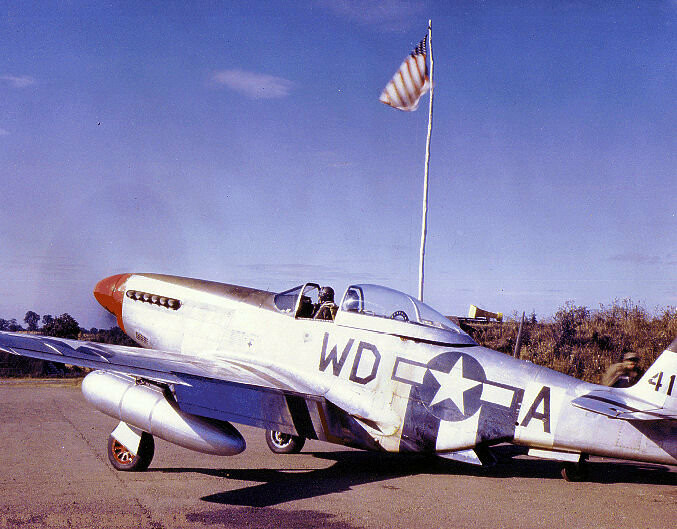
I’m wondering about the identification letter paint. Olive drab with D-Day stripes: the individual plane letter (the “V” for “QP-V” is painted white over a white stripe. Makes it hard to read. Didn’t they use black paint for that letter? Edit:
-
Mission 7 - nobody takes off
Tophatter14 replied to Tophatter14's topic in DCS: P-51D Debden Eagles Campaign
The sunrise clouds were a pleasant flying experience. -
Mission 7 - nobody takes off
Tophatter14 replied to Tophatter14's topic in DCS: P-51D Debden Eagles Campaign
Did that (got lucky) and just flew the mission; Long, but satisfying. Thanks! -
Waited until engine start call, gave thumbs up and taxied behind 3. Everyone sits at the hold short and lead doesn't take off. Sat until 6:06 am for the 5:58 takeoffs. I've rebooted my PC and tried 3 times.
-
DCS: P-51D Debden Eagles Campaign Info
Tophatter14 replied to Reflected's topic in DCS: P-51D Debden Eagles Campaign
Excellent choice of music for your YouTube intro video and mission zero. It’s beautiful and emotionally stirring. I’m now following the composer. Thanks. -
Looking forward to seeing everyone’s 2.9 settings….
-
Could it be this?
-
Same with a 4090. Also take a look at your gun tracer rounds. Mine look…weird in the F-18. Edit: it may be this?
-
I did switch the secondary target on another go around = and noticed some nice variations in the game triggers. Helo stayed on deck and some Fulcrums launched vs Su-27's. I will try it again as per your tip!
-
I flew it solo and enjoyed it immensely. Well done. Great chance to flex all the Hornet muscle groups - JDAM, HARM, A/A, tanker and CV recovery. Please continue to make more missions, I’ll happily play them.
- 9 replies
-
- 2
-

-

-
- multiplayer
- single player
- (and 2 more)
-
I've got bloom off with foveated rendering and it's really not noticeable to me. YMMV.
-
Just wanted to say thanks to all those who contributed their settings, tips and troubleshooting. Mine is now running nicely (with foveated rendering) and it's awesome.