jackd
-
Posts
833 -
Joined
-
Last visited
Content Type
Profiles
Forums
Events
Everything posted by jackd
-
Maximum height UH_1H after take off?
jackd replied to jackd's topic in Controller Questions and Bugs
Ah, Thanks, never knew that. i'll make a track tomorrow, must leave ... ADDED ... had no time yet sorry. maybe Sunday. -
Maximum height UH_1H after take off?
jackd replied to jackd's topic in Controller Questions and Bugs
Throttle 100%, that was it i think, had the axis inverted, not set as sliders. Warthog Throttle axis stuff now as sliders, and joystick/ pedals with slider off? Must try that first and experiment with tuning settings as the Huey behaves too sensitive to the axis controllers. ADDED testing a little and the joystick needs to be less sensitive still, but it seems to work. f.i cannot find settings and controller axis to get the thing hovering on one place .. -
Been experimenting with a Huey controls (Warthog + crosswinds). I now found a profile that has the right axis etc setup, and it works so far. But after take off the Huey hits a invisible ceiling and wont go higher than approx 20 meters. Guess it might be some of ground effect setting that maxes this, but how can you bypass it, and with what control can you get up higher?
-
jus' came across this manual: https://assets.chucksguides.com/pdf/DCS UH-1H Huey Guide.pdf
-
Is there an option to turn down camera shake?
jackd replied to testudine2002's topic in General Bugs
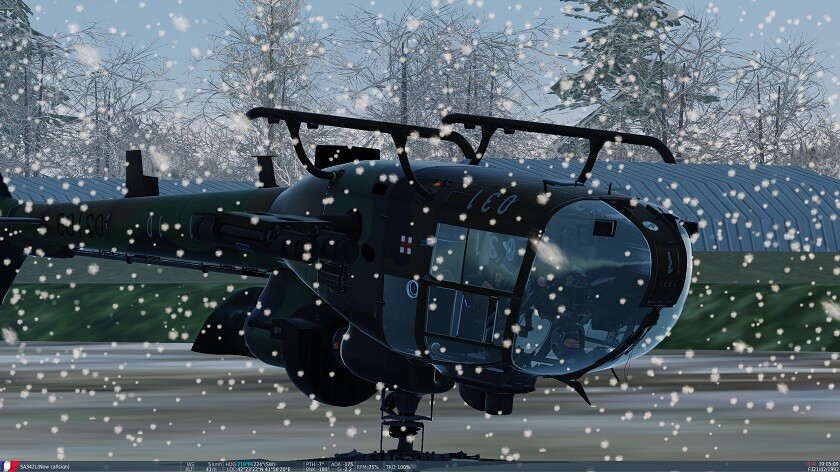
Gazelle, i keep landing like in the picture above. One must be French to handle it IMO. ADDED i just found this: https://assets.chucksguides.com/pdf/DCS%20SA-342%20Gazelle%20Guide.pdf i16 i had the same feeling as you, too much button pushing to just start it. It's a great one in IL2 however.- -
Steam: 2.9.8.1214+ FPS performance issue
jackd replied to scommander2's topic in Game Performance Bugs
Curious what you'll find, that would be great .... -
f.i. Shift-F2 opened the app instead of some view function. BTW i have view functions like F4, LCntr+F4 and F2 reprogrammed in regards of other sims like IL2. PS i used the old app version only for the record function so far.
-
Well now i wonder why i ever bought a 4k monitor for this game and scaling it down Seems a total waste of money then ...
-
Steam: 2.9.8.1214+ FPS performance issue
jackd replied to scommander2's topic in Game Performance Bugs
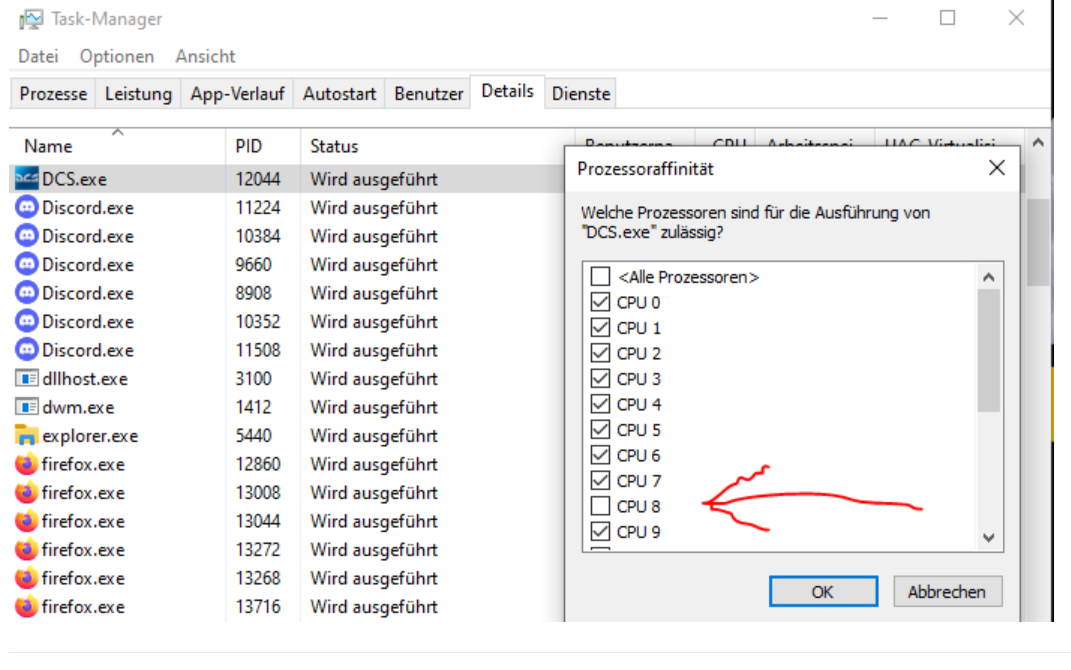
Just had a mail from support that affinity for the 8th core should be off, and it seems to work at least for my staggering problem. Pity is that you have to set it off for each new game start with DCS (MT) 2.9.8 running.
-
Is there an option to turn down camera shake?
jackd replied to testudine2002's topic in General Bugs
For some planes like Huey and Gazelle there is a slider in Options- Special, sometimes called different, and it works ... -
Is there an option to turn down camera shake?
jackd replied to testudine2002's topic in General Bugs
I am curious particularly about your Huey Joystick and Throttle diff.lua scripts. Eventually the Gazelle and Mi-8MTV2 too, which i bought in an earlier sale and never got to work yet. BTW my latest effort:
-
Is there an option to turn down camera shake?
jackd replied to testudine2002's topic in General Bugs
Thanks for the tip. Found it, and set it to 10 instead of the 50 it was. You seem to know about helicopters? I love them, but cannot really get a working system 'flying' a Huey with only a Warthog set and crosswind pedals. Split the throttle axis settings left and right for Collector and power, but i keep the feeling that i am riding a mechanical bull LoL. -
Is there an option to turn down camera shake?
jackd replied to testudine2002's topic in General Bugs
Now i have been trying to reduce camera shake in the UH-H1 cockpit view. The file in it's .............\DCS World Openbeta\Mods\aircraft\Uh-1H\FM folder is called FMCOptions. lua, and looks quite different than for the Flaming Cliffs plane's config luascript mentioned above. Seems it has a different role. See below the line ++++++++++++++++++++++ Any ideas eventually where and how to put the shake mod files from above? -- view shake amplitude wing_buffet_ampl = 0.2, tail_buffet_ampl = 0.14, There are plane related lua scripts here: ............. \DCS World Openbeta\Mods\aircraft\Uh-1H\Cockpit\Scripts and here: .......... \DCS World Openbeta\Mods\aircraft\Uh-1H +++++++++++++++++++++++++++++++++++++++++++++++++++++++++++++++++++++++++++++++++++++++++++++++++++++++ =============- TFMCOptions. lua translated with DeepL from Russian: New_model_engine = true CenteringShiftX = 0.0; - additional information CenteringShiftY = 0.0; CenteringShiftZ = 0.0; StickVibrationxMax=0.2;- main contact point + StickVibrationxMin=-0.2;- state of the world -. StickVibrationFrequency=1;-- StickVibration Frequency StickWithoutHydroVelocity=1/2; -- Handle speed critForceFuselage=150000.0-- 110000.0 critImpulseFuselage = 0.0 critForceSkid = 70000.0-- 50000.0 critImpulseSkid = 0.0. critForceTail = 35000.0-- 25000.0 critImpulseTail = 0.0 critForceStabilizer = 15000.0-- 15000.0- critImpulseStabilizer = 0 cushionStrength=0.235 -- cushion strength cushionWeakening=0.40 -- cushionWeakening = 0.40 -- cushionStrength = 0.40 cushionDensityCoeff = 0.0 critSpeedFuselage=14.0 critSpeedSkid=5.0 critSpeedTail=8.0 maxCentrifugalRotorForce=150.0 breakUnbalance = 0.02 CargoMass = 0.0; --internal cargo weight deltaFlappingForCrash = -2.22; PilotHelperOn = false -- control assistant // ã CargoModeling=false; -- Cargo modeling CargoGround=false; -- Cargo mapping on the ground at cold and hot start. MediumDynamic=false; -- Setup for medium difficulty of the aircraft dynamics. SimpleHooking=false; -- Enable simplified dynamics at a radius of 20 m from the cargo. sticktimelag=0.5; CargoDempher=.0; --GargoDempher; --// cargo clamp. CargoHeight=.7.0; dCargoHeight=2.0; dxzCargo=2.0; HoveringTime=5.0; ======================================================= -
Stuttering in and outside the cockpit with the new update.
jackd replied to Cobra5087's topic in View and Spotting Bugs
ADDED 2.9.8.1214 .1 works OK, but only after the first game start after a windows 10 boot. Staggering display ALWAYS with game-playing after the second game start.. What ever cases this, and i've been very busy testing all sort of fixes like even core parking, driver checking, NVIDIA tuning, updating all sorts of windows (10) stuff, even resetting the latter, i cannot find it. Must be some kind of graphics buffer not being deleted after game quitting. I really wonder what's different with my settings on my my system from others that don't have these problems. ADDED 2: according support a fix, and it works: Affinity for the 8th core should be off, and it seems to work at least for my staggering problem. Pity is that you have to set it off for each new game start with DCS (MT) 2.9.8 running.
-
Well, just tried the NVDIA app ,,, it screws up at least my DCS controllers.
-
Steam: 2.9.8.1214+ FPS performance issue
jackd replied to scommander2's topic in Game Performance Bugs
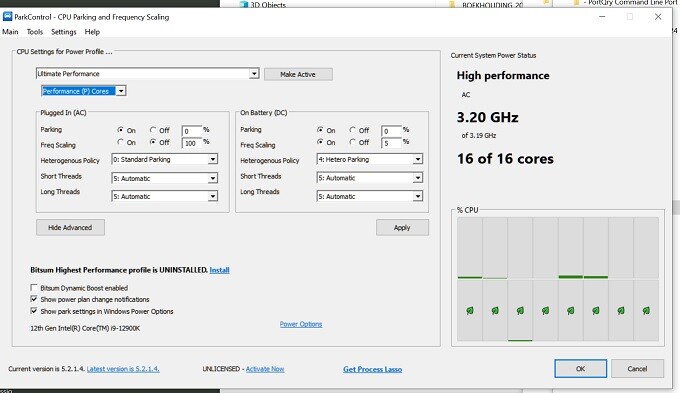
Weird, my park Control (latest free 5.2.1.4 version) looks different and has for high performance only one preset, no screensaver .... With Standard parking it even has Ultimate Performance:
-
Steam: 2.9.8.1214+ FPS performance issue
jackd replied to scommander2's topic in Game Performance Bugs
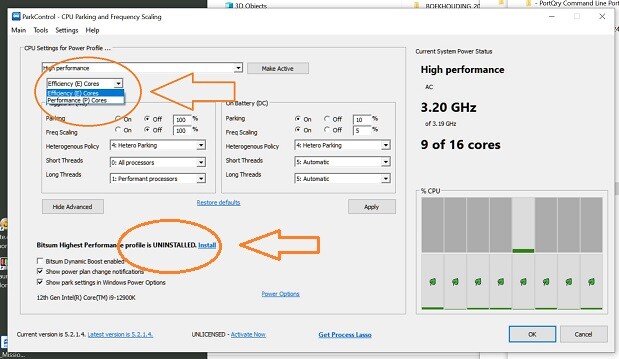
Posted elsewhere too, and for DCS MT version in case of gameplay stuttering Hyperthreading in BIOS should be off. disable Vsync and Fullscreen in DCS settings. clean the FXO folder in Saved Games. You could use Bitsun Park Control to disable E-cores parking, some times it helps as with my i9 12900K system. -
thnx, i'll try it, still in beta only me thinks.
-
Guess NVIDIA app you mean Experience?
-
Control Center is some add on from Gigabyte i think.
-
Just reinstalled 560.94 drivers for my 4080s Geoforce RTX. Now i wonder if i should utilize Experience, Aorus Engine, and Control Center, and why ...
-
Is it possible to adjust the default elevator trim value for the F86's elevator in some lua script? The darn thing keeps climbing until you use trim nose down quite a bit.
-
Guess this has been asked before .... i searched: Scout's Honor! Bought the UH-H1 Huey a while back, and now again been trying to get my Joystick-Throttle Warthog set and Crosswinds pedals to work. I have no collector, but split the throttle tool into two separate movers, so that i can use the left as collector. Has some one maybe some profiles that work available? PS what's this green bar i never saw before in game view?: ADDED: just found this: Think now in 2024 with game 2.9.8 it's called Lifebar_page.lua Location: .............. DCS World Openbeta\Mods\aircraft\Uh-1H\Cockpit\Scripts\LifeBar
-
Got a few helicopters in a sale, main reason then for me buying DCS; sooooooooooooo complicated to start ... glad when Lwin + Home is working there.
-
boogie-ing with a boggy pants?