jackd
-
Posts
833 -
Joined
-
Last visited
Content Type
Profiles
Forums
Events
Everything posted by jackd
-
Urbi, it's a great template, with a Wireframe too! I f you made that: compliments.
-
Well, i am quite experienced with photo shop and IL2 ... and i just been experimenting with the description.lua for a C-47 to get things right regarding f.i. wheels. Thanks, btw i am off line now for a while ..
-
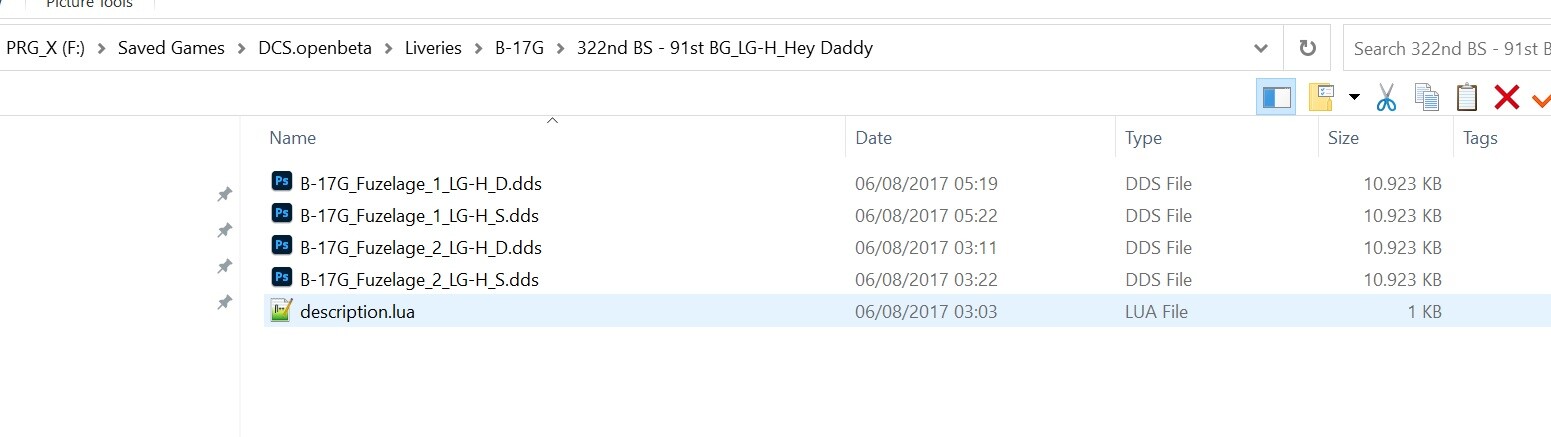
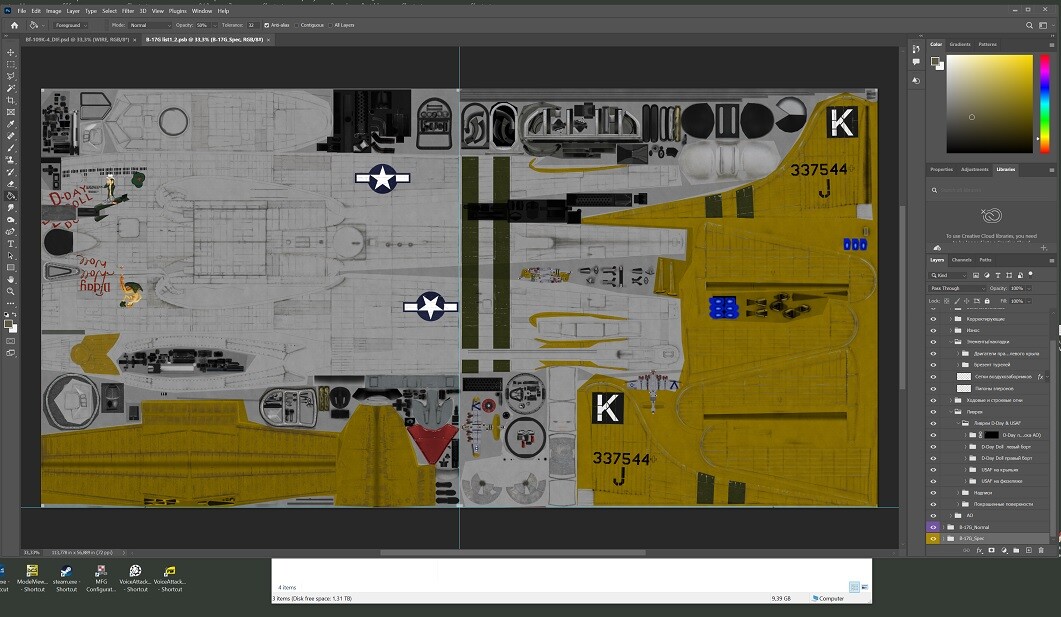
Now i am still confused 'bout the skins themselves. I downloaded and looked at the B-17G template. There are 2 files in it containing 2 large 8192x4096 PSB files. How do you convert them into the kind of dds files DCS recognizes. B-17G list1_2.psb and B-17G list3_4.psb example, the one with the body, the other has the wings: The same for the Bf-109K4, one PSD, 4096x4096. When you look in to the savedgames livery folders there are various sized DDS files, addressed by a description.lua, and often most are addressed as 'false' instead of 'true'. f.i. from a working B-17G directory in saved games: ------------------ livery = { {"B17G_Fuzelage_1", 0 ,"B-17G_Fuzelage_1_LG-H_D",false}; {"B17G_Fuzelage_1", 1 ,"B-17G_Fuzelage_1_N",true}; {"B17G_Fuzelage_1", 2 ,"B-17G_Fuzelage_1_LG-H_S",false}; {"B17G_Fuzelage_2", 0 ,"B-17G_Fuzelage_2_LG-H_D",false}; {"B17G_Fuzelage_2", 1 ,"B-17G_Fuzelage_2_N",true}; {"B17G_Fuzelage_2", 2 ,"B-17G_Fuzelage_2_LG-H_S",false}; {"B17G_Wing_Left", 0 ,"../323rd BS - 91st BG_OR-M_Super Mouse/B-17G_Wing_Left_OR-M_D",false}; {"B17G_Wing_Left", 1 ,"B-17G_Wing_Left_N",true}; {"B17G_Wing_Left", 2 ,"../323rd BS - 91st BG_OR-M_Super Mouse/B-17G_Wing_Left_OR-M_S",false}; {"B17G_Wing_Right", 0 ,"../323rd BS - 91st BG_OR-M_Super Mouse/B-17G_Wing_Rigth_OR-M_D",false}; {"B17G_Wing_Right", 1 ,"B-17G_Wing_Rigth_N",true}; {"B17G_Wing_Right", 2 ,"../323rd BS - 91st BG_OR-M_Super Mouse/B-17G_Wing_Rigth_OR-M_S",false}; } name = "322nd BS - 91st BG - LG-H - Hey Daddy" countries = {"USA", } -- made by KIZIR_77 --------------------------------------------------- the folder contains these: -------------------------- IMO all the true ones must be located some where else, maybe in the default DCS OpenBeta game folder? The true set ones are directed to an N marked file, probably a normal map in some default folder. This i wonder since i am working on a C-74 skin, and the wheels don't show up properly in the game ..

-
Yep, i was looking at them and now really miss a similar amount for the C-47 LoL. BTW i used the Saved Games folder now with a test, and will do from now on, seems the way to Kingdom Come.
-
Still confused gathering OP's questionl .... there are AFAIK two repeatedly recommended installation folders.as i see it. 1) C:\Program Files\Eagle Dynamics\DCS World OpenBeta\Mods\tech\WWII Units\Liveries\"PLANE ID"\"Plane-NAME" AND 2): C:\Users\"USERNAME"\Saved Games\DCS OpenBETA\Liveries\"PLANE ID"\"Plane-NAME" (Was checking on the B-17G skins i downloaded) Q1: Now which is right, i think the first one might be for older DCS versions (like 2.5) only, as @Rudel advised the SavedGames folder IMO (for 2.8). I tend to think option 2) is the way to go. (Q2: If one uses the first it might be wise to use a MOD installer tool like JSGME?)
-
PS Urbi made some perfect USAF skins ..... https://www.digitalcombatsimulator.com/en/files/3333115/ found the C-47 textures zipped here: F:\- GAMES 2\DCS World OpenBeta\Mods\tech\WWII Units\Textures
-
Quick query regarding installation of skins
jackd replied to markturner1960's topic in Liveries/Skinning
First line: that's how i do it as well. No dead SSDs yer, but i sticked to the Samsung brand. Especially their Samsung Magician tool lured me into this company. Second: i use Tinywall and windows fire wall off. Tinywall has a learning mode, and a fairly easy Managing page were you can set or correct permissions, IMO one of the easiest firewall for tuning. -
Do you mean autostart in missions? Joining the aircraft? I am not that familiar with this term in DCS yet .. For now i use for mission testing work around a player temporarily not set to player, or runway take off or flyover point.
-
flyover .... at the spot where the original runway takeoff start was, and it works now. (game flight mode off). My problem is that i am not that much interested in one plane specificly, and the time to learn end remember all those particular however well made details, sorry. I like them all at times, and am even more interested in mission making etc.
-
Quick query regarding installation of skins
jackd replied to markturner1960's topic in Liveries/Skinning
I moved it and it seems to work for my personal home made missions, i could not find in the past; you helped me out with that a few weeks ago? -
Quick query regarding installation of skins
jackd replied to markturner1960's topic in Liveries/Skinning
With the oncoming 2.9 version i consider of doing a complete new installation, not on drive C:\, that's just too small. As such separated from the NEW main game folder i'll create a SavedGames folder, ALL folders on my DCS game drive. Now with all that confusion for me and the important stuff to put there i could use some tips how to organize it properly. Especially regarding my missions and all the liveries ... BTW i prefer JSGME over that newer OVGME version, latter confuses me too much. (I have a backup separate 'DCS settings and Profiles' folder with backups for my controllers i also want to keep on using). -
thanks, checked it out, nope. just ran a test set as flyover takeoff start, then it crashes in to the ground. When i remove the player function it flies OK. just noticed a j88a4 set to takeoff hot on runway it stays put with engines running. flyover works OK though for that junkers. I did a full repair yesterday, guess the game files are OK, isn't there some bat installer file for the spitfire? PS i noticed gameflight mode was on again ... again the culprit ... fixed!
-
Quick query regarding installation of skins
jackd replied to markturner1960's topic in Liveries/Skinning
Yep, but i miss the c47 and how it's organized there LoL. In my F:\Saved Games\DCS.openbeta\Liveries folder there's only a Bf-109K-4 folder -
Now i am lazy probably, sorry. After a few tests with the Spitfire as player with a new mission i am building i just get fed up with all this startup tinkering at each new test. I set the player spit plane on Takeoff From Runway, and also Takeoff from Parking HOT,: it starts with the engine running OK, but then switches off. Then you have to do all the startup procedures again. Windows-Home gives you the autostart, but that also eats up my patience quickly, even when you set TimeScale to 8x. Now is there a fix for this? Or some cleverly made mod ? BTW the nose down trim wheel works, but nothing happens; a bug? --------------------------------- What i really also miss is an auto pilot function, so that a spitfire set as player follows it's waypoints automatically for mission checking, just to give me the time opportunity watching other mission objects.
-
Hi, got a newly made mission that hangs on loading into the game. i don't use mods, i did a full repair, .... is there a check mission function in the ME maybe? ADDED I just started the mission from within the editor and it runs ! BTW in Il2 in such cases i save all mission items as a group, and reload that in a new map scenery; that usually fixes it.
-
New pedals installation & tuning
jackd replied to jackd's topic in DCS World Tutorial & Help Requests
good tip! -
Hi, dunno where to post this. I exchanged my ole Saitek pedals for a Crosswind v3 set. Stupid question?: Is there a way to simplify tuning the new ones, or even use the old settings straight away, etc as i have many pedal profiles tuned for my Saitek set. Default for general the Croswind v2_3 driver autoloads Axis Pitch JOY_Y, Roll JOY_X, Rudder JOY_RZ ... now there's something wrong already!
-
Well i must confess i gave up quite a while back on fiddling around with helicopters also as i have no collector USB stick etc, and maybe lazy to fiddle around that with my warthog and saitek pedals. Helicopters was why i bought DCS in the first place BTW. I was used to the Mosquito in IL2 and it's quite easier to control there. The DCS version of it is great, but the gaming fun is quite less as it's quite more complicated to handle as it's now. That is with a lot of DCS stuff; f.i. tried the F15C in a standard DCS mission just out of curiosity; couldn't even get it started in some automated take off mode just to see what the mission looked like in an automated demo show. Me being too lazy to figure it out for now, so i rather spend my sparse time on other & easier planes etc. Or the ME LoL.
-
-
Howzabout some Torpedos for WW2 aircraft? Any plans? It's a great sport with the mods made by LizLemon and CountZero adaptations in IL2 Sturmovik GB. ADDED: torpedo mods in IL2 now no longer work since the IL2 5.201 update (and some before), it really sucks LoL.
-
Trackhat v2 Face Tracking - Tips on Getting Started.
jackd replied to Snacko's topic in PC Hardware and Related Software
i had some issues due backlight disturbance .. -
Stupid question fro me again, but how can you download it from there?
-
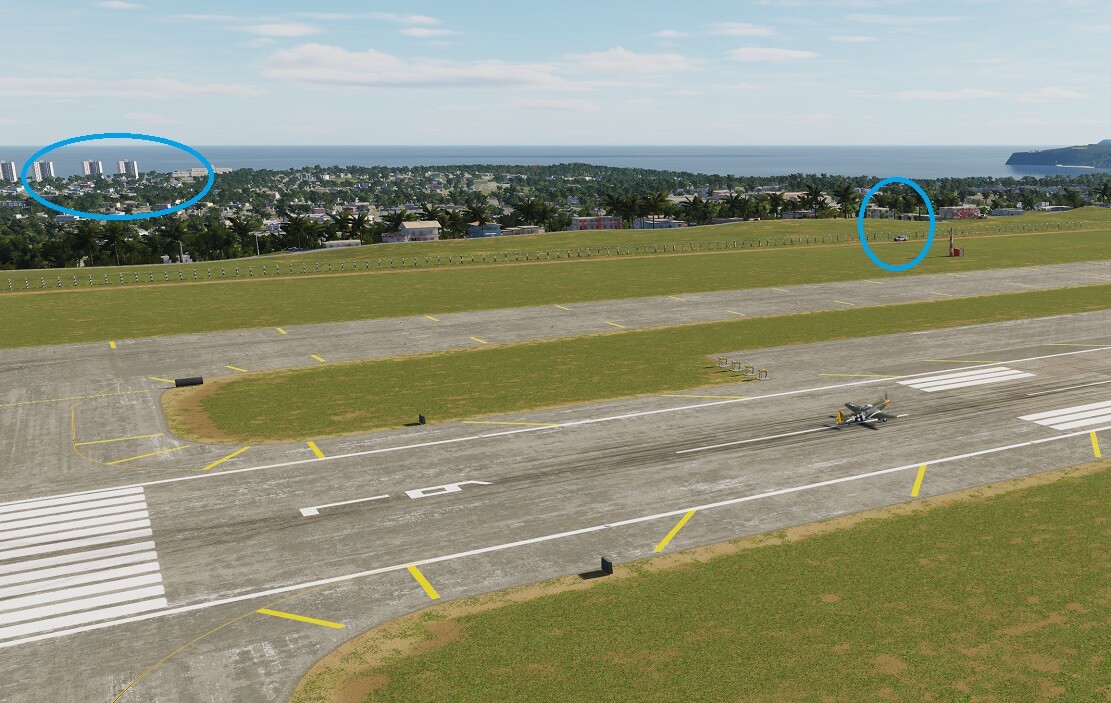
Well y'all got me curious ... created a new Marianas Map ww2 tester mission, set the date to june 1944 ... Marianas WW2-test01.miz Guess i am doing something wrong? It does not look much like ww2 .. (blue circles):
-
I used to have Game FM on but only recently switched it off. Guess i made profiles with it on .... Mosquito profile i indeed imported from the Spit. I guess you are right, i defaulted all Mosquito controls and the autostart sequence is no longer present .. I defaulted and reloaded control settings for each control unit: the bug is in my Warthog throttle file it seems ! And th weird thing is that it automatically has disappeared from the Spit and P51D it was present too after i set the throttle axis and buttons to my liking new, but only done for the Mosquito .... Marked this as solved, but also by MAXsenna ...
-
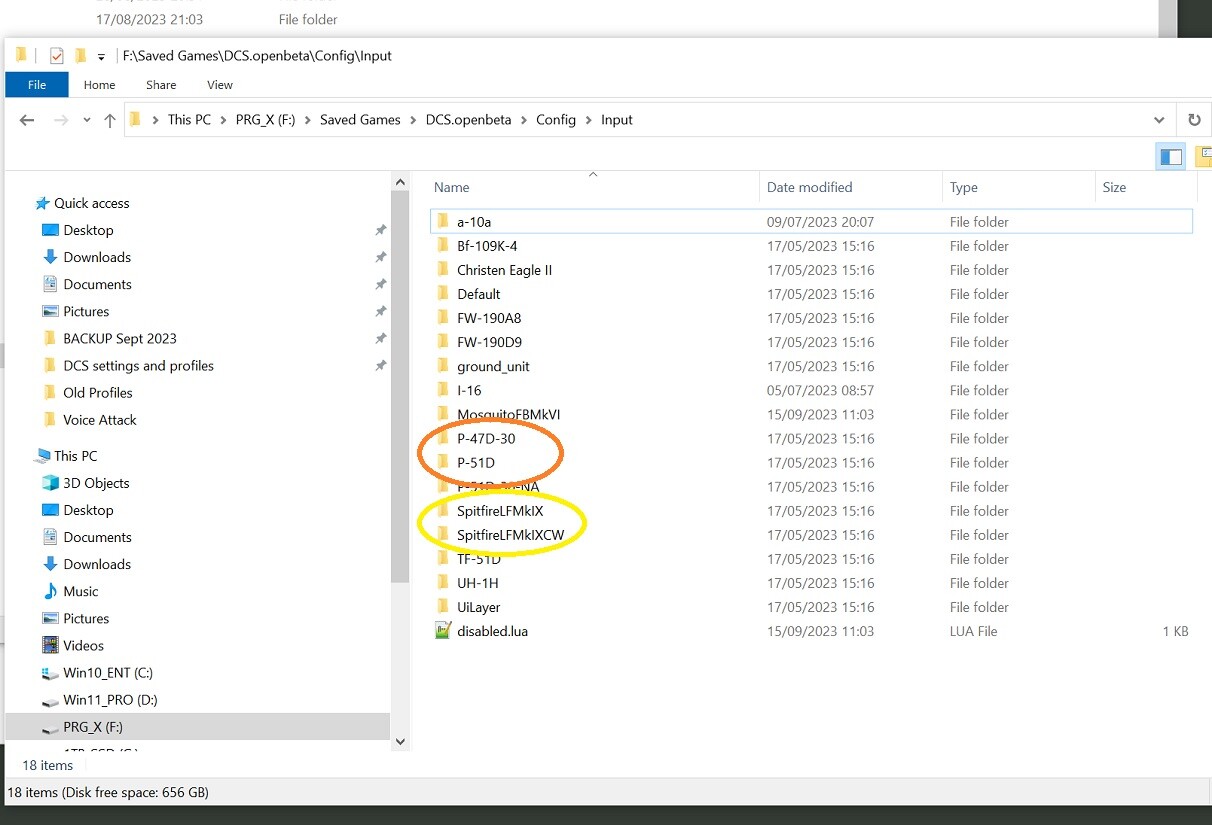
Nope, always used OpenBeta ... like diving dangerously LoL BUT THAT FIXED it ! ... however when i re-imported my controller settings from the backups above the autostart sequence was active again. PS renaming that scripts file did not solve it, and you'll need to do a quick repair aftar that to reinstall it. I have the Spitfire and the PD51 both i'll behaving the same (autostart always on) But for each plane there are two input files i don't get the why of it: