jackd
-
Posts
832 -
Joined
-
Last visited
Content Type
Profiles
Forums
Events
Everything posted by jackd
-
solved Roll back latest game version DCS 2.8.8.43489 Open Beta
jackd replied to jackd's topic in General Bugs
Just stared it, great tip. Loaded the latest DCS Open beta in slot one. Do you need to save it somewhere before changes, and edit only a copied Game folder to previous build?? ADDED just started openbeta 2.8.7.42718 ... beats me, the same behavior, must be doing something else wrong ! -
Skatezilla, just discovered this thanks MAXsenna .... many thanks to you !!
-
Can you de-install the latest update DCS 2.8.8.43489 Open Beta and roll back to DCS 2.8.7.42718 Open Beta? There seems a bug in the Mission editor and i want to carry on mith a mission in progress that's impossible now.
-
Where are the CA ships in game version DCS 2.8.8.43489 Open Beta?
jackd replied to jackd's topic in Bugs and Problems
Ran the install_Combined Arms.bat file too, and tried editing a random Normandy and Channel map generated mission; no ship selection possible but one for USA or UK, so I begin to think that it's a genuine bug, and posted it as such. Can you reproduce that, and get a Harbor Tug as example set on the river Thames? -
Where are the CA ships in game version DCS 2.8.8.43489 Open Beta?
jackd replied to jackd's topic in Bugs and Problems
i clicked on the clock, and it shows naval etc 1944. Nothing changes in behavior. PS Must go offline now, wife needs my assistance for shopping alas ... -
Where are the CA ships in game version DCS 2.8.8.43489 Open Beta?
jackd replied to jackd's topic in Bugs and Problems
Hi Max, you shoot fast! June 1944
-
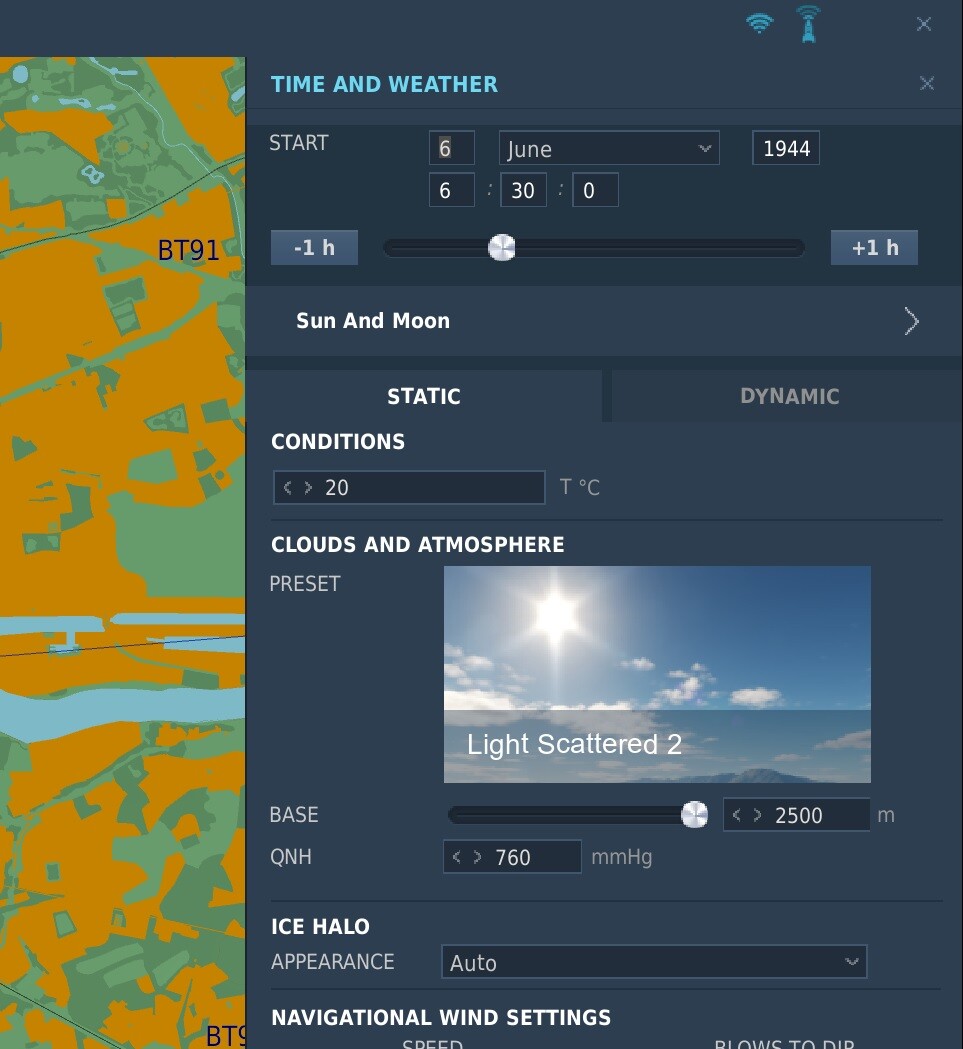
Got Normandy 2.0, The Channel, WW2 assets and Combined Arms, latest game DCS 2.8.8.43489 Open Beta When creating a mission on the London area it seems i cannot address a ship ANYMORE to be placed on the Thames like a Harbor Tug, as it just wont show up in the editor ship selector. It does however when i load a mission i created before with an older game version, thus in the latest update. IMO it seems a genuine bug (with at least this Tug). Creating a new Mission for London, ww2:
-
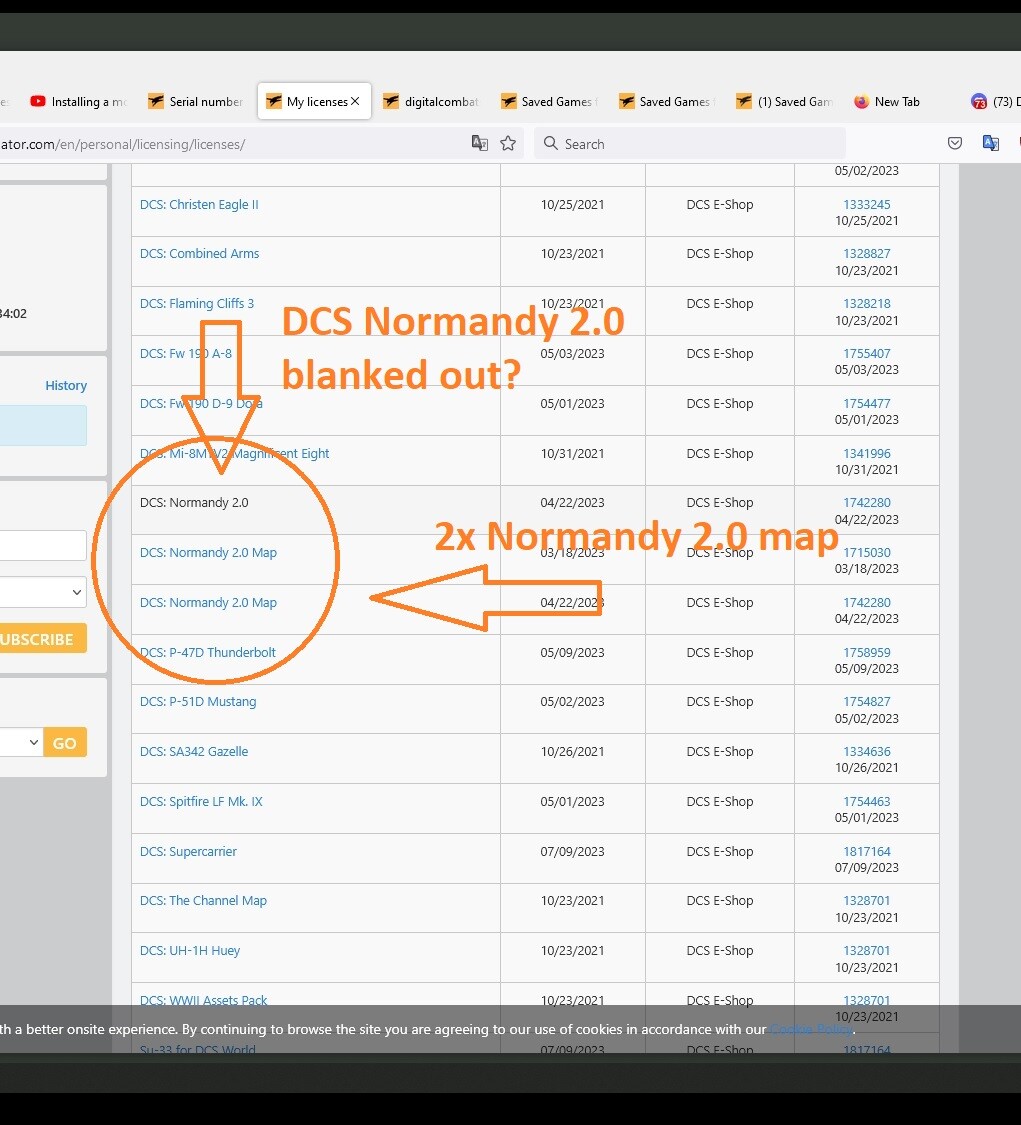
Thanks, i just found it, ran it, it's still the same .... i also checked my licenses page on DCS home, something is weird: ADDED just had a crash in the ME ...
-
Nope, installed all new, i had it with the fixes LoL. i de-installed all (made backups of my personal files first). then used the web installer, and then the stuff i bought. but f.i. the CE2 plane i bought, but was missing, i fixed that now. But i could not find various ships etc from the combined arms and ww2 assets packs yet, that in the ME.
-
Yep, all well now me thinks regarding file access ... but i am missing a lot of modules and other, like bought helicopters, and ww2 assets. f.i. i tried to install a Harbor Tug UK civillian ship on the Thames River in the mission editor but all i could select is Tanker Seawise Giant. The ED site is very unclear about how to reinstall and work with my 'bought' stuff . .
-
Started with a fresh new installation .... might unscrew matters.
-
It ends up in F:\-GAMES 2\DCS settings and profiles: I put my missions there in the Single folder .... EUREKA! Now i must get the whole caboose in working order
-
Ah Must try that second one, missed the first missions in C:\Users\Administrator\Saved Games\Missions\DCS.openbeta\Missions as you stated, sorry ! My bad. But they still won't show alas ..
-
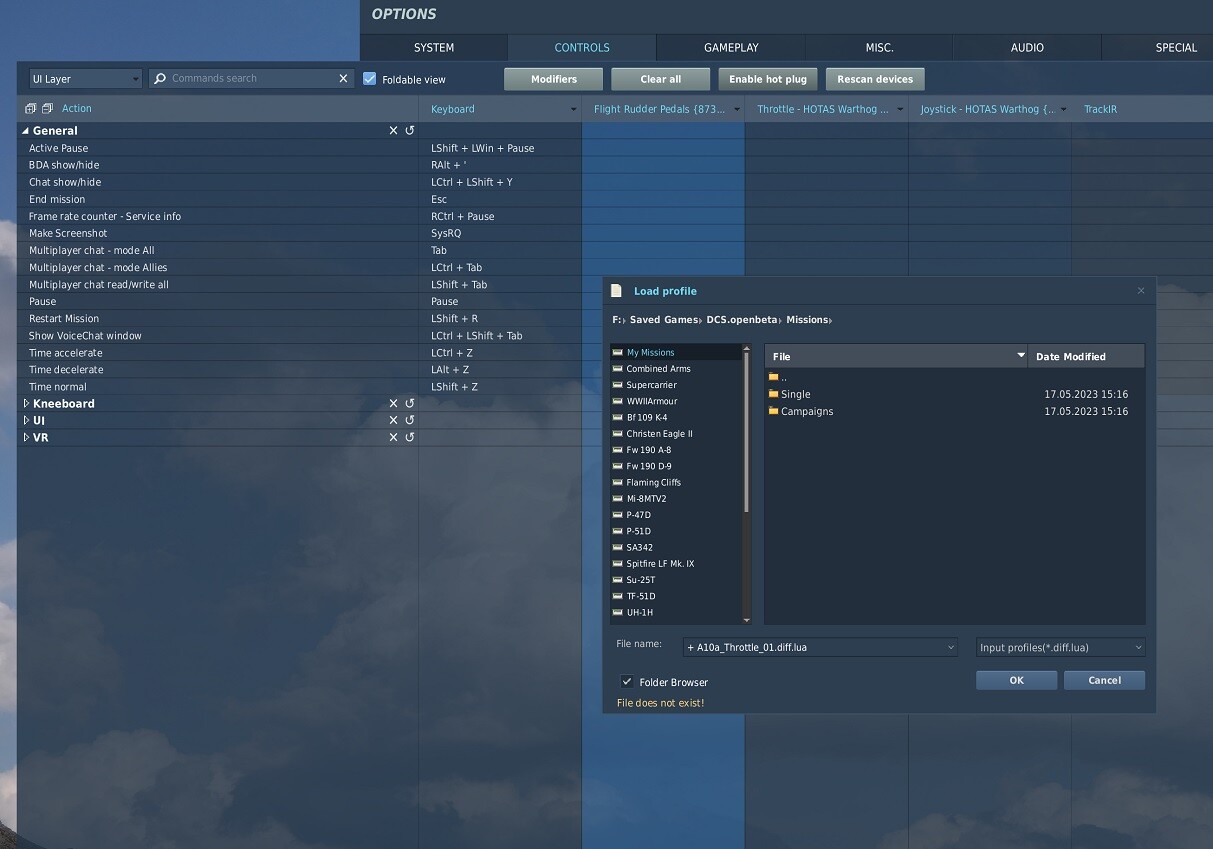
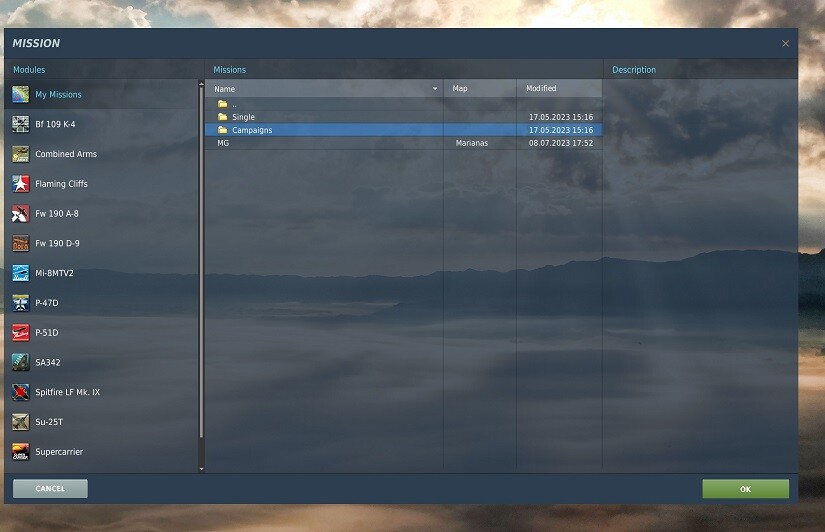
As Rudel suggested i put a missions folder in C:\Users\Administrator\Saved Games\Missions Also in C:\Users\Administrator\Saved Games\DCS.OpenBeta\Missions Both situations only this shows there, and NOT my stuff i put in these folder: So i am still confused ...
-
My thoughts too, they wont show when i create a folder in C:\Users\Administrator\Saved Games\DCS.OpenBeta\Missions and put something there. A very confusing system ... I coul;d not find the stuff i once made for Combined Arms with ww2 assets pack..
-
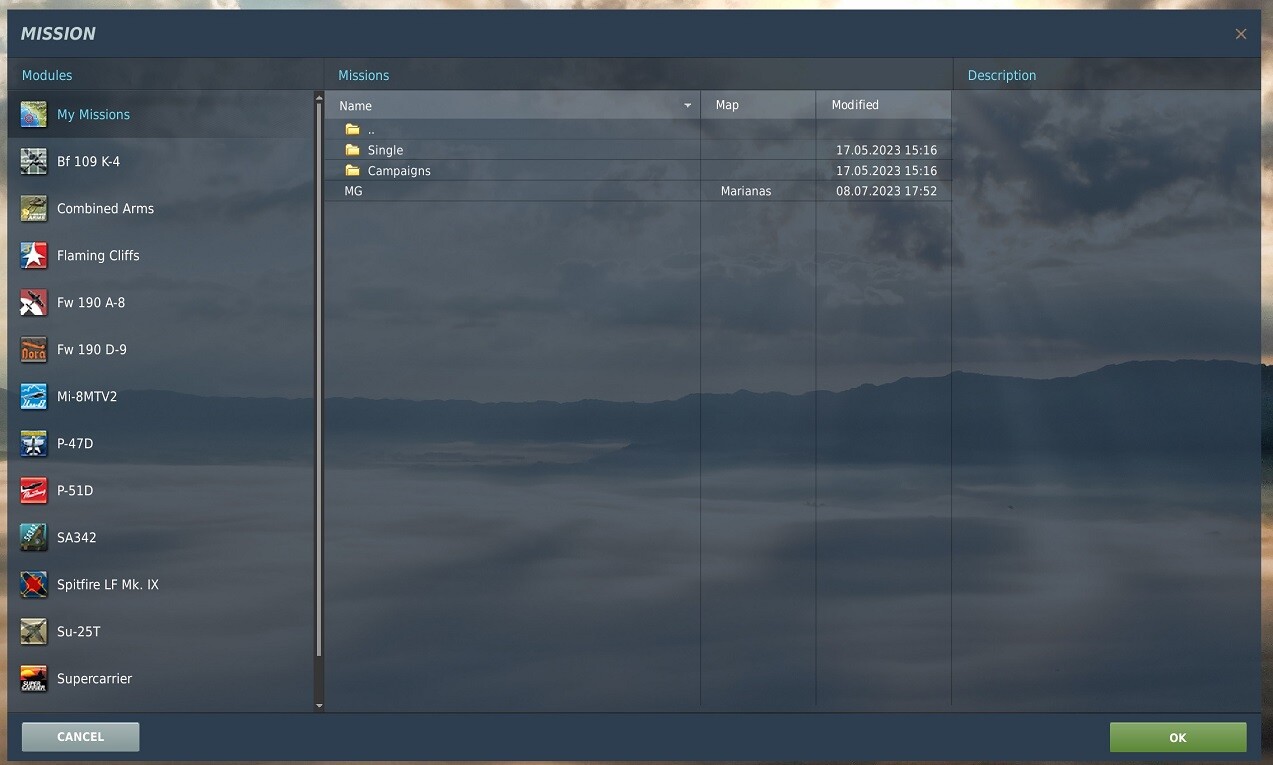
H Eduardo. that's active in opening a mission in the editor, In the game looks totally different:
-
Latest update DCS 2.8.7.42718 Open Beta: Still not fixed, as for Paris just tested; a half submerged player Willies jeep crosses under the Seine bridges, and Ai traffic still drives through you as player as merciless as before!
-
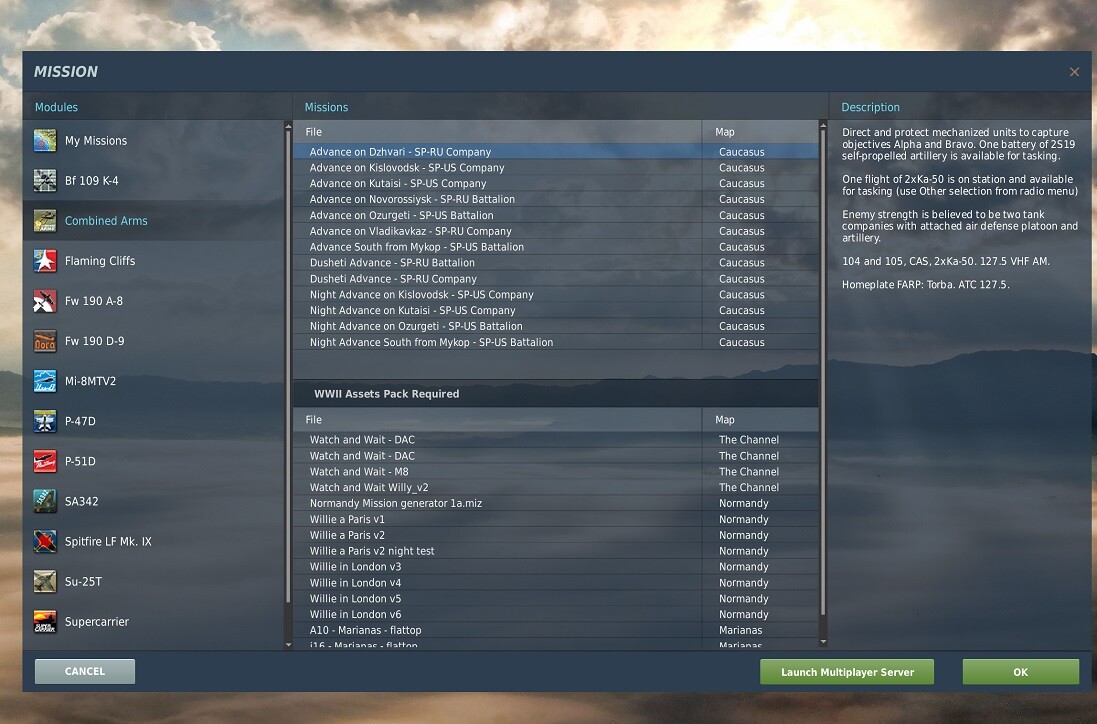
I understood that the only way DCS sees the saved missions properly is in that they're placed in the C\Users\Saved Games folder. Has anyone maybe some tips how to organize it subfoldering internally so that the game shows the stuff to be loaded properly? On my system i found C:\Users\Administrator\Saved Games\DCS.OpenBeta\Missions containing only Missions, and within that 4 folders. 1 Caucasus, 2 Normandy, 5 The Chanel and Campaigns. About all empty however and not representing my missions folder as shown in the game at all. Miz stuff i created is found on my separate games SSD, F:\- GAMES 2\DCS World OpenBeta\Mods\tech\WWII Units\Missions\CombinedArms\Single. This folder won't show in the load missions page in the game however. Tips welcome! -------------------------- PS added: I just made a new added folder 'Combined Arms' there and it shows up OK. However there are far more missions seen than in this folder, probably loaded from some default compressed games folder stored elsewhere?
-
ADDING DOWNLOADS, CAMPAIGNS, MIZ FILES LIVERIES ETC
jackd replied to 2Tone's topic in Western Europe 1944-1945
Creating a saved games with those folders in that c drive location made a quite mess in the My Missions folder .. is there anyway to reset the game's reading it properly, or refresh it? -
ADDING DOWNLOADS, CAMPAIGNS, MIZ FILES LIVERIES ETC
jackd replied to 2Tone's topic in Western Europe 1944-1945
Maps yes, nada related to DCS in C\Users\ ... etc -
ADDING DOWNLOADS, CAMPAIGNS, MIZ FILES LIVERIES ETC
jackd replied to 2Tone's topic in Western Europe 1944-1945
All the others in the left column are there (sorted by plane etc). My Missions just a few, and not the stuff i saved in the game's MISSIONS folder.
-
ADDING DOWNLOADS, CAMPAIGNS, MIZ FILES LIVERIES ETC
jackd replied to 2Tone's topic in Western Europe 1944-1945
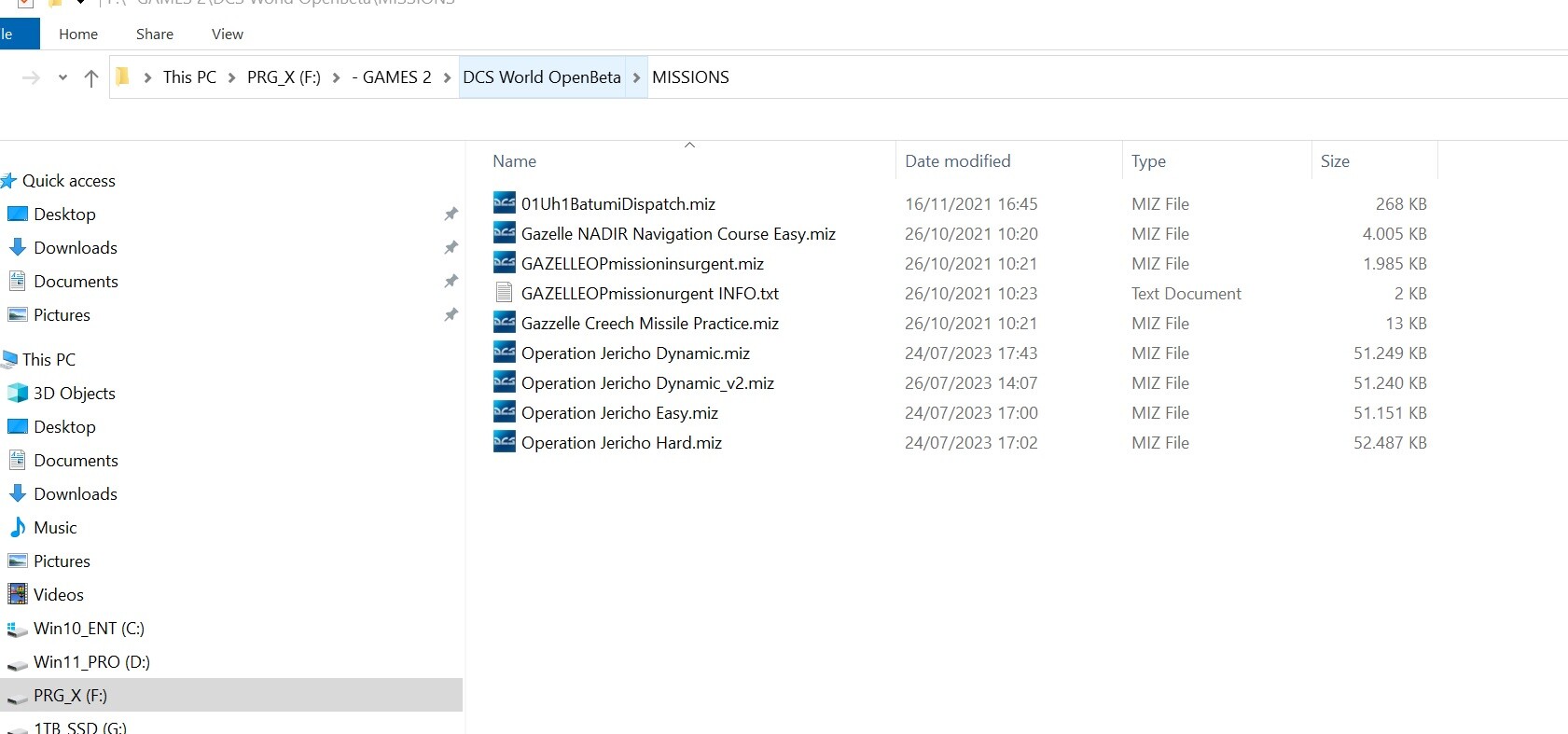
Yep, just put them (operation Jericho) in the advised DCS.open.Beta\MISSIONS folder, but they won't show when opening a Mission in the game . The editor how ever sees them there by opening the folder .. -
ADDING DOWNLOADS, CAMPAIGNS, MIZ FILES LIVERIES ETC
jackd replied to 2Tone's topic in Western Europe 1944-1945
yep, it's very confusing where to put these files .. -
Or:
-
In fact i was only looking for the crew's hidden drugs ..